How To Lower Ping in Games: Simple Fixes That Actually Work


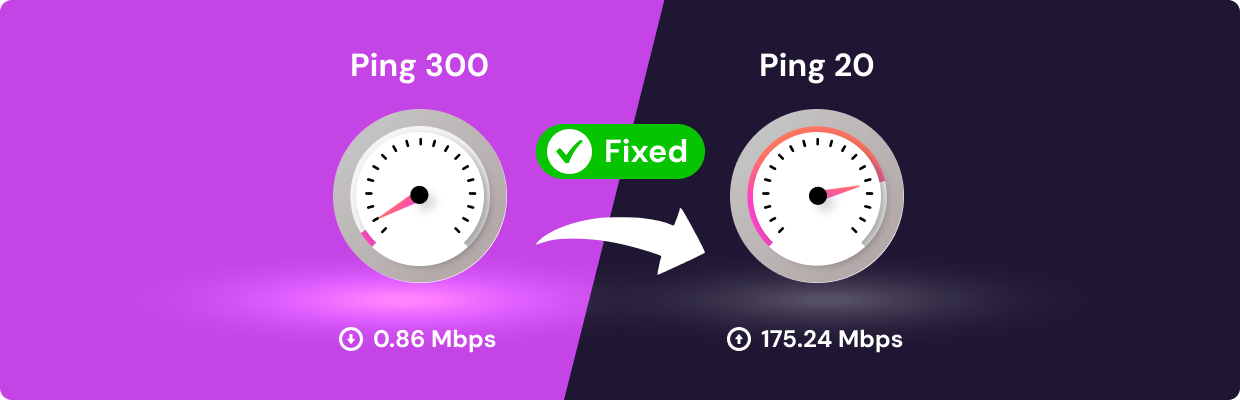
Key Takeaways
- Use a wired connection and nearby servers to get the lowest, most stable ping possible.
- Close background apps and reduce the number of connected devices to prevent sudden lag spikes and bandwidth hogging.
- Restart or upgrade your router to fix hidden performance issues and improve network stability.
- Optimize your system and game settings (drivers, graphics, server selection) for smoother, more responsive gameplay.
- A gaming VPN like Mysterium VPN can help in some cases by avoiding ISP throttling and congested routes.
Ever been in the middle of a clutch match and suddenly your character freezes, rubberbands into the abyss, or just gets straight-up deleted by someone with lightning-fast reflexes? You, my friend, have been betrayed by the cruel hand of high ping. In the heat of gaming, ping is the silent saboteur. It’s the uninvited guest at your digital party, the glitch in your highlight reel.
But fear not! Whether you're a Fortnite warrior, an Apex Legend, or a League of Legends strategist, we’re here to expose the secrets to low ping, high performance, and maybe even how to get bot lobbies in Fortnite (wink). Time to level up your connection and leave lag in the dust.
How To Get Lower Ping: 10 Ways
Lowering ping isn’t just about faster internet; it’s about smarter connections. From hardware tweaks to software tricks, these tips can help reduce lag and improve your overall gaming experience. Let’s dive in.
Use a Wired Ethernet Connection
Wi-Fi is convenient, but wired is faster, more stable, and far more consistent when milliseconds count. Unlike Wi-Fi, which is subject to interference from walls, other devices, and even your microwave, a wired Ethernet connection gives you a direct, uninterrupted line to your router.
This results in fewer dropped packets, lower latency, and a much smoother online experience, especially in fast-paced, competitive games where every click and keystroke matters. Wired connections also eliminate random signal drops and fluctuations that can cause sudden lag spikes.
Plug in that Ethernet cable, and you’ll not only feel the speed but also the difference in how responsive your game becomes. It's like switching from a tricycle to a racecar. Game on.
Choose Game Servers Close to Your Location
Many games let you pick a region. Always go with the one closest to you to shave off precious milliseconds. Game servers closer to your physical location reduce the time it takes for your data packets to travel, making your gameplay feel more fluid and responsive.
If you’re using tools like a VPN, choosing the right server location matters just as much as picking the right in-game region, since your connection still has to travel that distance. This is especially important for competitive titles where reaction time is everything.
Even a 20ms improvement can mean the difference between pulling off a headshot and spectating the rest of the round. If your game doesn’t let you pick a server manually, check if it offers regional matchmaking or automatic server selection based on ping. When you control the route, you control the ping.
Close Background Apps
Spotify, YouTube, downloads; shut them all down. Your bandwidth is sacred. Every app or service that uses the internet while you're gaming is essentially stealing a slice of the precious pie your game needs.
Even automatic updates in the background or sneaky cloud backups can create spikes in latency. Streaming music or video not only eats bandwidth but also adds additional strain on your router and CPU, especially on lower-end systems.
Before launching into battle, do a quick sweep: pause cloud syncing, quit background apps, and stop all downloads.
Think of it as clearing the stage for your star performance; you want all eyes (and bandwidth) on your game.
Restart Your Router
Sometimes the good old "turn it off and on again" really works. Your router is essentially a tiny computer, and just like your gaming rig, it can start to lag, freeze, or misbehave if it’s been running for too long.
A quick reboot helps flush out memory, resets the internal software, and re-establishes a fresh connection with your internet provider. It can also clear up minor routing issues that build up over time. Think of it like a mini power nap for your router: quick, refreshing, and surprisingly effective.
Clear out the cobwebs with a fresh reboot, and give your internet setup the reset it needs to stop dragging your ping through the mud.
Upgrade Your Router
Still using a router from 2008? It’s time. Technology has evolved significantly in the past decade, and older routers simply can’t keep up with the demands of modern online gaming.
Upgrading to a newer model ensures you benefit from the latest Wi-Fi standards like Wi-Fi 5 or Wi-Fi 6, which offer faster speeds, better range, and improved ability to handle multiple devices at once.
Many newer routers also include quality-of-service (QoS) features that let you prioritize gaming traffic, minimizing latency and reducing lag. Get a modern one that supports faster speeds, enhanced stability, and more consistent performance—it could be the upgrade your gaming setup desperately needs.
Avoid Peak Hours
Gaming during internet rush hour (usually 6–11 pm)? Expect more congestion. During these times, more people in your area are streaming, downloading, and gaming, which can overload local networks and increase latency. Try off-peak times for better ping. Fewer people online = less network traffic = smoother gameplay. Simple math.
Reduce Connected Devices
Are there too many smart TVs and phones streaming? Disconnect what you don't need while gaming. Each device saps a little bit of your bandwidth and adds extra load to your router. Even devices that seem idle can be syncing, updating, or streaming in the background. Even your fridge might be sending memes to the cloud: cut it off!
Update Your Network Drivers
Outdated drivers can bottleneck performance. Keep them fresh for smooth sailing. Updated drivers often include performance improvements, bug fixes, and better compatibility with your operating system. It’s like giving your network card a pair of new sneakers.
Optimize Game Settings
Some games allow you to limit max ping or choose data centers. Dive into those settings and tweak away. Lower graphics can also help if your machine is straining—FPS drops can feel like ping issues and make lag feel worse than it really is. A smoother frame rate often makes your connection feel more responsive overall.
Use a VPN
It may seem counterintuitive, but in certain situations, a VPN can actually help lower your ping. If your ISP is throttling gaming traffic or routing your connection through congested paths, a reliable gaming VPN can reroute that traffic more efficiently, sometimes even shortening the distance between you and the game server.
Some VPNs offer specialized gaming servers or let you connect to regions closer to your game’s servers, improving latency and overall stability. Just keep in mind: not all VPNs are built for speed. Free or overloaded services might slow you down even more, so choose wisely and test your results.
If you want to try a VPN that’s built with performance and privacy in mind, Mysterium VPN is a solid option for gamers. It offers fast, reliable routing and a decentralized network that can help avoid congested paths and ISP throttling. Right now, you can get up to 78% off Mysterium VPN, making it an easy, low-risk upgrade to test whether a smarter route can give you smoother, lower-latency gameplay.
What Is Ping?
Ping, in gamer lingo, is how fast your device talks to a game server and gets a response. It's measured in milliseconds (ms), and it tells you how quickly your commands reach the game and bounce back. The lower the ping, the faster and smoother your gameplay. Think of it as your internet reflexes.
A low ping means your game responds almost instantly, giving you a buttery-smooth experience. On the other hand, high ping creates a frustrating delay, like playing with your hands tied behind your back. It's like watching a live sports game through a satellite dish that’s being held together with duct tape. High ping can ruin your aim, delay your builds, and make your reactions look like you’re gaming underwater.
What Is a Good Ping for Gaming?
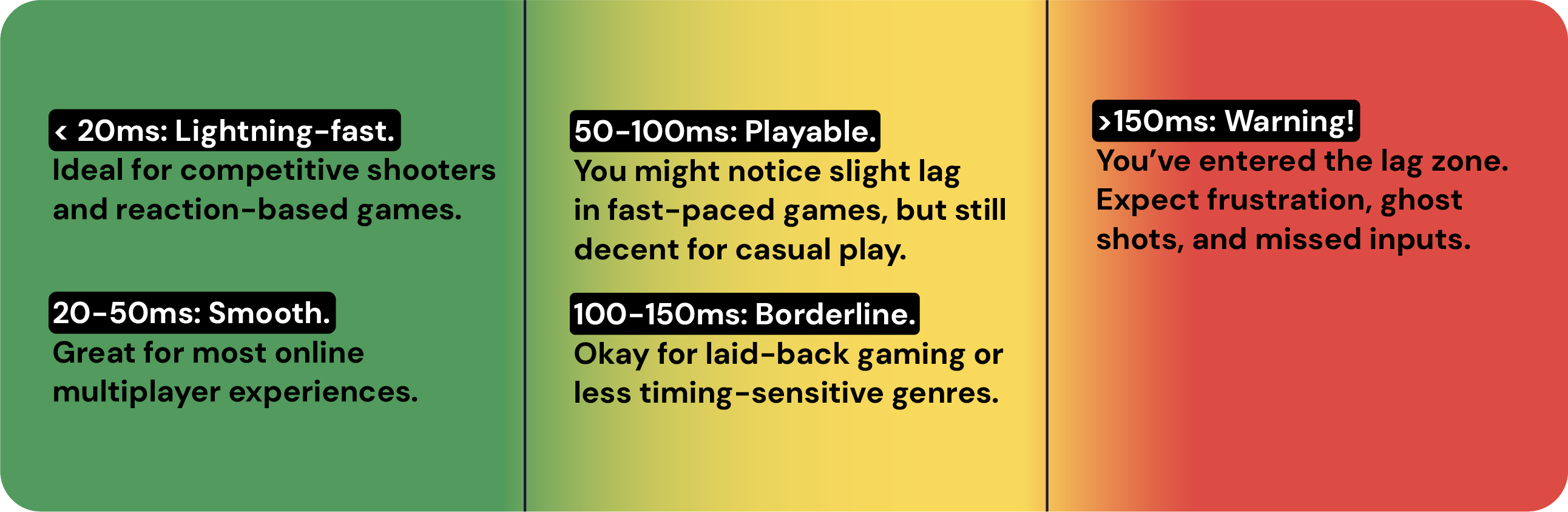
So, what counts as "good" ping? The golden number for most gamers is below 50ms. But what’s "acceptable" depends on what you're playing and how competitive you are. Let’s break it down:
- < 20ms: Lightning-fast. Ideal for competitive shooters and reaction-based games.
- 20-50ms: Smooth. Great for most online multiplayer experiences.
- 50-100ms: Playable. You might notice slight lag in fast-paced games, but still decent for casual play.
- 100-150ms: Borderline. Okay for laid-back gaming or less timing-sensitive genres.
- >150ms: Warning! You’ve entered the lag zone. Expect frustration, ghost shots, and missed inputs.
Good Ping for Specific Games
Some games are more forgiving than others, and the “ideal” ping depends a lot on the type of game you’re playing. If you’re using a gaming VPN like Mysterium VPN to optimize your route and avoid congested paths, hitting these targets becomes much easier. Here’s a handy table for minimum ping to play comfortably:
| Game | Minimum Recommended Ping |
| Fortnite | <50ms |
| Roblox | <100ms |
| Valorant | <35ms |
| Call of Duty: Warzone | <50ms |
| Call of Duty: Black Ops | <60ms |
| CS: GO | <40ms |
| Minecraft | <100ms |
| Rocket League | <50ms |
| Apex Legends | <50ms |
| League of Legends | <50ms |
What Is a Good Ping Speed for Working From Home?
Gaming demands fast reflexes, but remote work has its own digital needs, with ping still playing a crucial role. For video calls and collaboration tools like Slack or Zoom, a ping under 100ms ensures a smooth experience. Above that, expect glitchy audio, frozen screens, and the frustrating "Sorry, you go ahead..." exchanges.
Uploading large files to cloud storage or using remote desktop software can feel sluggish with a high ping. For non-real-time tasks like emailing or browsing, a 200ms ping usually has minimal impact on productivity.
However, if your work requires smooth, live interaction, like teaching, tech support, or livestreaming, prioritizing a low-ping connection is essential, just as in competitive gaming.
Bottom line: a fast, stable connection isn’t just a gamer’s dream; it’s a remote worker’s secret weapon too.
How To Do a Ping Test
Before you fix your ping, you gotta know your ping. Testing it is super easy and can be done right from your computer, no fancy tools required.
On Mac
- Open Terminal.
- Type: ping google.com
- Press Enter.
- Let it run for 5-10 seconds, then press Control + C.
- Look for the average time (in ms).
On Windows
- Press Windows + R, type cmd, hit Enter.
- In the Command Prompt, type: ping google.com
- Press Enter.
- You'll get a list of replies with times in ms.
- Check the "Average = Xms" at the end.
Feeling brave? Try pinging your favorite game server instead of Google. That’ll give you an even more accurate picture.
Why Is My Ping So High?

Feeling the lag? Here’s a rundown of the usual suspects behind sky-high ping:
- You're too far from the game server
- Your internet connection is slow or unstable
- Too many devices are hogging your bandwidth
- You're playing during peak hours
- Background downloads or streaming
- Old or malfunctioning router/modem
- Wi-Fi interference or weak signal
- Your ISP is throttling traffic
- Outdated network drivers
- Your cat walked on the router again (probably)
Sometimes it’s one culprit, sometimes it’s a tag-team combo. Identifying the issue is half the battle.
Final Thoughts
Ping may be invisible, but its impact on your game is anything but. Whether you’re chasing leaderboard glory or just trying to stop rubberbanding into a wall, lowering your ping is one of the best upgrades you can make to your gaming setup – no new graphics card required.
From using a wired connection and closing background apps, to testing a VPN or upgrading your router, it’s often the small adjustments that make a big difference. And while you can’t always control your ISP or server distance, you can take charge of your setup and connection habits.
Remember: every millisecond counts. So take control, fine-tune your network, and turn lag from your worst enemy into a distant memory.


Reclaim the internet that took you at your word!
Get Mysterium VPN

Frequently Asked Questions
Gintarė is a cybersecurity writer at Mysterium VPN, where she explores online privacy, VPN technology, and the latest digital threats in editorial pieces. With hands-on experience researching and writing about data protection and digital freedom, Gintarė makes complex security topics accessible and actionable.
Related Articles
.png)