Is Apple Pay Safe? Understanding Its Security Features in 2026


Key takeaways
- Apple Pay is considered a secure digital wallet, using tokenization, encryption, and biometric authentication to protect payment information.
- Apple Pay does not share your real card number with merchants, instead generating a unique transaction code for each payment.
- While Apple Pay protects financial data, users should still watch for scams, especially Apple Cash refund scams and unsolicited payments.
- Compared to traditional cards or password-based services, Apple Pay often offers stronger security layers, including Face ID, Touch ID, and device-level protection.
- You can further protect your account by keeping devices updated, monitoring transactions, and using secure networks or a VPN when shopping online.
As digital wallets become more common, many people are asking: is Apple Pay safe? In 2026, Apple Pay remains one of the leading mobile payment systems worldwide, used for various purchases ranging from grocery shopping to paying bills online.
While convenient, the growing use of digital wallets brings concerns about security. This Mysterium VPN blog post will take an in-depth look at Apple Pay’s security features, including Apple Pay security measures like tokenization, common scams to be aware of, and tips for staying safe when using this popular mobile payment method.
What Is Apple Pay and How Does It Work?
Apple Pay is a mobile payment system that lets users make contactless payments using their iPhone, Apple Watch, or other Apple devices. Apple Pay enables users to make purchases across various platforms, including websites, apps, and retail stores that support contactless payments.
Once Apple Pay is enabled, users can add their credit or debit cards to the Apple Wallet and use them at payment terminals that support contactless payments.
The system relies on near-field communication (NFC) technology to transmit payments securely without the need to hand over a physical card.
When a payment is made, Apple Pay generates a unique transaction code. This means that your payment information is not directly shared with the merchant.
Instead, Apple uses encryption and chip-based technology to protect your card details whether you’re making in-store purchases or shopping online.

How to Set up Apple Pay
Setting up Apple Pay on your Apple device is a straightforward process. Follow the steps below to set it up on your iPhone, Apple Watch, or iPad.
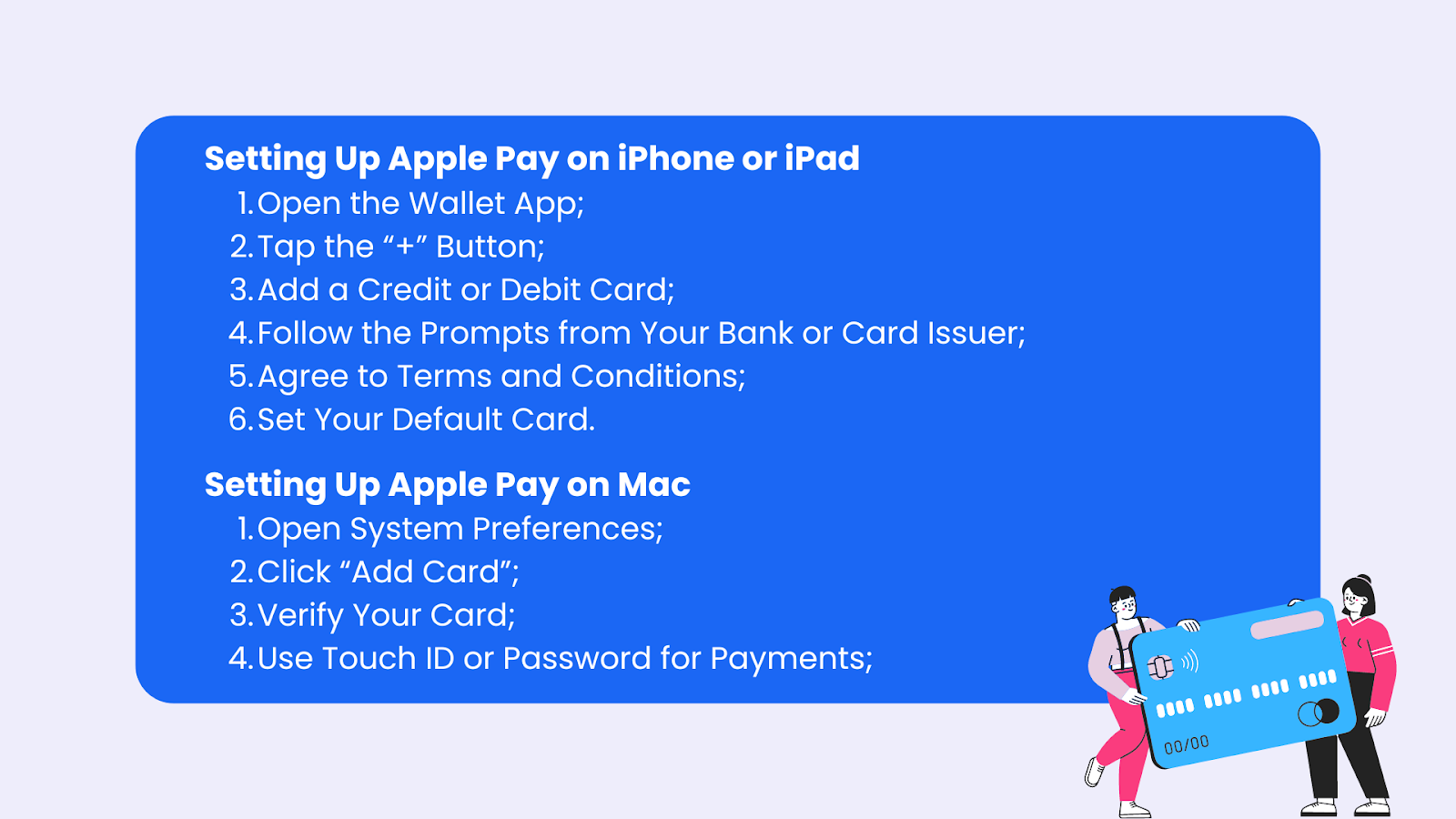
Setting Up Apple Pay on iPhone or iPad
- Open the Wallet App
- Tap the “+” Button
- Add a Credit or Debit Card
- Follow the Prompts from Your Bank or Card Issuer
- Agree to Terms and Conditions
- Set Your Default Card
Setting Up Apple Pay on Apple Watch
- Open the Apple Watch App
- Go to the “Wallet & Apple Pay” Section
- Add a Credit or Debit Card
- Complete Verification
- Set Your Default Card (Optional)
Setting Up Apple Pay on Mac (With Touch ID)
- Step 1: Open System Preferences
- Step 2: Click “Add Card”
- Step 3: Verify Your Card
- Step 4: Use Touch ID or Password for Payments
Setting Up Apple Pay on Mac (Without Touch ID)
- Step 1: Ensure You’re Signed Into iCloud
- Step 2: Enable Apple Pay on iPhone or Apple Watch
- Step 3: Use Your Mac for Payments
Tips for Using Apple Pay
- Add multiple cards to your Wallet for different purposes, like separating personal and business expenses.
- You can use Apple Pay in stores, within apps, and online wherever the Apple Pay or contactless payment symbol is shown.
- Make sure your Apple device is always up-to-date with the latest software for maximum security and functionality.
Is Apple Wallet Safe?
How secure is Apple Pay? Apple Pay is considered a safe and secure way to make payments. Several layers of protection are built into the system to prevent fraud and unauthorized access.
When making a transaction, Apple Pay uses device account numbers instead of your actual bank or credit card number. This makes it more difficult for hackers to access your sensitive information.
Additionally, Apple Pay encrypts your financial data, ensuring that your card details are securely stored and transmitted. To authorize payments, users must authenticate using either facial recognition (Face ID), Touch ID, or a device passcode.
This extra layer of security ensures that even if your Apple device is lost or stolen, it’s difficult for anyone else to use Apple Pay for unauthorized transactions.

Can Apple Pay Be Hacked?
Is Apple Pay secure? While no system is completely immune to hacking, Apple Pay is designed to be very difficult to compromise. The platform doesn't store your card information on its servers, nor does it share your card details with merchants.
Instead, encrypted data is used for transactions, making it challenging for hackers to intercept or misuse your information. If there are any unauthorized charges, Apple Pay’s security system works with your card issuer to help resolve the issue promptly.
Does Apple Pay Protect Against Scams?
Despite its strong security features, Apple Pay users should still be aware of common scams. When making an Apple Pay purchase, it's crucial to remain vigilant to avoid unauthorized access and potential fraud.
One frequent scam is the Apple Cash fraud, where someone sends you money through Apple Pay and then claims it was sent by mistake, asking you to return the money.
Sometimes, the original payment may have been made using a stolen credit card, leaving you responsible for the lost funds.
Another scam to watch out for is receiving unsolicited payments. While simply receiving money doesn’t give a scammer access to your account, it can be part of a larger scheme to defraud you.
Apple Pay users often ask whether someone can hack their account by sending money, but while that’s unlikely, scammers can still use this tactic to create confusion and trick users into returning stolen funds.
Is Apple Pay or PayPal Safer?
Many people wonder whether Apple Pay is safer than traditional credit cards or other payment services like PayPal. In many cases, Apple Pay offers a higher level of security.
Unlike a regular credit card, which exposes your card details during a transaction, Apple Pay uses encryption and unique transaction codes to protect your information. Additionally, Apple Pay uses biometric authentication, such as Face ID or Touch ID, to add an extra layer of security.
Compared to PayPal, Apple Pay is often considered more secure because it relies on biometric data and encryption, whereas PayPal transactions are typically secured by passwords alone.

Is Apple Pay Safe to Use With Strangers?
To ensure safe use of Apple Pay, there are several steps you can take to protect yourself from scams. First, avoid using public Wi-Fi networks when making payments or shopping online.
Public Wi-Fi is less secure, and hackers can intercept your payment information. If you need to use a public network, consider a VPN for public Wi-Fi, which encrypts your connection and helps protect your data.
Another safety tip is to be cautious of unsolicited payments or messages. If something seems suspicious, it’s better to stay on the side of caution and not engage with the sender.
If you encounter a potential scam or fraudulent activity, it’s essential to know how to report fraud on Apple Pay. The Apple Wallet app allows users to quickly contact their bank or card issuer to flag and resolve suspicious activity.
Apple Pay’s Security and Privacy Features
Apple Pay is equipped with several security and privacy features that protect users during transactions. Securing your bank account details is crucial, and Apple Pay ensures this through robust measures. Beyond encryption, the platform relies on biometric authentication, such as Face ID or Touch ID, and the use of a device passcode.
These methods ensure that unauthorized users cannot easily make payments if they gain access to your device.
In cases where an Apple device is lost or stolen, Apple’s Lost Mode can be activated to suspend Apple Pay. This prevents any unauthorized purchases until you recover your device or deactivate it from your account.
Does Apple Pay Have Buyer Protection?
Apple Pay offers strong protection for buyers, especially when it comes to online purchases. When making a purchase with Apple Pay, your payment details aren't shared with the merchant.
Instead, a unique transaction code is used, keeping your financial data safe. Should any unauthorized purchases occur, Apple Pay works with your card issuer to resolve the issue.
Apple also has a buyer protection system that allows you to dispute charges that you didn’t make or don't recognize. This is particularly helpful in situations involving online fraud or unauthorized charges.
Securing Your Apple Pay Account
Securing your Apple Pay account is crucial to prevent unauthorized transactions and protect your sensitive information. Here are some steps you can take to secure your Apple Pay account:
- Use a Strong Passcode: Set up a strong passcode on your Apple device to prevent unauthorized access to your Apple Pay account. A strong passcode adds an essential layer of security, making it harder for anyone to access your device and, consequently, your Apple Pay.
- Enable Touch ID or Face ID: Enable Touch ID or Face ID on your Apple device to add an extra layer of security to your Apple Pay transactions. Biometric authentication ensures that only you can authorize payments, making it significantly more secure than traditional methods.
- Keep Your Device and Apple Pay App Up to Date: Regularly update your Apple device and Apple Pay app to ensure you have the latest security features and patches. Apple frequently releases updates to address security vulnerabilities, so keeping your software current is vital.
- Monitor Your Account Activity: Regularly check your Apple Pay account activity to detect any suspicious transactions. By keeping an eye on your transaction history, you can quickly spot and address any unauthorized activity.
- Report Lost or Stolen Devices: If your Apple device is lost or stolen, report it to Apple and your bank or card issuer immediately to suspend Apple Pay. This action prevents anyone from using your device to make unauthorized purchases.
By following these steps, you can enhance the security of your Apple Pay account and enjoy peace of mind while making transactions.

Staying Safe When Shopping Online
When shopping online with Apple Pay, you can take several precautions to enhance your security. First, always ensure your Apple device is running the latest software updates. Apple frequently releases updates to fix security vulnerabilities, so keeping your device up-to-date is critical.
When entering payment information online, make sure the website is secure. Look for HTTPS encryption in the browser address bar to confirm that the site is protected. Also, consider using a VPN when shopping on unfamiliar networks to add an extra layer of security.
Cybersecurity in Secure Payments
Using a VPN is a valuable security tool, particularly when using Apple Pay on public networks. A VPN encrypts your internet connection, making it difficult for hackers to access your data.
Whether you’re using Apple Pay on an iPhone or Apple Watch, a VPN can help keep your information safe from potential cyberattacks.
Dealing With Apple Pay Issues and Fraud
Occasionally, users may face issues while using Apple Pay, such as failed transactions or suspected fraud. If this happens, the first step is to check your internet connection and make sure your default card is properly set up. If the problem persists, contacting your card issuer or bank can help resolve the issue.
In cases of fraud, it’s essential to report the problem immediately. Your bank can investigate unauthorized charges and work with Apple to ensure that your account remains secure.
Emergency Protocol
If you suspect that your Apple Pay account has been compromised or you have experienced an unauthorized transaction, follow these steps:
- Contact Your Bank or Card Issuer: Reach out to your bank or card issuer to report the issue and request assistance. They can help you investigate unauthorized transactions and take the necessary actions to protect your account.
- Suspend Apple Pay: Suspend Apple Pay on your device to prevent further unauthorized transactions. You can do this through the Find My app or by contacting Apple support. Suspending Apple Pay ensures that no one can use your device for payments until the issue is resolved.
- Change Your Passcode: Change your passcode on your Apple device to prevent unauthorized access to your Apple Pay account. A new passcode can help secure your device and protect your financial information.
- Monitor Your Account Activity: Closely monitor your Apple Pay account activity to detect any further suspicious transactions. Keep an eye on your transaction history and report any additional unauthorized activity to your bank or card issuer.
- Contact Apple Support: Reach out to Apple Support for additional assistance and guidance on securing your Apple Pay account. They can provide further instructions and help you navigate the process of securing your account.
By following these steps, you can help protect your Apple Pay account and prevent unauthorized transactions. Remember to always prioritize security when using Apple Pay and to report any suspicious activity to your bank or card issuer immediately.

Can You Delete Apple Cash Transactions?
Some users ask whether it’s possible to delete Apple Cash transactions. Currently, Apple doesn't allow users to delete individual transactions from the Wallet app. However, users can review their payment history and report any fraudulent activity to their bank or card issuer for further investigation if the need arises.
Everything Else You Should Know to Use Apple Pay
Even though Apple Pay typically uses Face ID, Touch ID, or your device passcode to authorize transactions, there are instances where you may still be required to enter your PIN directly into the card reader. This usually happens in the following situations:
- Local regulations: Some regions or countries have specific regulations that require users to enter a PIN for certain types of transactions, especially for higher-value purchases. While Apple Pay is secure, the terminal may still ask for a PIN as an additional layer of security.
- Merchant's payment terminal settings: Some older or less sophisticated payment terminals may require a PIN even if you're using Apple Pay. This often happens at smaller stores or places where the terminals haven't been updated to fully support modern contactless payment protocols.
- Debit cards: When using a debit card with Apple Pay, some terminals might still ask for your PIN, especially for large purchases. This is more common in some countries where debit transactions traditionally require a PIN.
Transaction Limits for Contactless Payments
In certain countries, contactless payment methods, including Apple Pay, may have transaction limits. For example, you might be able to use Apple Pay without a PIN for payments under a certain amount (like $100), but if your purchase exceeds this limit, you might be prompted to either:
- Enter your PIN on the card reader.
- Use your physical card instead.
This isn’t an Apple Pay limitation but rather an overall limitation imposed by local financial institutions or the card issuer’s policies. These limits vary by country and are slowly increasing as contactless payments become more popular.
Using Apple Pay Without an Internet Connection
You can use Apple Pay for contactless payments even when your device is not connected to the internet. This is because Apple Pay uses the Device Account Number stored on your phone, and each transaction is authorized with a unique transaction code.
However, features like viewing your Apple Pay transaction history or receiving Apple Cash may require an internet connection.
Security Layers and Why You Might Be Asked for Additional Verification
Apple Pay relies on advanced security mechanisms like biometric authentication (Face ID or Touch ID) and encryption.
However, if Apple detects something unusual, such as multiple failed authentication attempts, you might be asked to enter your Apple ID password or device passcode before completing a purchase. These added layers of security can occur if:
- You haven’t used Apple Pay in a while.
- Apple detects that you're in a different region or using a different device than usual.
- There's an unusually large purchase or something that doesn’t match your typical spending habits.
Conclusion
Apple Pay will remain a highly secure and convenient payment method in 2026. With security features like encryption, biometric authentication, and transaction-specific codes, Apple Pay protects your financial information during every transaction.
While no system is completely foolproof, Apple Pay’s security measures make it one of the safest ways to make payments in-store and online.
By staying aware of common scams, using a VPN when necessary, and following best practices for online shopping, you can ensure that your experience with Apple Pay is safe and sound.


Save up to 85% off for Black Friday!
The ultimate digital shield, now at a fraction of the cost.

Frequently Asked Questions
Gintarė is a cybersecurity writer at Mysterium VPN, where she explores online privacy, VPN technology, and the latest digital threats in editorial pieces. With hands-on experience researching and writing about data protection and digital freedom, Gintarė makes complex security topics accessible and actionable.
Related Articles