01
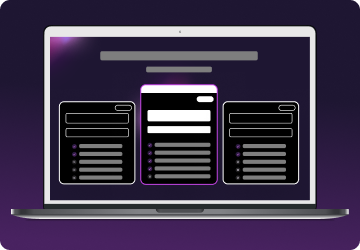
Step 1
Choose a plan for your needs. Plus is our most popular, get it now for $2.29/mo.

A VPN for Roblox is essential for gamers seeking enhanced privacy, security, and a smoother gaming experience.

$311.76 $59.77 billed every 2 years
$359.76 $54.94 billed every 2 years
$479.76 $93.37 billed every 2 years
Yes, you can play Roblox with a VPN, as long as it’s for the right reasons. Roblox’s Community Standards state that using a VPN to spoof your location for unfair advantages or to bypass restrictions is against their rules.
However, using a VPN for privacy, security, or safer access to public networks is allowed. Many players use VPNs to protect their IP addresses, reduce the risk of DDoS attacks, and keep their data secure, especially while gaming on shared or public Wi-Fi.


Whether you play Roblox yourself or if you’re a parent or guardian of a Roblox-obsessed kiddo, using a gaming VPN is a good idea to keep yourself and your family safe. Here’s an overview of why you should consider using a VPN for Roblox.
A VPN can improve your internet connection by avoiding congested ISP routes. By connecting through optimized servers closer to Roblox’s data centers, you may experience lower ping and more stable gameplay.
In online games like Roblox, revealing your IP address can expose you to risks such as doxxing and harassment. A VPN masks your real IP address, shielding you from potential cyber threats and maintaining your anonymity online.
Public Wi-Fi is often unsecured, which puts you, your Roblox account, and your data at risk. A VPN encrypts your connection, ensuring your login details and activity stay safe and sound even on open networks.
A distributed denial-of-service (DDoS) attack is a real concern in online gaming. A gaming VPN can help prevent them by hiding your real IP address, so attackers can’t target you directly. It’s a simple way to avoid game interruptions and stay protected.
Roblox runs on most phones and laptops, but network restrictions at school or work can sometimes get in the way. With a VPN, you can change your IP address and maintain access to Roblox from more locations, without interruptions.
Disclaimer: Mysterium VPN service is intended for lawful use only. By using this service, you agree to comply with our General Terms of Service and with all relevant laws. You are also responsible for ensuring that your activities comply with the terms and conditions of any third-party services you access.
Boosting your Roblox gaming experience with a VPN is as easy as pie. Follow these steps:
Choose a plan for your needs. Plus is our most popular, get it now for $2.29/mo.
Download the Mysterium VPN app for your device. Available for laptops, smartphones, tablets, and browsers.
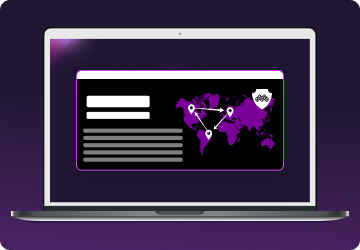
Sign in, select a country, and connect. You're now browsing securely from wherever you choose.
Access to Roblox is often restricted to school computers or networks. Schools typically block it to prevent distractions, manage bandwidth, or enforce content controls.
According to Roblox’s Community Standards, attempting to gain unauthorized access, including “using VPNs to mask your location to gain unauthorized access to Roblox, including to a specific feature or account,” is strictly prohibited.
That said, not all school networks block Roblox. If the platform is accessible and you're using a public or unsecured network (like school Wi-Fi), it’s completely reasonable to use a VPN for security and privacy, not to bypass restrictions.
A VPN helps protect your personal information, encrypt your internet traffic, and prevent your IP address from being exposed, especially important on open networks used by hundreds of other students.
So, while we don't encourage or support bypassing school network policies, we recommend using a VPN like Mysterium to stay safe when Roblox is legitimately available on your school network. Try it today, now 85% off!
Using a VPN can improve your connection by avoiding congested ISP routes.
By connecting through optimized servers closer to Roblox’s data centers, you may experience lower ping and more stable gameplay. This is especially helpful during peak hours or if your ISP throttles gaming traffic.

The game is popular with children and teens, but many parents wonder how safe Roblox truly is. While Roblox includes built-in safety features, like chat filters, parental controls, and content moderation, these measures aren’t foolproof.
Because Roblox is built around user-generated content, there’s always a chance your child could encounter inappropriate language, scams, or contact from strangers.
That’s why it’s important for parents to take an active role in their child’s online experience. Setting up parental controls, reviewing games before play, and having open conversations about online safety are key steps to protecting your child.
Additionally, using a VPN like Mysterium adds an extra layer of security. It helps mask your child’s IP address, protects personal information on public Wi-Fi, and reduces the risk of targeted cyber threats while gaming.

Yes, you can use a free VPN for Roblox, but it’s not ideal. Free VPNs often have limits and risks – slower speeds, weaker security, data caps, and fewer servers. This can lead to annoying lags or even connection drops during gameplay.
Even worse, some free VPN providers log your data or shove ads everywhere. For a safer, smoother experience, choosing a reliable VPN like Mysterium, designed with privacy and performance in mind, is a better option. Try it today and experience peace of mind for only $2.29/mo!

The ultimate digital shield, now at a fraction of the cost.
You no longer need a VPN to change your Roblox display name. Here’s how you can do that on your computer: Go to the official Roblox website and log in to your account. Click the gear icon in the upper-right corner and click Settings. Go to your Account Settings. Click the Display Name section and click the Edit button. Write down your new display name and save the changes. Remember that this only applies to your display name. If you wish to change your username, it will cost you 1000 Robux, with or without a VPN.
Roblox permits VPN usage for privacy and security purposes but prohibits using them to mask your location for unauthorized access.
Using a VPN responsibly for security is acceptable. However, using it to bypass regional restrictions can lead to account penalties.
Purchasing Robux should be done through official channels. Using a VPN to manipulate pricing or access restricted offers violates Roblox's Terms of Use.
Get 85% OFF on a 2-year plan!