

Coverage
Cover devices that can't run a VPN app: smart TVs, consoles, streaming sticks, and smart home gear – see our VPN for smart devices page.

Set up a VPN for router once and protect every device on your network with Mysterium VPN.
Reclaim your freedom for 85% OFF!
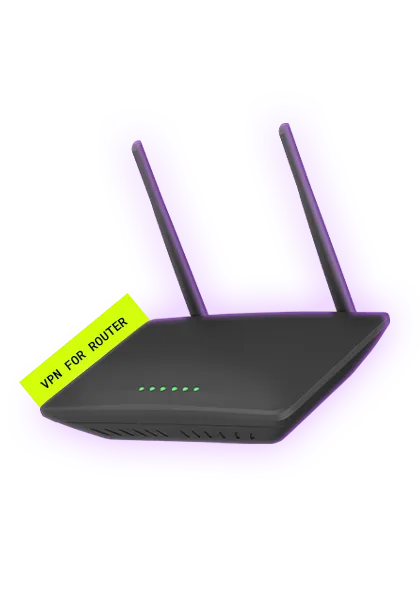
A VPN router is a standard router with a VPN client configured directly in its settings. Every device that connects to it (phone, laptop, smart TV, or console) passes its traffic through the VPN automatically, with no app needed on the individual devices. It’s not a special type of hardware. Any compatible router can become a VPN router once it’s set up.
Installing a VPN on your router encrypts traffic at the network level, so every device that joins your Wi-Fi is covered automatically, with no per-device setup.
Cover devices that can't run a VPN app: smart TVs, consoles, streaming sticks, and smart home gear – see our VPN for smart devices page.

Encrypt traffic up to your VPN's exit point – note that a router VPN doesn’t protect data once it leaves that point.

Protect every new device the moment it connects, without touching its settings.
Before you start, confirm your router can run a VPN client. Routers supplied by your internet provider almost never support this – you will usually need your own.
Your router also needs to support the right protocol. Mysterium VPN uses WireGuard®, which uses modern cryptography and runs efficiently on router hardware. WireGuard support is common on most modern routers, including:
Check your specific model and firmware against the manufacturer's documentation before buying or configuring.

Confirm your router supports WireGuard® client configuration. ISP-provided routers usually do not, so you may need a dedicated router – such as an OpenWrt, GL.iNet, or supported Asus model – to run the VPN client at the network level.

Log in to your Mysterium VPN dashboard. On the Home page, use the Router Protection card, or open My Devices and use the Router card, then click Get Router config. Select your server type and location, and download the file. We recommend a High-Speed (Data-Center) server and a country close by. One config is allowed per account and uses one device slot.

Enter your router's gateway IP into your browser – often 192.168.1.1, 192.168.0.1, or 192.168.8.1 for GL.iNet. Log in with your router credentials; on GL.iNet, the default username and password are usually both "admin".

In your router's VPN settings, select WireGuard® client setup and import or paste the Mysterium VPN configuration you downloaded. Exact steps vary by manufacturer, so follow the guide for your router: GL.iNet setup or OpenWrt setup.

Save your settings and activate the WireGuard® connection. Every device on your network is now routed through Mysterium VPN – confirm it’s working as it should by running an IP and DNS leak test from a connected device.

Every device on your network now routes through Mysterium VPN – smart TVs, consoles, phones, and tablets included, with no per-device setup. To change your server type or location later, remove the current config in your dashboard and generate a new one.
Run Mysterium VPN on your router, and every device on your network can exit through a real residential IP, not a datacenter range – smart TVs, consoles, and streaming sticks included, with no individual setup. That matters most for streaming devices, which routinely flag datacenter VPN IPs.
A router VPN installs the VPN directly on your router rather than on individual devices. Every device connected to your Wi-Fi is then automatically protected – including smart TVs, gaming consoles, and other devices that don't support native VPN apps.
Yes. Mysterium VPN can be configured on compatible routers using WireGuard®. Generate and download your configuration file from your account dashboard – via the Router Protection card on the Home page or the Router card under My Devices – then follow the setup guide for your router. One router configuration is available per account, and it uses one device slot.
Mysterium VPN's router support works with routers that support WireGuard® client configuration, including OpenWrt-compatible routers, GL.iNet routers, and supported Asus models. ISP-provided routers almost never support VPN configuration. Check your router's manual or the manufacturer's website to confirm WireGuard client support for your specific model and firmware.
WireGuard® is faster and more efficient – it uses modern cryptography and a smaller code base, which means lower latency and better performance on router hardware. OpenVPN is more widely supported on older routers, but is generally slower. Mysterium VPN uses WireGuard®.
Yes. A router VPN means every streaming device on your network (including smart TVs, Apple TV, Fire TV Stick, Roku, and gaming consoles) is routed through the VPN automatically. With Mysterium's residential IPs, traffic can appear more similar to ordinary residential internet, which may reduce the chance of triggering streaming VPN detection. Availability depends on the platform, location, IP reputation, and usage pattern.
Get 85% OFF on a 2-year plan!