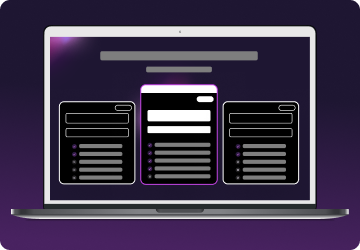
01
Step 1
Choose a plan for your needs. Plus is our most popular, get it now for $2.99/mo.

High-performance gaming VPN for Valorant. Enjoy faster, more stable matches and enhanced privacy.

$311.76 $59.77 billed every 2 years
$359.76 $54.94 billed every 2 years
$479.76 $93.37 billed every 2 years
Mysterium VPN delivers fast, stable, and secure connections built for serious gamers. With residential IPs, strong encryption, and reliable routing, your gameplay stays smooth and uninterrupted, while your personal data remains protected. Our VPN minimizes detection risk and ensures consistent performance across regions.
Gamers often face high ping, lag spikes, region locks, and ISP throttling, all of which can ruin competitive sessions. Mysterium VPN addresses these issues directly: our stable residential IPs reduce latency, our global network of 11,000+ IPs helps you change your virtual location, and encrypted internet traffic prevents ISP throttling.
For top-tier performance and privacy, get Mysterium VPN today, now $2.99/mo!
.webp)
It’s easy to get started with Mysterium VPN. Here’s how:
Choose a plan for your needs. Plus is our most popular, get it now for $2.99/mo.
Download the Mysterium VPN app for your device. Available for laptops, smartphones, tablets, and browsers.
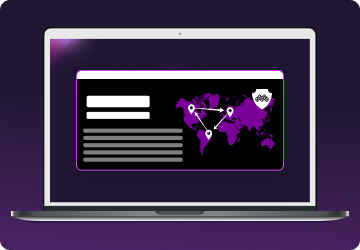
Sign in, select a country, and connect. You're now gaming securely from wherever you choose.
Yes, you can absolutely play Valorant with Mysterium VPN, and many players already do. Our VPN can enhance your gaming experience in several ways, provided you use it responsibly. A gaming VPN can provide benefits like reduced ping, safer connections on public networks, and protection from malicious attacks like DDoS.
Using a VPN by itself isn’t a bannable offence in Valorant. Riot Games, the publisher behind Valorant, mainly enforces rules against cheating, account sharing, or intentionally falsifying your Region of Residence (RoR) to manipulate matchmaking, payment options, or language settings. You’re not breaking any rules if you use a VPN simply for security or connection stability.
That said, Riot’s policy on VPNs is a bit of a gray area. They discourage using VPNs to bypass regional restrictions, but many players safely use them every day for privacy and protection.
Our advice: enjoy the benefits of Mysterium VPN, but always respect Riot’s guidelines to ensure a fair and fun gaming experience for everyone involved.
Valorant accounts are tied to specific regions to optimize matchmaking, reduce latency, and comply with Riot Games’ rules. This region-locking system ensures players are matched with others nearby and prevents access to servers outside their assigned region.
While this system improves overall gameplay balance, it can be frustrating for players who travel or want to play with friends in other regions. Using Mysterium VPN with a new account allows you to change your region while maintaining privacy and connection stability safely.
By connecting through a VPN server in your desired location, you can create an account assigned to that region. Always check your connection and test your ping to ensure smooth, lag-free gameplay and avoid negatively affecting competitive matches.
With Mysterium VPN, you can change your server safely and efficiently if you follow the proper steps and keep Riot’s rules in mind. Here’s a concise step-by-step guide, based on community-tested methods:
Using Mysterium VPN alone isn’t a bannable offense in Valorant. VPNs are allowed for security and stability, but you can get banned if you use a VPN for cheating, account sharing, or deliberately falsifying your Region of Residence (RoR).
Ready to explore new regions with greater security? Download Mysterium VPN today (now 78% off) and take control of your Valorant connection!
Below are the official Valorant server regions supported by Riot Games:
| Region | Server Location |
| Europe | Frankfurt, Paris, Stockholm, Istanbul, London, Warsaw, Madrid, Bahrain |
| North America | US West (Oregon), US West (N. California), US East (N. Virginia), US Central (Texas), US Central (Illinois), US Central (Georgia) |
| Latin America | Santiago, Mexico City, Miami |
| Asia-Pacific | Hong Kong, Tokyo, Singapore, Sydney, Mumbai |
| China | Chongqing, Guangzhou, Nanjing, Tianjin |
| Korea | Seoul |
| Brazil | São Paulo |
For the best gaming experience and lowest ping, we recommend you pick a Valorant gaming server closest to your physical location. For instance, pick the Frankfurt server in Europe if you're playing from Berlin. This list of Valorant servers (gathered September 2025) may change at any time, as Riot Games controls server availability. Check this information periodically to stay up-to-date!
To optimize your ping and enjoy smoother gameplay in Valorant, follow these tips:
Combine these strategies with our VPN to reduce lag, prevent throttling, and enjoy a fast, secure gaming experience. Get Mysterium VPN today to keep your Valorant sessions smooth and uninterrupted.

Technically, yes, but it’s not recommended. Free VPNs often come with drawbacks that can impact your gameplay and security, no matter what game you play:
Mysterium VPN works differently: our stable residential IPs and fast connections, end-to-end encryption, and rotating IPs for privacy, give you consistent performance across regions.
For a secure, high-performance Valorant experience, get Mysterium VPN today!

The ultimate digital shield, now at a fraction of the cost.

Not for simply using a VPN. However, Riot Games may take action if it detects behavior that violates its Terms of Service, such as account abuse, unfair matchmaking manipulation, or intentional region spoofing.
Yes, using VPNs is legal in most countries. But while using one is allowed, Riot Games requires all players to comply with their rules, especially regarding fair gameplay and maintaining an accurate Region of Residence.
To create an EU Valorant account, you must register with Riot Games using an IP address located in a supported European country. Riot uses your location at signup to assign your region, and it may restrict account creation based on your actual region of residence, in line with its terms.
To change your Valorant region, connect to a VPN server in your desired location before signing up or logging in. Riot assigns your server based on your IP, so ensure your VPN is active and test your connection for stability.
To play Valorant with friends in other regions, connect to a Mysterium VPN server in the same area and log into an account based there. Make sure to test your ping and avoid competitive matches if latency is high.
Get 85% OFF on a 2-year plan!