- Home >
- The Residential VPN Built for Streaming >
- Twitch VPN


Twitch VPN for Safer, Smoother Streaming
- Prevent ISP throttling and enjoy smoother Twitch streaming.
- Hide your IP to protect your identity and avoid DDoS attacks.
- Watch Twitch streams on public Wi-Fi safely and securely.


Why Do You Need a VPN for Twitch?

Protect Your Privacy & IP Address
Whether you're watching Twitch or live streaming to your fan base, your real IP address is exposed by default. This can make you vulnerable to DDoS attacks or unwanted tracking. A Twitch VPN hides your IP address, keeping you anonymous and protected while online.

Avoid ISP Throttling
Twitch streams can buffer or lag if your internet service provider slows down your internet connection during high-bandwidth usage. Using a VPN routes your traffic through a private, encrypted tunnel, making it that much harder for ISPs to throttle your Twitch traffic.

Secure Streaming on Public or Shared Networks
Are you enjoying Twitch streams from hotels, cafes, universities, or elsewhere using a publicly available Wi-Fi? Connecting to a VPN ensures your internet connection is encrypted and private, reducing the risks of spying or data interception.
How To Use a VPN on Twitch
Getting started with a Twitch VPN like Mysterium is simple. Here’s how to use it, whether you're watching or streaming:
On Desktop (Windows/macOS)
- Head to Mysterium VPN’s official website and pick a plan that fits your needs.
- Download and install the Mysterium VPN app on your laptop.
- Open the Mysterium VPN app, log in to your account, and choose a VPN server nearby.
- Connect to the VPN.
- Open Twitch in your browser or desktop app and start watching or streaming.
On Mobile (iOS/Android)
- Head to Mysterium VPN’s website and pick a subscription plan that fits your needs.
- Install the Mysterium VPN app on your phone from either the App Store or Google Play.
- Open the app and connect to a low-latency VPN server.
- Launch the Twitch mobile app and enjoy secure Twitch streaming.

Should I Use a VPN While Streaming on Twitch?
Many Twitch streamers use a VPN to keep their connection private and prevent disruptions like DDoS attacks. Here are the pros and cons of using a VPN while streaming:
Pros
- IP protection: Hide your real IP from viewers and malicious actors.
- DDoS protection: Reduce the risk of stream crashes from attacks.
- Stable speeds: Prevent ISP throttling for consistent Twitch streaming.
- Extra layer of privacy: Useful when traveling or streaming in shared environments.
Cons
- Slight ping increase: Depending on the server location, ping may rise slightly, but choosing nearby VPN servers minimizes this.
As you can see, the pros outweigh the cons! Try Mysterium VPN today, now for 78% less – $2.99/mo.
Twitch VPN: No Ads While Watching Streams?
Some Twitch users report seeing fewer ads when connected to VPN servers in regions like Poland or Ukraine, where localized ad delivery is limited. However, using a VPN to intentionally block ads can carry serious risks.
Twitch’s Terms of Service make it clear that users should not attempt to bypass the platform’s technical systems, misrepresent their location, or access the service in unintended ways. Altering how Twitch delivers ads by spoofing your location may fall under these violations.
However, using a VPN to protect your IP address, reduce ISP throttling, or stream safely on public Wi-Fi is widely accepted. These privacy and performance-focused uses align with Twitch’s policies.
Bottom line: VPNs are valid tools for security and performance, but using them to block ads violates Twitch’s rules. Always use your VPN responsibly.

How to Choose the Best VPN for Twitch Streaming
When selecting a Twitch VPN, look for features that prioritize speed, stability, and security:
- 7,500+, lag-free streaming residential IPs: For smooth, interruption-free streaming.
- No data caps: So you can stream or watch as much as you want.
- Strong privacy protections: Keep your real IP address hidden.
- Cross-platform compatibility: Use it on desktops, mobile devices, tablets, or smart TVs.
- Protect many devices at once: Protect up to 15 devices at once with a single subscription.
Mysterium VPN offers all of the above, and more!
Does Twitch Allow VPN Use?
Twitch doesn’t explicitly ban the use of VPNs in its Terms of Service. As such, using a VPN like Mysterium VPN for online privacy, ISP throttling protection, and secure access in restricted regions is generally acceptable.
However, using a VPN to evade bans, manipulate identifiers, or spoof your location violates Twitch’s rules. The bottom line is that a VPN for Twitch is safe and allowed, as long as it's not used to deceive or disrupt.
Where and Why Is Twitch Blocked?
Twitch may be restricted or blocked in the following scenarios:
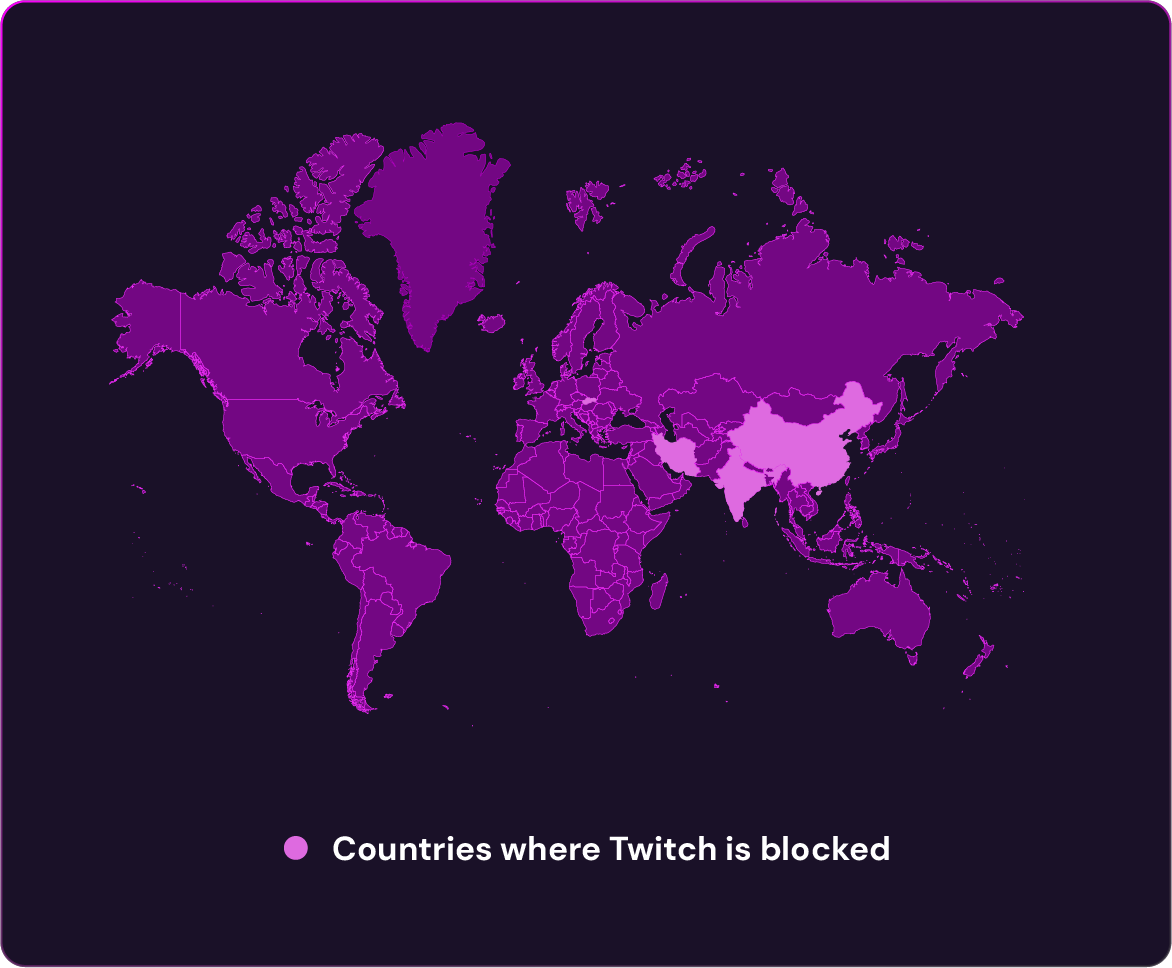
- Certain countries like China, Iran, Slovakia, Turkey, and India have either permanently or temporarily blocked access to Twitch due to government censorship or because the activity on Twitch broke local laws and regulations.
- Schools and workplaces block Twitch to conserve bandwidth or reduce distractions during the school or workday.
- Public networks that limit access to streaming services.
Despite these blocks, Twitch has become a globally beloved community space for like-minded individuals.

Can I Use a Free VPN for Twitch?
Using a free VPN for Twitch may sound appealing, but they often come with significant trade-offs that you must be aware of:
- Limited bandwidth can ruin Twitch streaming with constant buffering.
- High ping affects real-time interaction during live streams.
- Fewer server locations make it harder to find a low-latency connection.
- Weaker privacy protections may even put your data at risk.
A reliable VPN like Mysterium offers fast speeds, DDoS protection, and unlimited connections without the risks of a free VPN.