CapCut VPN: Protect Your Data and Stay Private
- 11,000+ IPs in 100 countries for global access.
- Undetectable to VPN blockers.
- Safety on public Wi-Fi with encryption and a no-logs policy.


Why Do You Need a VPN for CapCut?

Protect Your Privacy
A VPN helps keep your data private, especially when connected to public or unsecured Wi-Fi networks. Mysterium VPN encrypts your internet traffic so your editing sessions stay confidential and your real IP address remains hidden, protecting you from unwanted tracking or profiling.

Enhance Online Security
Your CapCut editing sessions can involve large file uploads and syncing with cloud services. Mysterium VPN reduces the risk of malicious third parties intercepting or tracking your precious data with strong encryption and a strict no-logs policy, ensuring no records of your activities are stored.

Enjoy Global Access
While CapCut’s features, music libraries, and templates may vary by country, Mysterium VPN’s reliable servers in multiple locations can help you access CapCut more securely.

Avoid ISP Throttling
Internet providers can throttle your uploads or video editing. Mysterium VPN helps keep speeds fast and stable. It’s not just useful for TikTok: whether you're editing, uploading, or exploring the web, check out all the ways Mysterium VPN can improve your online experience.
How To Use VPN for CapCut
-
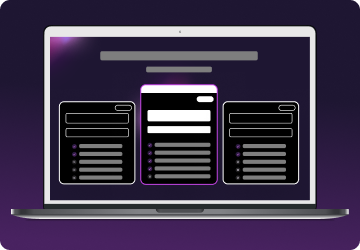 1
1Step 1
Choose a plan for your needs. Plus is our most popular, get it now for $2.99/mo. -
 2
2Step 2
Download the Mysterium VPN app for your device. Available for laptops, smartphones, tablets, and browsers. -
 3
3Step 3
Sign in, select a country, and connect. You're now browsing securely from wherever you choose.
How To Download CapCut After The Ban
For iOS Users
- Go to Settings > Apple ID > Media & Purchases > View Account.
- Tap Country/Region and change it to a supported country like Japan or India.
- Create a new Apple ID registered to the supported country if needed.
- Connect Mysterium VPN to that country.
- Download CapCut from the App Store.
For Android Users
- Open the Google Play Store and go to Account > Country and profiles.
- Switch to the supported country. If the option isn’t available, create a new Google Account registered in that country.
- Connect Mysterium VPN to the chosen country.
- Download CapCut from the Play Store.
Can You Use CapCut Without a VPN After Installation?
Once installed, CapCut generally works without a VPN.
However, if your country actively blocks the app or its features, using a VPN might be necessary to maintain access or update the app. For privacy and security reasons, many people use Mysterium VPN while they’re working within the app, especially on public networks.

Why Was CapCut Banned?
CapCut has been banned or restricted in several countries due to data privacy concerns, national security risks, and regulatory compliance issues. As a ByteDance product, the same company behind TikTok, CapCut faces scrutiny in regions where Chinese tech platforms are heavily examined.
One key reason for the ban in countries like India is national security. Governments fear foreign-owned apps might collect sensitive user data or manipulate information via algorithms. In addition, many nations now enforce strict digital service laws requiring local data storage or greater transparency in data handling.
If CapCut fails to comply, it may be removed from app stores or blocked entirely. Although CapCut remains available in countries like the U.S., future legal developments could affect its accessibility.
When bans are implemented, users often lose access through app stores, and core features, such as music templates, cloud syncing, or editing tools, may stop functioning even for those who had already downloaded the app.

Can I Use a Free VPN With CapCut?
While free VPN apps might seem tempting, they usually come with significant limitations like slow speeds, restricted bandwidth, and intrusive ads. Many free versions lack strong encryption or a strict no-logs policy, putting your data at risk.
Free VPNs may help unblock CapCut, but they often fail to offer reliable, fast connections needed for smooth video editing and file uploads.
For a hassle-free experience, we recommend sticking to a paid and secure VPN with unlimited bandwidth, fast speeds, and trusted privacy policies, like Mysterium VPN.
Capcut VPN Not Working: Fix Common Issues
Connect to a Supported Country
Make sure Mysterium VPN is connected to a server in a country where CapCut is officially available.
If you're trying to access CapCut from a restricted region, connecting to an unsupported location may cause the app to malfunction or refuse to load certain features (like music or templates).
Clear App Cache and Reinstall CapCut
If you installed CapCut before connecting to the VPN, your device might still be using cached regional data. Try clearing the app cache or uninstalling and reinstalling CapCut after connecting to the VPN. This allows the app to refresh and detect your new virtual location.
Switch VPN Servers
Not all servers in a supported country behave identically. Some may be overloaded or blocked. If you're facing lag, loading failures, or video export errors, try switching to a different server in the same country for better performance and access.
Enable Kill Switch for Stability
Activate your VPN’s kill switch feature to prevent data leaks if your VPN connection drops. This ensures that your real IP address isn’t accidentally exposed while using CapCut, especially during uploads or downloads.
Update Your VPN App
An outdated VPN client may lack the latest security patches, server configurations, or compatibility improvements. Always ensure you’re using the latest version of the Mysterium VPN app for optimal performance with CapCut.
Disable Conflicting Tools
If you have other proxy services, browser extensions, or free VPN apps running in the background, they may interfere with your current VPN session. Disable or uninstall these tools to avoid conflicts.
Restart Your Device
Sometimes, the tried and true method of turning your device on and off can help clear temporary bugs or connectivity conflicts between apps and your VPN software.