Secure Your AI Chats with Mysterium VPN
Get 78% off a 2-year plan!
- Hide your IP to stay anonymous.
- End-to-end encryption & a kill switch for guaranteed safety.
- Access AI tools securely from anywhere.


Why Do I Need a VPN for ChatGPT?

Online Privacy
A reliable ChatGPT VPN, such as Mysterium VPN, encrypts your internet activity, keeping your personal data and generated content private from ISPs, advertisers, and surveillance.

Tracking Prevention
Stop trackers in their tracks. ChatGPT VPN hides your IP and blocks invasive scripts, so advertisers and websites can’t follow your every move after using ChatGPT.

Public Wi-Fi Protection
Stay safe on public networks. ChatGPT VPN shields your connection from hackers and snoops when using Wi-Fi in cafes, airports, and hotels.

Access While Traveling
In some regions, ChatGPT might be blocked altogether. By using a ChatGPT VPN, you can access ChatGPT wherever you may be.
How To Use ChatGPT With a VPN
-
 1
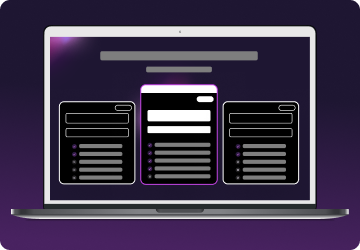
1Step 1
Choose a plan for your needs. Plus is our most popular, get it now for $2.99/mo. -
 2
2Step 2
Download the Mysterium VPN app for your device. Available for laptops, smartphones, tablets, and browsers. -
 3
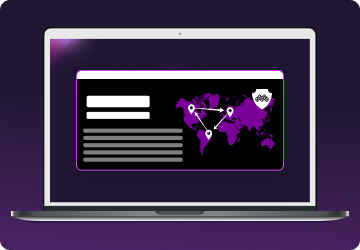
3Step 3
Sign in, select a country, and connect. You're now browsing securely from wherever you choose.
What is ChatGPT?
ChatGPT is a generative artificial intelligence chatbot that took the world by storm in 2022. It can have coherent conversations with you, generate texts, fix mistakes, improve whatever you are writing, and even generate images.
The sheer power of this service has transformed the web landscape, making everyday tasks easier for nearly any profession.
For regular use, it can be used to quickly answer your questions without going on a long search on search engines, or to generate images for pretty much anything.
Countries Where ChatGPT Is Banned

Unfortunately, though, as magical and amazing as ChatGPT might be, it caused concern for various countries with internet restrictions.
There are a few countries in the world that ban ChatGPT outright, making a ChatGPT VPN crucial there. Here are the countries:
- 🇨🇳 China: China banned ChatGPT due to concerns over information control and censorship. The government aims to prevent the spread of content that might challenge state narratives or disseminate misinformation.
- 🇷🇺 Russia: Russia banned ChatGPT, citing concerns over national security and the potential for the platform to spread misinformation. The government seeks to control narratives and limit foreign influence.
- 🇰🇵 North Korea: North Korea has strict controls over internet access and information dissemination. ChatGPT is banned to maintain government control over information and prevent exposure to external narratives.
- 🇮🇷 Iran: Iran restricts ChatGPT due to concerns over security, data privacy, and the potential spread of misinformation. The government exercises strict internet censorship to control information flow.
- 🇨🇺 Cuba: Cuba's government maintains rigorous control over internet access and restricts its citizens from accessing certain websites, including ChatGPT. This aligns with Cuba's broader strategy of monitoring online content and limiting information dissemination.
A ChatGPT VPN can help you surpass government-inflicted restrictions if you are traveling in these locations. However, remember that being caught using ChatGPT there with a VPN can cause a fine or other forms of punishment by the state.
Examples of ChatGPT Use
ChatGPT is a powerful tool that can be employed by all types of people for all types of media. These are the common use cases for ChatGPT:
- Students – homework help: Students use ChatGPT to explain complex topics, summarize readings, and get guidance on writing essays or solving math problems.
- Professionals – writing & editing: Writers, marketers, and managers rely on ChatGPT to draft emails, polish reports, and generate creative content quickly and efficiently.
- Software developers – coding assistance: Developers use ChatGPT to troubleshoot bugs, understand code snippets, and generate sample scripts in languages like Python, JavaScript, or HTML.
- Travelers – itinerary planning: Travelers ask ChatGPT to recommend travel destinations, plan multi-day itineraries, and translate essential phrases into local languages.
- Entrepreneurs – business brainstorming: Startup founders use ChatGPT to brainstorm product ideas, write pitch decks, and simulate customer support chats or marketing copy.
- Job Seekers – resume & interview prep: People use ChatGPT to tailor their resumes, craft cover letters, and prepare answers to common interview questions with confidence.
- Parents – educational games & stories: Parents ask ChatGPT to create bedtime stories, educational games, or age-appropriate explanations of science, history, and other subjects.
- Language learners – practice & translation: Learners use ChatGPT to practice conversation, get grammar explanations, and translate phrases while learning a new language.
- Content creators – scripts & ideas: YouTubers, podcasters, and streamers use ChatGPT to outline content, generate scripts, and explore topic ideas for their audience.
- Everyday users – quick answers & life tips: Anyone can use ChatGPT for quick facts, cooking tips, workout routines, or even relationship advice, all in seconds.
No matter who you are and what you do, it can be a powerful tool!

ChatGPT Privacy Concerns
While ChatGPT is a powerful AI assistant, it's important to understand how your data may be used. When you interact with ChatGPT, your prompts and responses can be stored and reviewed to improve the model.
This means potentially sensitive information, like personal details, business ideas, or login data, should never be shared in a chat.
OpenAI, the creator of ChatGPT, states it does not use data from users who have opted out of training. However, unless explicitly opted out, conversations may still be accessible to human reviewers.
Additionally, ChatGPT has no knowledge of your identity unless you share it, but conversations are tied to your account and device.
For users concerned about digital privacy, especially in regions with restrictive internet policies, using a ChatGPT VPN like Mysterium VPN adds a crucial layer of protection: encrypting your traffic, masking your IP address, and minimizing data exposure when using ChatGPT or any online service.
How To Protect Your Privacy While Using ChatGPT
Avoid Sharing Personal Information
Never include sensitive information like your real name, address, phone number, financial data, or passwords in your prompts. ChatGPT sessions can be stored and reviewed, even if you're not logged in.
Use Anonymous or Burner Accounts
If you're working on sensitive topics or in a region with internet restrictions, consider creating a separate, anonymous account. Avoid linking your main email or social media to your ChatGPT profile.
Disable Chat History
Within your ChatGPT settings, turn off chat history to prevent OpenAI from saving your conversations for training or internal review. This adds a layer of control over what’s retained.
Draft Confidential Content Offline
If you're creating proprietary, legal, or otherwise confidential content, draft your initial version offline. You can then use ChatGPT to refine or edit without exposing the core details.
Be Cautious on Public Wi-Fi
Avoid using ChatGPT over unsecured networks without a VPN. If you must use public Wi-Fi, make sure Mysterium VPN is active to encrypt your connection and protect against data interception.
Clear Browser Cache and Cookies
Periodically clear your browser's cache and cookies, especially if you're using ChatGPT through a web interface. This minimizes tracking and accidental data retention.
Practice Good Digital Hygiene
Use strong, unique passwords and enable two-factor authentication (2FA) on any linked accounts. Update your devices and browser regularly to protect against vulnerabilities.

How To Choose the Best VPN for ChatGPT
To access ChatGPT securely and privately, especially in regions with restrictions, a reliable VPN is essential.
However, not all VPNs offer the same level of protection or performance. Here’s what to look for when choosing a VPN for ChatGPT:
- Strong encryption: Ensure the VPN uses AES-256 or equivalent to keep your data private from ISPs, hackers, and surveillance.
- No-logs policy: Choose a provider that doesn’t store your activity or connection logs. This is key to maintaining true anonymity.
- Access in restricted regions: The VPN should reliably bypass geo-blocks and censorship to help you access ChatGPT from anywhere.
- Fast & stable speeds: Look for a VPN with a large global server network to avoid lag or interruptions during your ChatGPT sessions.
- Multi-platform support: Make sure the VPN works across all your devices—desktop, mobile, and browser.
A well-chosen VPN doesn’t just unlock access to ChatGPT; it ensures you use it safely, privately, and without limitations. It can also enhance your overall online experience in a variety of other contexts where privacy, access, and security matter.
Can I Use Free VPN for ChatGPT?
Even though there are free VPNs that may catch your eye, using them is not recommended.
At the very best, they don't have the proper infrastructure to provide a stable and secure connection while you are using ChatGPT.
At the very worst, a free ChatGPT VPN may do the absolute opposite of what a VPN is supposed to do – collect and sell your data to third parties.
This is worrisome as weak security measures could reveal your IP address and your browsing activities to dangerous third parties, whereas data selling poses an absolute privacy nightmare on its own.
Never forget that if something is free, you are the product. For a safe and secure ChatGPT VPN experience, choose a reliable ChatGPT VPN provider like Mysterium VPN.
With it, you can be sure to stay safe wherever you may be, whatever you may be doing online, and whatever generative AI activities you may be engaging in.