Scroll Safely on Public Wi-Fi
Public Wi-Fi networks, like those in malls, airports, or hotels, are unsafe. Mysterium VPN encrypts your connection end-to-end, meaning your posts, messages, and browsing history stay private, even on open networks.

Mysterium VPN is your go-to solution for staying private and secure while on Instagram no matter where you are.

Using Mysterium VPN for Instagram is a simple way to enhance your safety and privacy on the platform
Public Wi-Fi networks, like those in malls, airports, or hotels, are unsafe. Mysterium VPN encrypts your connection end-to-end, meaning your posts, messages, and browsing history stay private, even on open networks.

Traveling can affect how you use Instagram. Using Mysterium VPN while abroad helps maintain a safer and more predictable Instagram experience.

Instagram collects a wide range of user data to deliver targeted ads and algorithmic content. Mysterium VPN minimizes your digital footprint by masking your IP address and rerouting your traffic through encrypted nodes.

Some networks, such as those in schools and offices, block access to Instagram to reduce distractions or conserve bandwidth. Mysterium VPN helps you restore access.
Setting up Mysterium VPN for Instagram is simple:
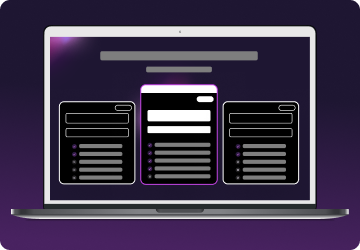
Choose a plan for your needs. Plus is our most popular, get it now for $2.29/mo.
Download the Mysterium VPN app for your device. Available for laptops, smartphones, tablets, and browsers.
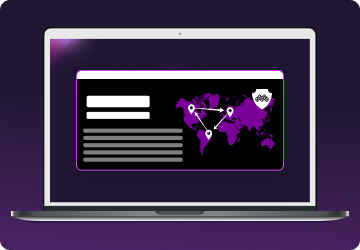
Sign in, select a country, and connect. You're now browsing securely from wherever you choose.

Instagram access can be limited in specific environments, such as schools, workplaces, or regions with restrictive network or censorship policies.
While we always endorse following local laws and regulations, Mysterium VPN offers users like you a safer, more private connection to Instagram when the platform is restricted for non-malicious reasons like productivity control.
| Country | Status | Notes |
| 🇨🇳 China | Fully banned | Instagram has been blocked since 2014. |
| 🇮🇷 Iran | Partially blocked | Access is frequently restricted. |
| 🇰🇵 North Korea | Fully banned | Social media platforms are entirely inaccessible. |
| 🇷🇺 Russia | Fully blocked | Instagram was blocked amid increasing internet control. |
| 🇧🇩 Bangladesh | Fully blocked | Instagram has been blocked during political unrest. |
| 🇹🇲 Turkmenistan | Fully banned | The government censors foreign social media. |
| 🇺🇬 Uganda | Partially blocked | Social media taxes and restrictions discourage use. |
| 🇲🇲 Myanmar | Temporarily blocked | Instagram gets blocked during political crackdowns. |
| 🇹🇯 Tajikistan | Partially blocked | Temporary bans are imposed during unrest or elections. |
| 🇸🇾 Syria | Partially blocked | Social media is blocked during periods of instability. |
Note: The status of internet censorship can change rapidly. You should always verify the current situation using trusted sources or censorship monitoring tools.
Instagram uses several signals to determine your location, including your IP address, device GPS data, SIM card information, and other network-level metadata.
These signals help shape the content you see, like available music for Stories or region-based features, and may also influence login verification or account behavior.
A VPN like Mysterium can help protect some of this data, particularly your IP address, by encrypting your internet connection and routing it through a secure, private node.
While a VPN can’t modify your GPS or SIM card data, it offers a crucial layer of protection that helps keep your online activity more private and consistent, especially when using public or shared networks.

Using a VPN doesn’t directly impact your post visibility, engagement, or content performance on Instagram.
However, irregular behavior, like frequently switching locations or logging in from multiple regions quickly, may trigger extra verification steps or temporary restrictions from Instagram’s automated security systems.
With Mysterium VPN, you can maintain a stable connection using trustworthy residential IP nodes. This consistency helps reduce the risk of being flagged for unusual behavior, allowing you to post and engage with peace of mind.
Instagram doesn’t officially prohibit the use of VPNs, and many users rely on them for added privacy and safer browsing.
Instagram's security systems may occasionally flag some IP addresses, particularly those associated with free or overused VPN services. This can result in additional login steps, verification prompts, or limited functionality.
Mysterium VPN offers users a pool of 7,500+residential IPs, which are more natural and less likely to be associated with traditional VPN services. This makes it easier to securely maintain a consistent and private connection while using Instagram.
Music availability on Instagram is often influenced by licensing agreements, which are sometimes linked to location signals like your IP address or account region.
While a VPN can help protect and stabilize your IP-related data, it won’t override your phone’s GPS or SIM card location.
If you're traveling or facing feature restrictions, using Mysterium VPN may help maintain a more familiar browsing environment. However, remember that some features are controlled by factors outside a VPN’s reach, such as your mobile provider or app store settings.
If Instagram is restricted in your school or office network, it may be due to productivity settings or local policy enforcement issues. In such cases, you can:
Mysterium VPN encrypts your internet traffic, making it harder for network administrators to monitor your activity. Always respect your institution’s guidelines and only use VPNs that comply with local laws and policies.
Not all VPNs are equal when it comes to security and usability. For a smooth Instagram experience, look for these key features:
Mysterium VPN delivers all of these and more, offering a community-powered network designed for privacy, performance, and resilience.

Sometimes Instagram may not load correctly while you're connected to a VPN. If that happens, try these troubleshooting tips:
Mysterium VPN is designed for reliability, but occasional platform hiccups can happen; these simple fixes typically resolve most issues.
Yes, VPNs work on Instagram. Many users safely and reliably use VPNs like Mysterium VPN to enhance their privacy and protect their browsing activity while they’re spending time on Instagram.
Using a VPN can affect the IP address seen by Instagram, which may impact certain features. However, other data, like GPS and SIM information, still reflects your physical location and cannot be changed by a VPN alone.
Yes, a VPN can help you use Instagram more safely on networks that limit access, such as schools or offices. Just be sure to follow all relevant policies and terms of service when doing so.
Get 85% OFF on a 2-year plan!