- Blog >
- Data and Research >
- Remember When Websites Didn't Ask You to Accept Cookies?
Remember When Websites Didn't Ask You to Accept Cookies?



Key Takeaways
- Cookie consent banners became mandatory in the EU with GDPR in May 2018.
- Google announced it would phase out third-party cookies in 2020, then delayed that plan repeatedly through 2023.
- In July 2024, Google reversed course entirely, proposing user-controlled choice instead of blocking cookies outright.
- As of 2026, third-party cookies still function in Chrome by default; Safari and Firefox block them.
- A VPN doesn't manage or block cookies; that's a browser and site-level setting. It addresses a different layer: your IP address and location.
There was a time when browsing didn't come with a permission slip. You opened a page and read it. No banner sliding up from the bottom, no wall of toggles, no declarations of "we value your privacy" from a website about to sell your data to forty ad networks.
The story of how the banner arrived, and why the biggest promised change to cookies never actually happened, runs through one privacy law, one browser, and years of a deadline that kept moving. It also ends somewhere most people don't expect, since the part of your privacy that matters most was never on the banner at all. Start with the timeline.
A Short History of the Cookie Pop-Up
The cookie began as a favor and became a surveillance tool. And the banner didn't arrive until the law forced it, decades later. The only way the whole thing makes sense is to read the origin story and the modern saga together.
| Date | Event |
| 1994 | Netscape engineer Lou Montulli invents the browser cookie so a website can remember your shopping cart; the same year, the web's first banner ad runs on HotWired. |
| 1996 | Ad-tech company DoubleClick starts using cookies to follow users from website to website, turning a convenience feature into a cross-site tracking tool. |
| 2002 | The EU's ePrivacy Directive becomes the first law to mandate that websites need to receive your consent to store cookies. |
| 2009 | An amendment to the ePrivacy Directive requires explicit consent, the change that actually invented the cookie banner. |
| 2017–2019 | Safari's Intelligent Tracking Prevention (2017) and Firefox's Enhanced Tracking Protection (on by default from 2019) begin restricting third-party cookies. |
| May 2018 | The GDPR, the EU’s privacy law, takes effect, setting a strict standard for valid consent and making banners rigorous and near-universal. |
| January 2020 | Google announces it will phase out third-party cookies in Chrome within two years. |
| 2021–2023 | Google delays the deadline repeatedly, while EU regulators hand out major fines for cookie-consent violations. |
| January 2024 | Google begins testing cookie restrictions on 1% of Chrome users, roughly 30M people. |
| July 2024 | Google abandons the plan to remove third-party cookies, keeping them and expanding its Privacy Sandbox alternatives instead. |
| Present (2026) | Consent banners remain legally required under GDPR and ePrivacy rules. Third-party cookies still function in Chrome by default; Safari and Firefox block them by default. |
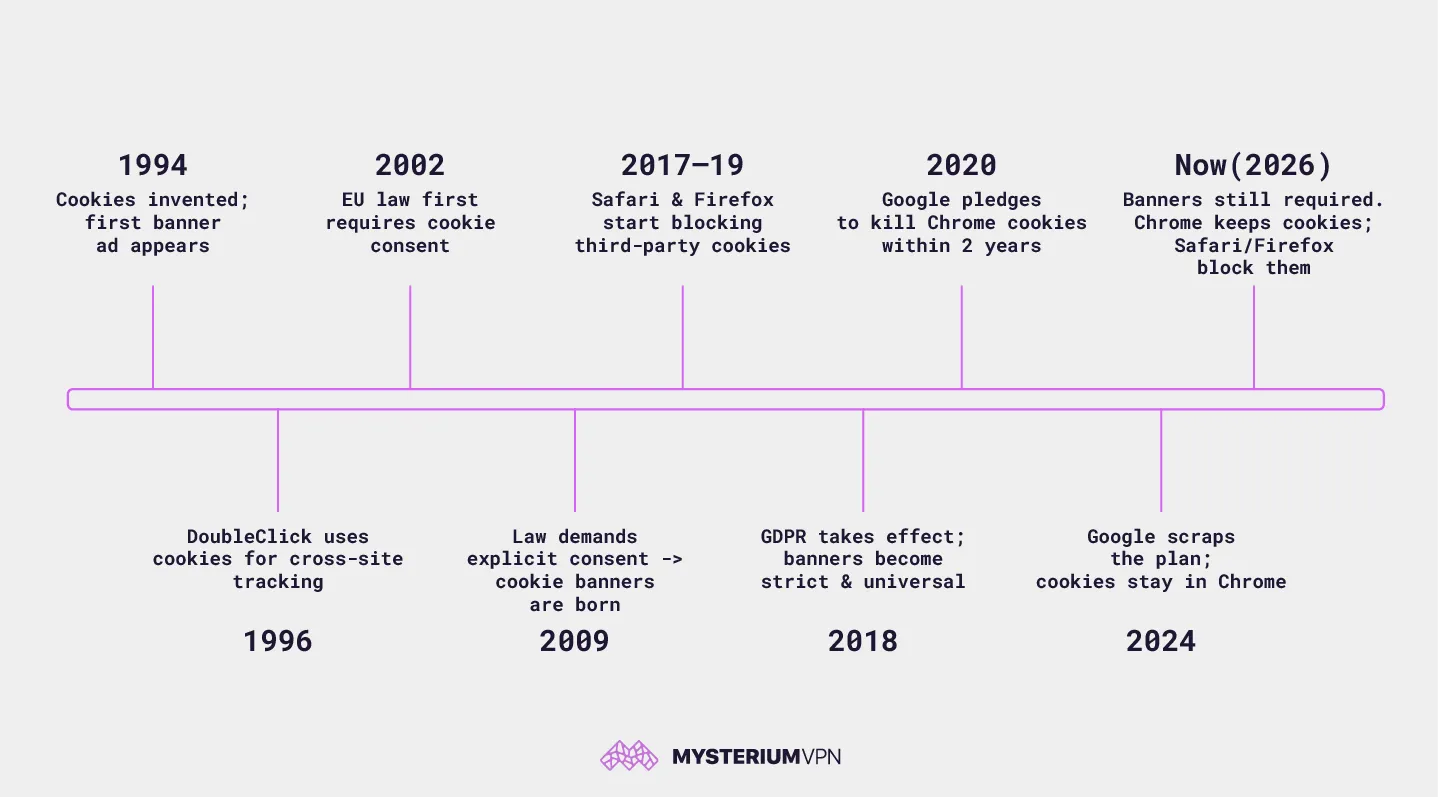
Three threads run through that list, and together they explain most of the confusion people feel about cookies.
The first is the origin. The cookie wasn't built to watch anyone. In 1994, Netscape's Lou Montulli adapted an old programming trick called a "magic cookie" so a website could remember your shopping cart between clicks. Within two years, DoubleClick realized the same small file could follow a person across unrelated websites, and the tracking cookie was born from the shopping-cart cookie without changing anything about what a cookie fundamentally is.
The second is the law. The banner is a legal artifact, not a design fad. The EU's ePrivacy Directive first required consent to store cookies in 2002, and its 2009 amendment made that consent explicit (the moment the modern pop-up appeared). The GDPR raised the bar in 2018 for what counts as real consent. Because the EU-only logic is more effort than one universal banner, the rest of the world inherited the pop-up by default.
The third is the Google saga, the closest ad-tech has to a running joke. In 2020 Google said it would remove third-party cookies from Chrome within two years, then moved the date across 2021, 2022, and 2023 under pressure from regulators including the UK's competition authority.
It ran a 1% test in early 2024, and by July 2024 had dropped the plan to kill cookies outright, choosing to keep them and build "privacy-preserving" alternatives instead.
A deprecation announced in 2020 had, years later, deprecated nothing, while Safari and Firefox had quietly blocked third-party cookies by default years earlier and moved on.
Why Cookie Banners Exist At All
The banner exists because of Europe, and the timeline above shows how: the ePrivacy Directive plus GDPR mean a site can't quietly drop tracking cookies on an EU visitor without asking first. So, instead of creating different banners to cover users from all around the world, developers may simply make an EU-friendly banner and use it globally.
The United States works differently. There's no federal law equivalent to GDPR or the ePrivacy Directive, so cookie consent isn't a nationwide requirement the way it is across the EU. What exists instead is a patchwork of state privacy laws, led by California's, that give residents rights over their data and opt-outs for certain kinds of sharing.
It's real regulation, but narrower, state-by-state, and generally weaker on the specific question of asking before a cookie is set. If you've noticed US sites showing banners anyway, that's usually the global-default effect, not a US mandate.
The Data Broker Industry — From Paper to Programmatic
The uncomfortable truth behind the banner is that cookies didn't invent the business of profiling people; they just made it faster. The data-broker model, aggregating information about individuals and selling it on, predates the web by the better part of a century, growing out of credit reporting and direct-mail list brokerage that compiled files on ordinary people by hand.
What cookies added was speed and granularity. What used to be a paper file updated every few months turned into a live profile updated with every page you loaded. And knowing who you are and selling that knowledge went from a filing cabinet to a real-time auction that resolves in the milliseconds before an ad loads.
You know the saying “if you aren't paying for the product, you are the product”? Well, in an internet that runs on ad money, that product is a continuously updated profile of you that’s up for sale. Fortunately, there are some signs that the wave is turning.
In California, regulators are starting to push back, moving to force registered data brokers to honor deletion requests through a central mechanism (DROP) rather than leaving each person to chase hundreds of companies individually. Whether that becomes the norm or stays a regional exception remains unseen.
What Cookies Actually Do Today
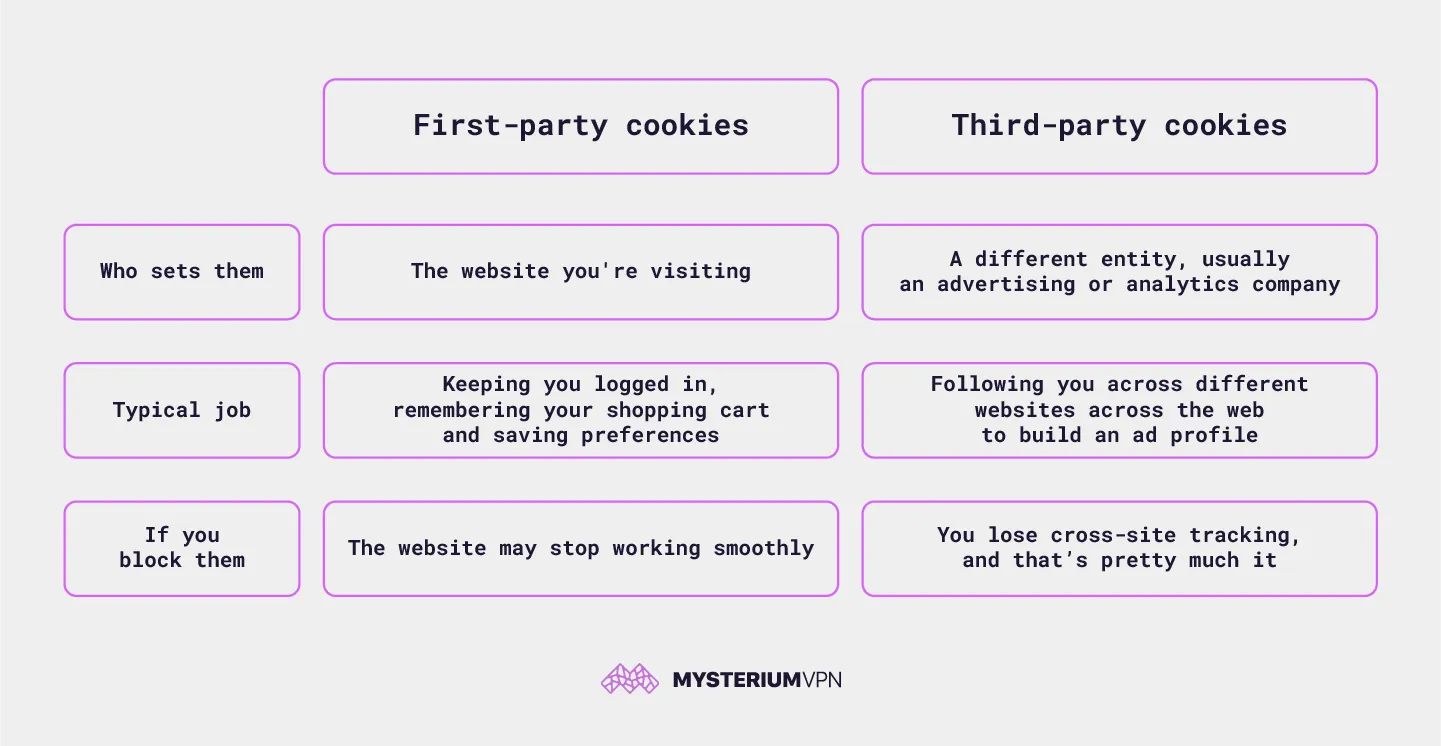
Not all cookies are the tracking kind, and the difference is the whole game.
| First-party cookies | Third-party cookies | |
| Who sets them | The website you're visiting | A different entity, usually an advertising or analytics company |
| Typical job | Keeping you logged in, remembering your shopping cart and saving preferences | Following you across different websites across the web to build an ad profile |
| If you block them | The website may stop working smoothly | You lose cross-site tracking, and that’s pretty much it |
When you click "Accept all," you're usually agreeing to both cookie types at once, which means green-lighting the third-party trackers along with the login cookie you actually needed. Unless you choose to manually review the cookie options and pick out the necessary ones. But between you and me, no one actually does that, right? Because even though rejecting cookies should (legally) be as easy as accepting them, not many websites comply.
EU regulators, including France's data-protection authority, have fined consent designs that make accepting far easier than refusing, the familiar pattern of a bright "Accept All" button beside a "Reject" option buried a menu deep. These "dark patterns" are documented and fined, not merely suspected: a banner engineered so the easy path is the one that benefits the site is consent in name more than in substance.
Mysterium VPN – Privacy Beyond the Banner
Cookie consent is a browser-and-site-level decision: a VPN won’t click "reject all" for you, and it won’t remove or block the cookies a site stores. What it addresses is the other half of the tracking picture, your IP address and location, which websites and ad networks use alongside cookies to build a fuller profile of you, no matter which banner button you clicked.
Even if you reject every non-essential cookie, your IP address still identifies roughly where you are and can be matched to you across websites that never needed a cookie to notice you.
Mysterium VPN hides that IP and location, and our no-logs approach means we keep no record of where you went. The same location signals that feed ad profiles are also how tracking and blocking use the same signals to decide what you're shown, which is why the IP layer matters even to people who reject every cookie.
A VPN won't make cookie banners disappear, and it’s not a substitute for actually rejecting the trackers you don't want. What it can do is stop your IP address and location from being the other half of that profile. If you want the specifics of what that covers, we’ve spelled out how Mysterium handles your data here.
Where This Goes From Here
The cookie banner turned a quiet, invisible practice into a daily interruption, which at least had the honesty of putting the question in front of you.
But it also created an illusion of control. Clicking "Accept" or "Reject" decides what a site stores in your browser; it does nothing about your IP address, your location, or the profile data brokers assemble from a hundred sources you never clicked a banner on. The part of your privacy that matters most was never on that banner in the first place.
Age verification tells a similar story; the pattern repeats: a visible new demand that quietly widens how much of yourself you hand over to do ordinary things.
The nostalgia behind Nothing to Prove isn't really about missing pop-up-free design. It's about a web that didn't treat identity as the price of entry. If that's the web you'd rather browse, you can get Mysterium VPN and keep the layer no banner ever asked you about to yourself.


Be part of the resistance, quietly.
Get Mysterium VPN
Frequently Asked Questions
Gintarė is a cybersecurity writer at Mysterium VPN, where she explores online privacy, VPN technology, and the latest digital threats in editorial pieces. With hands-on experience researching and writing about data protection and digital freedom, Gintarė makes complex security topics accessible and actionable.
Related Articles