Introducing Favorite IPs: Save the Connections That Work



Key Takeaways
- Favorite IPs lets you save an IP you have already connected to and return to it later without searching the locations list again.
- Find saved IPs under Locations → Favorites on mobile, or in the Favorites tab on the home screen on desktop.
- Available on Plus and Pro plans, and supported for both Residential and High-speed IPs.
- Up to 10 Favorite IPs can be saved per device.
- A Favorite IP is a shortcut, not a dedicated, static, or reserved IP – the same IP may not always be free.
Most people who use a VPN daily end up with a small set of connections they prefer. One that feels fastest. One in the right country. One that a particular site never seems to detect. Finding those again meant scrolling the locations list every time and hoping you remembered which one it was.
Favorite IPs fixes that specific, small, genuinely annoying problem. It is now available in the Mysterium VPN app.
What Favorite IPs Does
When you are connected to an IP, you can now mark it as a favorite. That saves it to a short list you can reconnect from later, in one tap, without going back through the locations browser.
That is the whole feature. It does not change how the connection works, what is encrypted, or which IP you are assigned – it just stops you from having to find the same one twice.
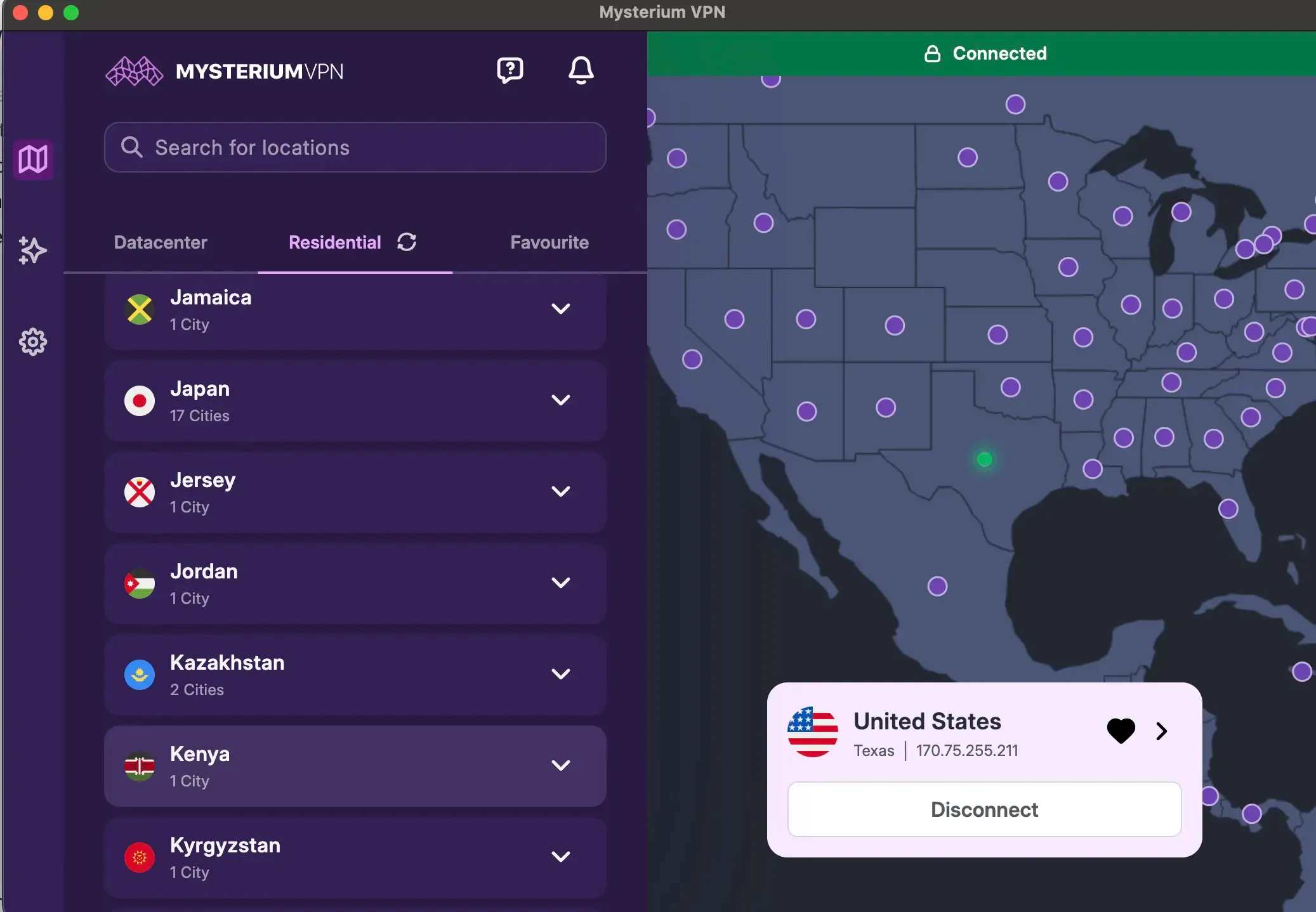
The favorite action on a connected IP.
Where to Find It
- On your phone, open Locations and switch to the Favorites tab. Everything saved on that device appears there.
- On your desktop, the Favorites tab sits on the home screen, so saved IPs are visible without opening the location's browser at all.
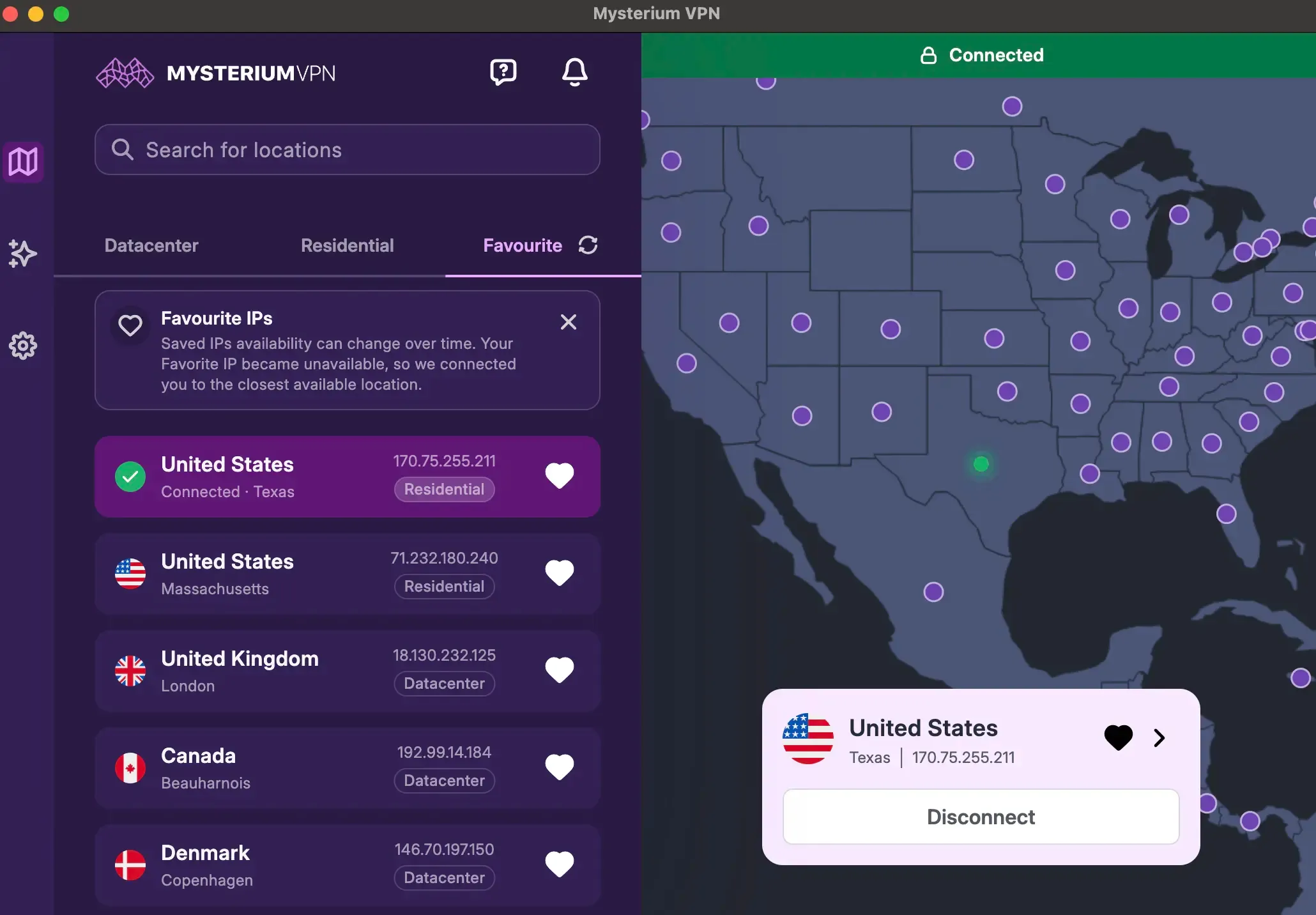
The Favorites section under Locations on mobile, and on the home screen on desktop.
Reconnecting works the same way on both: select the saved IP, connect, done.
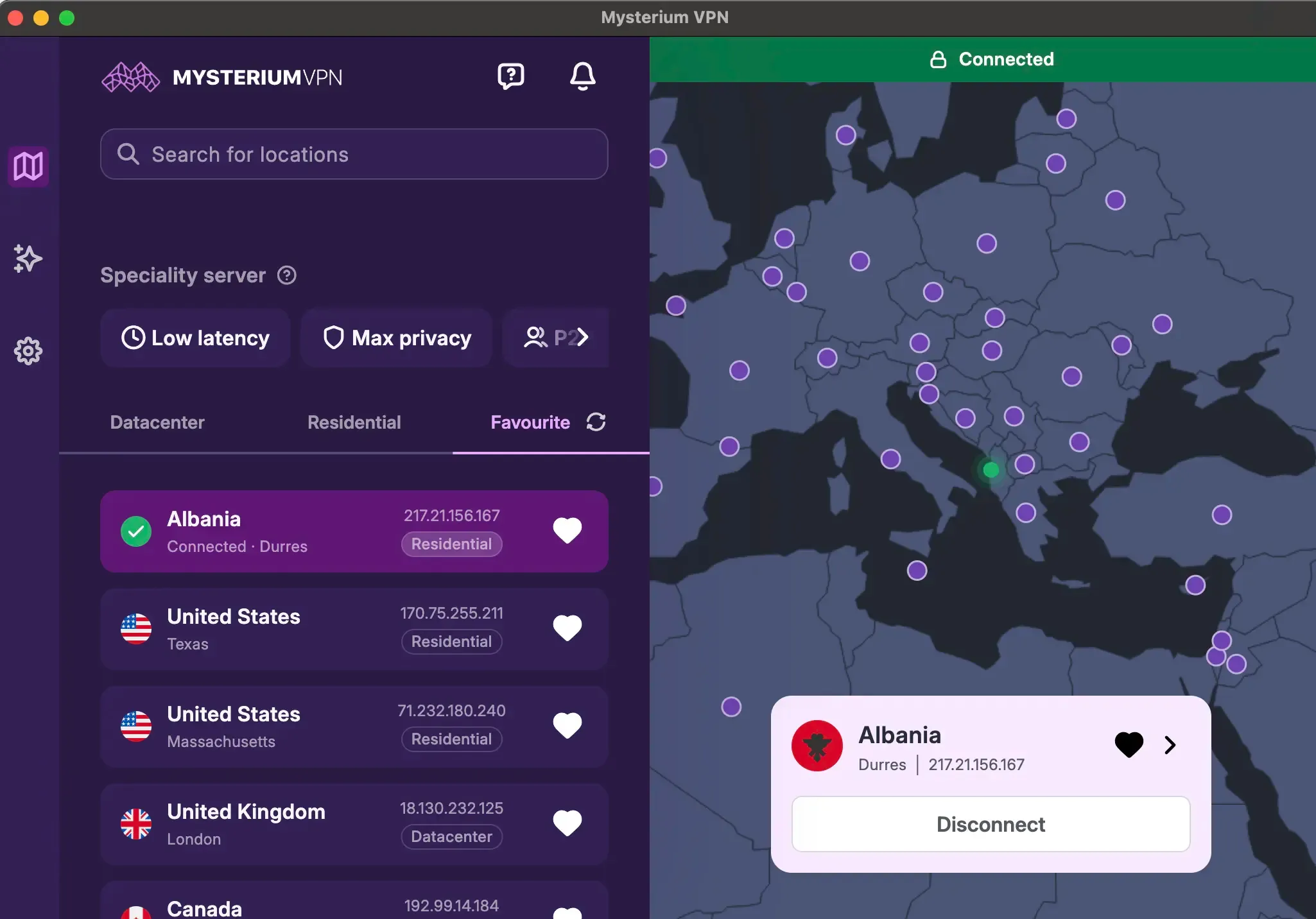
Reconnecting to a Favorite IP.
What Favorite IPs Is Not
This distinction matters enough to state outright, because the feature name invites the wrong assumption.
A Favorite IP is a bookmark. It’s not a dedicated IP, a static IP, or an IP reserved for your account. Marking an IP as a favorite doesn’t hold it, lease it, or take it out of circulation, and nobody else is prevented from connecting to it.
Mysterium VPN's network runs on residential IPs contributed by independent node operators, which is a pool rather than an allocation – the point of how the residential network works is that addresses come and go with the operators running them.
So Favorite IPs saves the shortcut, not the address.
When an IP Isn't Available
Because the IP isn’t reserved, it may not always be free when you go back to it. A node operator might be offline, or the address might already be in use.
When that happens, the app flags the IP as unavailable and can connect you to the closest available alternative instead, so you aren’t left tapping a dead entry.
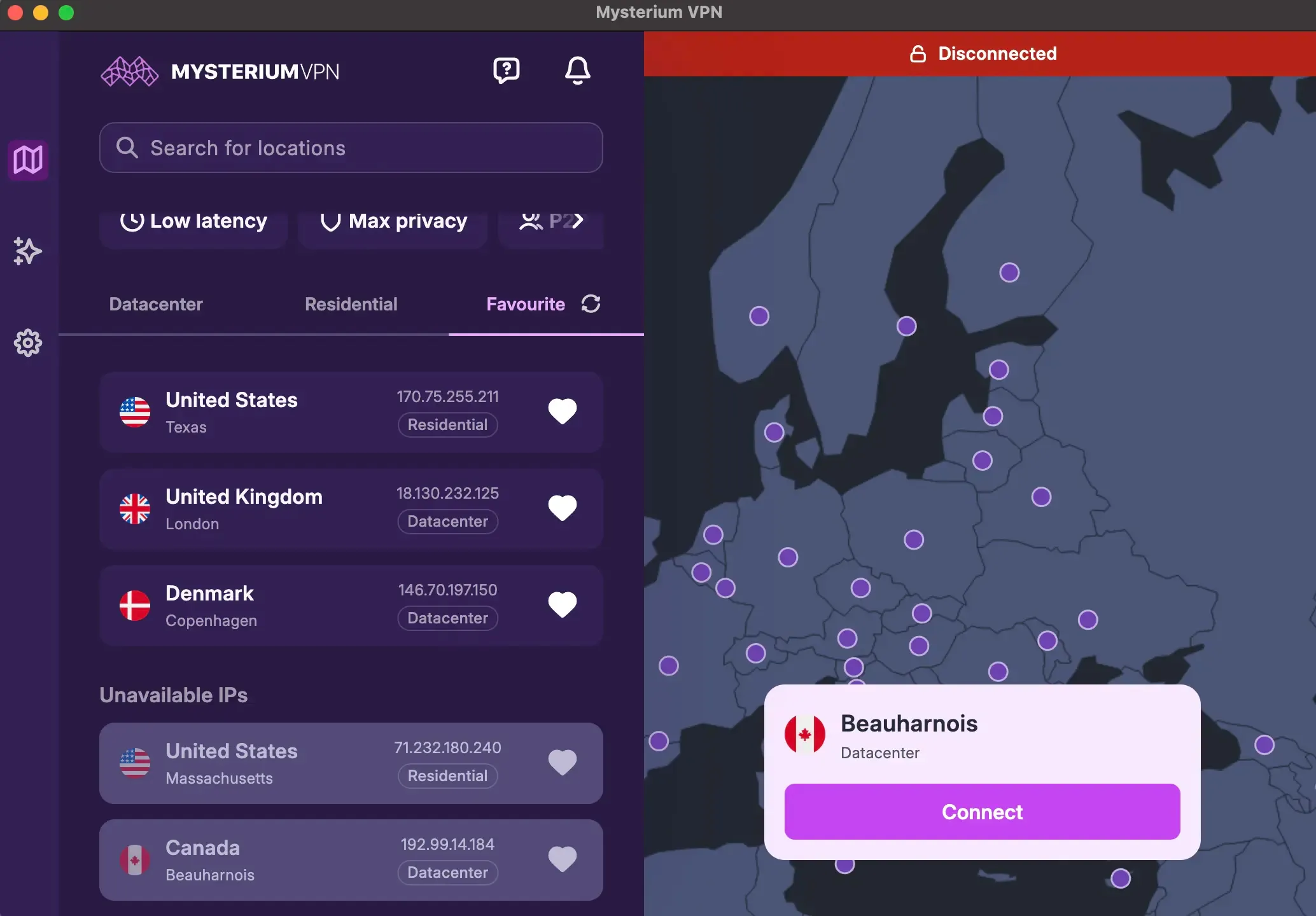
The unavailable state on a saved Favorite IP.
Three Ways People Use It
- Keeping a connection that suits a particular site: If one IP has worked smoothly with a service you use often, saving it means not starting from scratch next time. Results vary – availability depends on the platform, location, IP reputation, and usage pattern – but repeating something that worked beats guessing.
- Returning to preferred Residential IPs: Residential addresses behave differently from datacenter ones, and once you find one that suits your setup, Favorites is how you get back to it.
- Skipping the locations list: The plainest use, and probably the most common: three or four saved entries replace a scroll through a list of 100+ countries every single time you connect.
Plans, Limits, and Supported IP Types
Favorite IPs is available on the Plus and Pro plans, and it works with both Residential and High-speed IPs, so it’s not limited to one connection type.
The cap is 10 Favorite IPs per device. Per device, not per account – each device keeps its own list, which means a phone and a laptop can hold different sets without competing for the same ten slots. In practice, most people settle on far fewer than ten.
Full setup details and the current behavior are documented in the Favorite IPs Help Center article. Plan details sit on the plans and pricing page.


Reclaim the internet that took you at your word!
Get Mysterium VPN
Frequently Asked Questions
Gintarė is a cybersecurity writer at Mysterium VPN, where she explores online privacy, VPN technology, and the latest digital threats in editorial pieces. With hands-on experience researching and writing about data protection and digital freedom, Gintarė makes complex security topics accessible and actionable.
Related Articles
.png)