180,724 Smart Homes Are Wide Open to Strangers, And No Password Is Needed to Get In


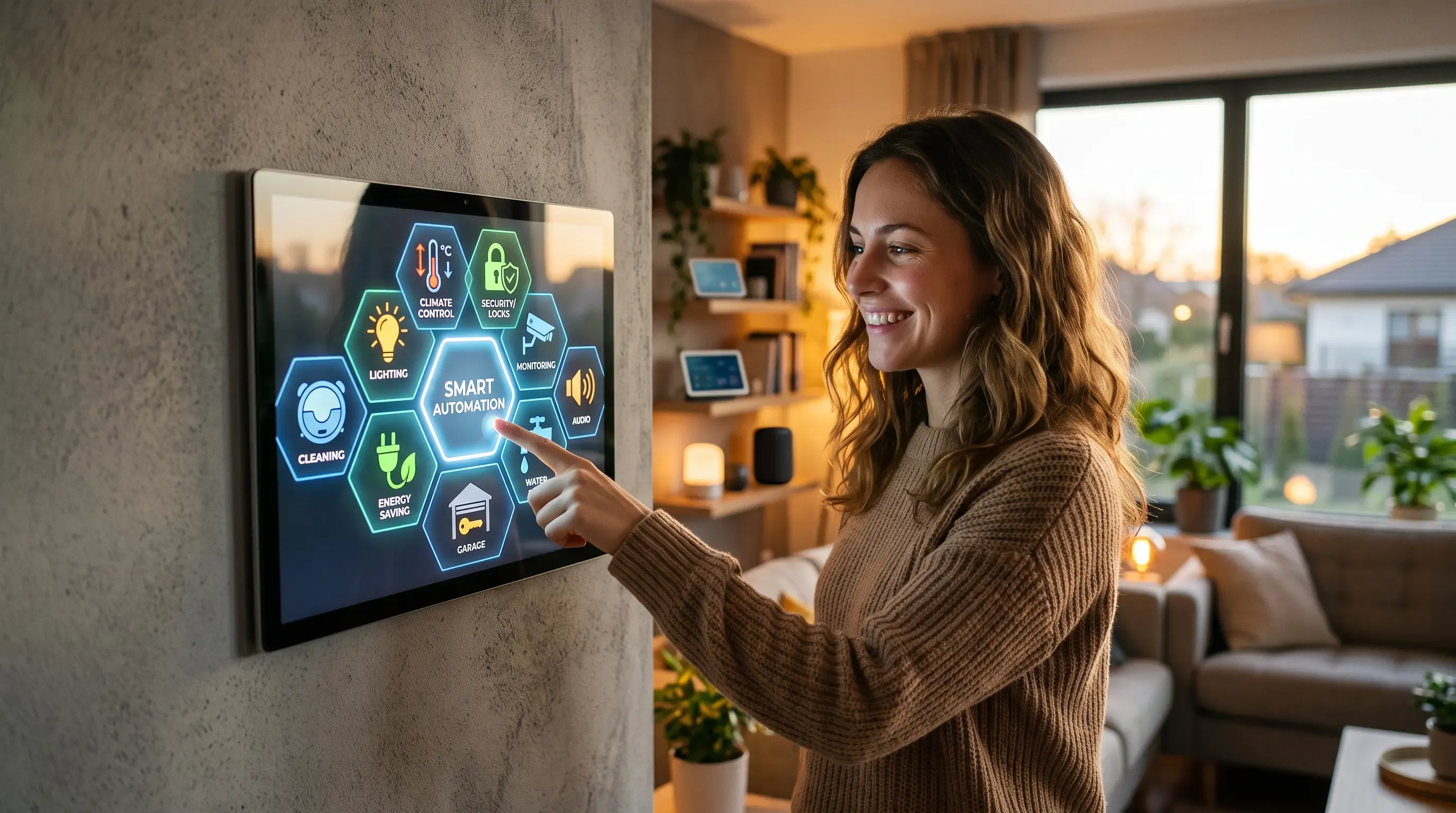
Right now, a stranger on the other side of the world can watch a house in your neighbourhood wake up.
They can see the bedroom motion sensor trigger at 6:40 am. Watch the kettle draw power. See the front door open at 8:15 am and nothing move again until evening. They can see this happens every single day, build a pattern, and know exactly when nobody is home.
And in many of those houses, they can do more than watch. They can send the command that opens the garage door. They don't need to hack anything. There's no password to crack, because nobody set one.
Our research team scanned the internet and found 180,724 smart home message brokers accepting connections from anyone, with no authentication whatsoever. Strip out the big cloud platforms and 138,607 of them sit on ordinary home and mobile networks — houses and small businesses, not data centres.
Here's what we found, and how to check whether your home is one of them.
Key findings at a glance
| What we found | Number |
| Smart home brokers open to anyone, no password | 180,724 |
| On consumer and telecom networks (homes, not data centres) | 138,607 |
| On a single South Korean internet provider | 120,488 (66.7%) |
| On hyperscale cloud platforms | 42,117 (23.3%) |
| Self-hosted elsewhere in the world | ~18,000 |
| Brokers with devices actively connected | 86% |
| Median time an exposed broker has been open | 67 days |
| Longest-running exposures (top 10%) | 500+ days |
What is MQTT, and why should you care?
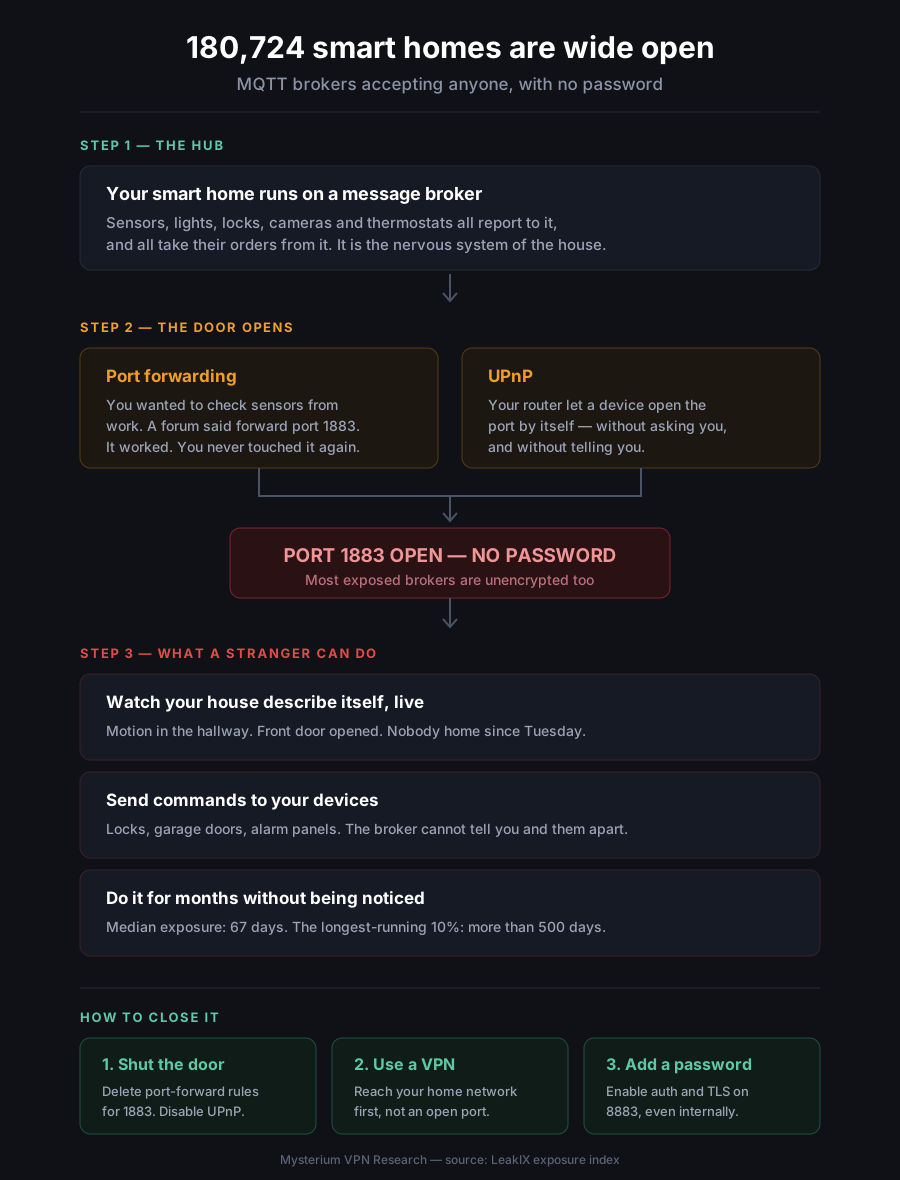
Every smart home needs a way for its devices to talk to each other. When your motion sensor tells your hallway light to switch on, that message travels over a protocol called MQTT, through a piece of software called a broker.
The broker is the nervous system of your house. Every sensor reports to it. Every device takes orders from it.
Think of it as a switchboard sitting in your hallway. Every conversation in the house passes through it. Now, imagine that switchboard has a phone line running out to the street, and the line is unlisted but unlocked — anyone who finds the number can pick up and listen. Or talk.
That's an exposed MQTT broker. And we found 180,724 of them.
What an attacker actually sees
This is the part that makes MQTT different from a leaked password database. MQTT is a publish and subscribe protocol — and that second word is the problem.
An open broker doesn't just leak information outward. It accepts instructions inward.
- They can watch your house describe itself, live: Motion in the hallway. Front door opened. Bedroom light off. Nobody home since Tuesday. Occupancy patterns are a burglary tool, and on an open broker they assemble themselves — no skill required, just a connection.
- They can send commands: If a smart lock, alarm panel, garage door, heating system, or camera takes its orders from that broker, those orders can come from a stranger. The broker cannot tell the difference. It never asked who was connecting.
- They can read it all in transit. Most exposed brokers speak in plain text on port 1883. In our sample, unencrypted connections outnumbered encrypted ones roughly five to one. Anyone positioned between the house and the broker can read everything passing through.
- And nobody notices: The median exposed broker in our sample had been running continuously for 67 days. The top tenth had been exposed for more than 500 days — well over a year. These aren't forgotten test servers either: 86% had at least one device actively connected, with a median of three devices and one broker serving nearly nine thousand.
How a smart home ends up on the public internet
Almost nobody does this deliberately. It happens in two mundane ways.
YOUR SMART HOME THE INTERNET
┌──────────────────────┐
│ sensors, lights, │
│ locks, cameras │
│ ↓ │
│ MQTT BROKER │
└──────────┬───────────┘
│
┌─────┴─────┐
│ ROUTER │
└─────┬─────┘
│
┌─────────┴──────────┐
│ │
PORT FORWARDING UPnP ENABLED
"I set it up to "My router opened.
check sensors the port on its
from work" own, silently"
│ │
└─────────┬──────────┘
↓
╔════════════════════╗
║ PORT 1883 OPEN ║
║ NO PASSWORD ║
╚════════┬═══════════╝
↓
┌──────────────────────┐
│ ANYONE, ANYWHERE │
│ • reads every event │
│ • learns your │
│ daily routine │
│ • sends commands │
│ to your devices │
└──────────────────────┘
- Port forwarding: You wanted to check your sensors while away from home. A forum post said to forward port 1883. It worked, so you never touched it again.
- UPnP: Most home routers ship with a convenience feature that lets devices open ports by themselves — without asking you, and without telling you. Many exposures happen this way, to people who never configured anything.
The finding we didn't expect: two-thirds belong to one provider
When we broke the results down by network, one name swallowed the chart.
SK Broadband, a single South Korean internet provider, accounts for 120,488 exposed brokers — 66.7% of the entire global total. That one network represents 97.4% of every exposed broker in South Korea.
A concentration that extreme is not a hundred thousand people each making the same mistake. It points to a single deployment decision replicated across a hundred thousand homes — equipment shipped with a broker reachable by default, or a network configuration exposing customer devices that were never meant to face the internet.
| Network | Exposed brokers | Share |
| SK Broadband (South Korea) | 120,488 | 66.7% |
| Amazon | 35,502 | 19.6% |
| Alibaba | 3,771 | 2.1% |
| Bharti Airtel (India) | 2,333 | 1.3% |
| Korea Telecom | 1,200 | 0.7% |
| Chinanet | 1,148 | 0.6% |
| Tencent | 1,038 | 0.6% |
| DigitalOcean | 993 | 0.5% |
| NTT Docomo (Japan) | 892 | 0.5% |
| Microsoft | 813 | 0.4% |
Where the exposed homes are
| Country | Exposed brokers |
| South Korea | 123,677 |
| China | 8,453 |
| United States | 8,004 |
| India | 5,742 |
| Japan | 3,780 |
| Australia | 2,407 |
| Germany | 2,326 |
| Canada | 2,224 |
| France | 1,850 |
| Singapore | 1,805 |
Excluding South Korea, 57,047 exposed brokers remain across the rest of the world.
Is my smart home exposed? Here's how to check
If you run Home Assistant, Node-RED, OpenHAB, Zigbee2MQTT, or any DIY smart home setup, you probably have a broker. Three checks, five minutes:
- Check your router for port forwarding: Log into your router's admin page and look for "Port Forwarding" or "Virtual Server". If you see a rule for port 1883 or 8883, your broker is on the public internet.
- Check whether UPnP is on: Same admin page, usually under advanced settings. If UPnP is enabled, your devices can open ports without telling you. Turn it off unless you have a specific reason to keep it.
- Test from outside your network: Turn off Wi-Fi on your phone so you're on mobile data, and try connecting to your home IP address on port 1883. If anything answers, so will it answer everyone else.
How to close it
- Shut the door: Delete any port-forwarding rule for 1883 or 8883. Switch UPnP off. Your smart home does not need to be on the public internet to work — everything keeps functioning locally.
- Get back in through a VPN, not an open port: You still want to check your sensors from the office. The safe way is to connect to your home network first, then talk to the broker as if you were sitting on the sofa. The broker stays invisible to everyone else, and your connection is encrypted the whole way. This is the single change that fixes the problem permanently rather than patching it.
- Then add a password anyway: Every mainstream broker supports authentication, and TLS on port 8883 encrypts the traffic. Do it even on a broker that isn't internet-facing — the next router firmware update or UPnP request shouldn't be the only thing standing between your house and the internet.
- If you're an SK Broadband customer, this may not be fixable from your end. If the exposure originates in provider-supplied equipment, it's the provider's to resolve. Check whether port 1883 is open on your connection and raise it with support.
Methodology and ethics
We scanned the internet and checked the IoT search engines for MQTT brokers flagged as allowing unauthenticated access, and recorded aggregate result counts by country and network. Population figures in this article — the 180,724 total, the country table and the network breakdown — come from those index-wide counts.
Figures describing broker behaviour — connected device counts, uptime, software versions and port distribution — are drawn from a sample of indexed records and are indicative of the exposed population rather than precise measurements of it. Uptime counters reporting implausible values were excluded.
We did not connect to any broker, subscribe to any topic, or read any message. With an open broker, this would have been trivial, which is precisely why we didn't. The only data we examined is the broker's own technical status feed, which reports how the software is running — not what the household is doing.
No individual IP address, hostname, household, or location is published here. All figures are aggregate counts and reflect the state of the index at the time of writing.


Be part of the resistance, quietly.
Get Mysterium VPN
Frequently Asked Questions
Gintarė is a cybersecurity writer at Mysterium VPN, where she explores online privacy, VPN technology, and the latest digital threats in editorial pieces. With hands-on experience researching and writing about data protection and digital freedom, Gintarė makes complex security topics accessible and actionable.
Related Articles
.png)