VPN for Spotify: Fast, Private, & Secure Listening
- Listen anywhere with 11,000+ IPs in 100+ countries.
- Secure and private listening thanks to IP masking.
- Avoid hackers on public Wi-Fi with robust encryption.


Why Do You Need a VPN for Spotify?

Access From Anywhere
If you're on the move, you may notice changes in your streaming based on local network conditions. A VPN can provide a more consistent connection and help you stay connected to your music in supported regions.

Multiple Use Cases
While Spotify is one reason to use a VPN, it's just one part of the bigger picture. VPNs have many use cases, whether it's protecting your data on public Wi-Fi, avoiding ISP throttling while streaming, or maintaining privacy while browsing the web.

Improve Online Privacy
Public Wi-Fi networks, like those in airports, cafes, or hotels, often lack strong encryption. A VPN protects your connection, helping safeguard your data and login credentials.

Get Around Blocks
The Spotify app or website may be blocked on school/university, work, or public networks. Our virtual private network can help you regain access – just be sure to follow your institution’s guidelines before doing so.
How To Use VPN for Spotify
-
 1
1Step 1
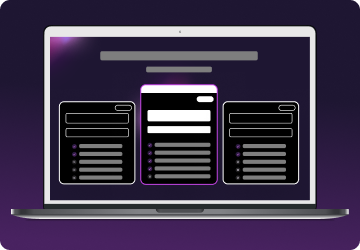
Choose a plan for your needs. Plus is our most popular, get it now for $2.99/mo. -
 2
2Step 2
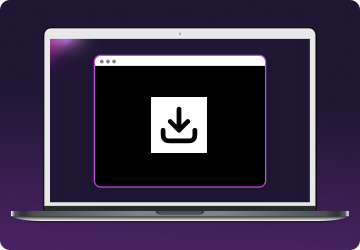
Download the Mysterium VPN app for your device. Available for laptops, smartphones, tablets, and browsers. -
 3
3Step 3
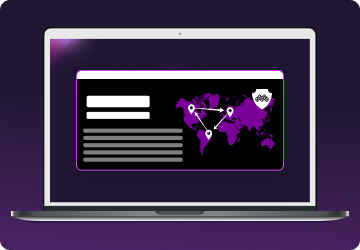
Sign in, select a country, and connect. You're now browsing securely from wherever you choose.

Why Are Spotify Prices So Different?
Spotify uses regional pricing to make its service more accessible across different parts of the world. This model takes into account local economic factors such as average income, cost of living, and currency strength.
As a result, what you’d pay for Spotify Premium in the United States may be significantly more than what someone else pays in India or Turkey, even though the core service remains the same.
This practice is known as price discrimination—charging different prices for the same product based on a user’s location. It’s legal and widely used in the digital world, especially for global platforms like Spotify, Netflix, and YouTube Premium.
While it might be tempting to try and sign up from a lower-cost region to save money, Spotify’s Terms of Service require your account location to match your actual place of residence.
Misrepresenting your location with a VPN could lead to account suspension or cancellation, especially if recurring payments or usage patterns don’t align with your selected country.
A VPN like Mysterium VPN can help maintain a secure connection while traveling or living abroad. Still, it should never be used to spoof your location to gain pricing advantages intentionally.
Spotify Prices by Country
Spotify Premium prices vary widely by country, with users in places like Turkey and Pakistan paying far less than those in the U.S. or Europe.
| Country | Spotify Premium Price |
| 🇱🇮 Liechtenstein | $17.3/mo |
| 🇬🇧 United Kingdom | $17.4/mo |
| 🇩🇪 Germany | $15/mo |
| 🇦🇺 Australia | $15.99/mo |
| 🇳🇱 Netherlands | $15/mo |
| 🇺🇸 The United States | $12.99/mo |
| 🇨🇦 Canada | $13.99/mo |
| 🇵🇱 Poland | $7.35/mo |
| 🇧🇷 Brazil | $4.60/mo |
| 🇮🇳 India | $1.6/mo |
| 🇦🇷 Argentina | $3.3/mo |
| 🇹🇷 Türkiye | $2.15/mo |
| 🇵🇰 Pakistan | $4/mo |

Why Might Spotify Be Blocked?
There are several reasons why you might find Spotify inaccessible on certain networks or in specific regions:
- Geo-restrictions: Spotify’s availability depends on your geographic location. If you’re in a country where Spotify isn’t officially supported, you won’t be able to access the app or website.
- Intentional blocking: Many schools, universities, and office networks block access to streaming services to limit distractions or preserve bandwidth. Spotify is often included in these restrictions, making it inaccessible during class or work hours.
- Government-imposed censorship: In some countries, governments restrict access to platforms that offer unfiltered media or international content.
- Firewalls or antivirus software: Some antivirus programs, routers, or firewalls may mistakenly flag Spotify’s traffic as suspicious. This can result in partial or full blocks, preventing the app from connecting to Spotify’s servers.
- Licensing, copyright, and distribution rights: Spotify's music catalog is shaped by complex licensing agreements with artists, labels, and publishers. This means some tracks or features might be unavailable in certain regions, even if the app itself is accessible.
These blocks can be temporary or ongoing, depending on the circumstances.
How To Get Spotify Unblocked for School or Work
Spotify is often blocked at schools or workplaces to minimize distractions or preserve bandwidth. If permitted by your institution’s policies, a VPN can help restore access. Here’s how:
- Sign up for Mysterium VPN: Choose a flexible subscription plan that fits your needs.
- Download the Mysterium VPN app: Install the app on your device. Mysterium VPN supports Mac and Windows computers, iOS and Android phones, and browser extensions.
- Connect to a server: Open the Mysterium VPN app and connect to a secure server near you for the best performance.
Pro tip: If installing the Spotify app is blocked, try using the Spotify Web Player – though some networks may also block this.
How To Change Region on Spotify
Spotify automatically sets your country based on your payment method or IP address. Here's how you can change it:
- Log in to your Spotify account.
- Click "Edit Profile."
- Choose your country from the drop-down.
- Save your changes.
That's it!
Troubleshooting Common Spotify VPN Issues
Slow Speeds
If Spotify buffers or skips tracks while connected to a VPN, here’s how to improve performance:
- Switch to a nearby server: Connecting to a VPN server geographically closer to your actual location usually provides faster speeds.
- Use wired instead of Wi-Fi: Ethernet connections are often more stable and offer lower latency than wireless.
- Close background apps: Apps running in the background (especially downloads, video calls, or torrents) can consume bandwidth and slow down streaming.
- Use Mysterium’s VPN: Our unique infrastructure helps reduce congestion and improve bandwidth consistency for streaming.
Spotify Detects VPN
Spotify may occasionally detect VPN traffic, even if you’re using it to protect yourself, especially with widely shared or blacklisted IPs. Here’s what you can do:
- Try a different server: Some servers may be flagged more often than others—switching can fix this.
- Clear cookies and app cache: Spotify may use cached location data in your browser or app that conflicts with your VPN IP.
Enable DNS leak protection: This ensures your real location isn't accidentally revealed through your DNS requests. - Disable WebRTC in your browser: WebRTC can expose your actual IP even while on a VPN, so disabling it helps protect your privacy.

Can I Use a Free VPN to Unblock Spotify?
Technically, yes – but it’s strongly discouraged. Free VPNs often come with severe limitations and hidden risks that can harm your streaming experience and your privacy:
- A limited number of servers leads to buffering and dropped connections.
- Strict data limits that cut you off mid-playlist or throttle your usage.
- Minimal or no encryption can leave your personal data exposed.
- Invasive logging practices—some track your activity and sell that data to third parties.
- Ad injections and malware can compromise your device.
In contrast, Mysterium VPN is built with privacy and performance at its core. With us, you get reliable, ad-free streaming without compromising your safety or violating Spotify’s terms.