How To Change Your Snapchat Location Safely and Effectively


.webp)
Key Takeaways
- Snapchat relies on GPS (not just IP address) to determine your location, meaning a VPN alone won’t change your Snap Map position.
- Changing your Snapchat location can unlock geo-filters, region-specific content, and creative opportunities, but it should be done responsibly.
- Privacy is a major reason people adjust their location, especially to control visibility on Snap Map using settings like Ghost Mode.
- VPNs enhance privacy and help access region-locked content, but must be paired with GPS spoofing tools to affect in-app location features.
- Location spoofing may violate Snapchat’s Terms of Service, so misuse can result in warnings, feature restrictions, or account suspension.
Snapchat’s location features can be both fun and intrusive. Whether it’s Snap Map showing your exact whereabouts or filters locked behind regional barriers, your physical location plays a major role in how the app works. But what if you want more control over it?
In this article, you’ll learn how to change your Snapchat location safely and effectively. From unlocking global filters to protecting your privacy, we’ll walk you through the why and how, step by step.
How To Change Snapchat Location
One common approach is using a Fake GPS app on Android or location-altering software on iOS to mock your device’s coordinates. On Android, this typically involves enabling Developer Options, selecting a Mock Location app, and then choosing a different spot on the map that your device will report as its location.
Another tool people often use is a VPN, which changes the IP address and network location associated with your internet connection. For example, Mysterium VPN routes your traffic through a global network of nodes, making your connection appear as if it’s coming from a different region. While this doesn’t directly change your phone’s GPS coordinates, it can influence the IP-based location that some apps and services detect.
This raises an important question: can a VPN actually change your Snapchat location? Let’s break it down.
Can VPNs Change Snapchat Location?
This is one of the most frequently asked questions when it comes to location privacy and manipulation on Snapchat. While VPNs are excellent for hiding your IP address and encrypting your data, they do not, on their own, change the GPS data your phone sends to Snapchat.
Snapchat relies on hardware-based GPS signals, not just IP address geolocation. This means that even if your VPN says you're in New York, if your phone’s GPS shows that you’re actually in San Francisco, Snapchat will trust the GPS over the VPN.
That being said, VPNs still have a role to play in location spoofing, they can complement a GPS spoofing setup. For example:
- Use Case 1: Avoid Geo-Restrictions
Some Snapchat Discover content might be region-locked. A VPN can help you access this content by making your IP match the desired region, while the GPS spoofing makes your location align for Snap Map and filters.
- Use Case 2: Enhance Privacy
A VPN masks your internet activity, which can be useful if you’re using third-party tools to change your GPS. It adds an extra layer of anonymity, which is especially helpful if you’re concerned about Snapchat (or any app) tracking your behavior.
How To Change Location on Snapchat with VPN
It’s important to clarify that a VPN alone can’t change your Snapchat GPS location; Snapchat relies on your device’s actual GPS signal, not just your IP address. However, a VPN for Snapchat can still be part of a broader setup, especially for those looking to protect their privacy or access general regional content.
When used responsibly, a VPN helps encrypt your internet traffic and align your IP address with a different region. This may complement other tools, like GPS spoofing apps, which some users turn to for personal privacy or testing purposes.
Just remember that using third-party tools to manipulate your location can violate Snapchat’s Terms of Service, so proceed with caution and always use these methods ethically.
If your goal is privacy or regional content exploration (not deception), here’s how a Snapchat VPN fits into that setup:
- Sign up for a reliable VPN provider like Mysterium VPN.
- Download the app and connect to a server in your desired region.
- If you're also using a GPS spoofing tool (for example, to explore public Stories), ensure it matches the VPN region.
- Open Snapchat with both VPN and GPS spoofing active.
- Always review Snapchat’s terms before making location-based changes.
Using a VPN responsibly can help you maintain privacy and protect your data; just avoid using it in ways that might go against Snapchat’s rules.
How to Change Your Location on Snapchat via Settings
Snapchat gives users some native control over their location data. If you just want to manage how visible your location is to others, you can tweak a few settings, no third-party apps needed.
Step-by-Step: Change Location Settings on Snapchat
- Open Snapchat and go to your profile.
- Tap the gear icon in the top-right corner to open Settings.
- Scroll down to "Privacy Control" and tap “See My Location.”
- You’ll see a few different location-sharing options to choose from.
Location Settings Options
Here’s what each of Snapchat’s built-in location settings means:
- Ghost Mode: Your location is hidden from everyone. You’re on Snapchat incognito.
- My Friends: Only people you’ve added as friends can see your location.
- My Friends, Except...: Lets you hide your location from specific people.
- Only These Friends...: Select only certain people who can view your location.
Note: These settings don’t change your actual location – they only control who can see it.
How To Change Location on Snapchat Map
Snap Map is a real-time map that shows where you and your friends are, based on GPS. If you want to change your location on this map, you’ll need to use third-party tools or spoofing apps. Let’s break it down for both iPhone and Android users.
How to Change Location on iPhone
Step-by-step using a GPS spoofing app (e.g., iTools or Tenorshare iAnyGo):
- Download a GPS spoofing tool like iTools or iAnyGo on your computer.
- Connect your iPhone to the computer via USB.
- Open the tool and select “Virtual Location.”
- Enter the desired location (e.g., Tokyo, Japan) and hit “Move.”
- Open Snapchat and go to the Snap Map – your bitmoji will now appear in that fake location.
Note: Apple is strict with location spoofing, so you may need to disable Find My iPhone or enable Developer Mode depending on the method used.
How To Change Location on Android
Android users have it a bit easier, thanks to more flexible operating system controls.
Step-by-step using GPS spoofing (e.g., Fake GPS Location app):
- Go to Settings > About Phone and tap Build Number seven times to enable Developer Options.
- In Developer Options, tap “Select mock location app.”
- Choose a GPS spoofing app (like Fake GPS by Lexa).
- Open the spoofing app and drop a pin where you want your location to appear.
- Tap “Start” or “Play” to activate the fake location.
- Open Snapchat – your new location should now reflect on Snap Map.
Tip: Always test it by snapping a photo and checking the geofilter or map location.
How To Change Your Location on Snapchat Filters
Snapchat filters often depend on your geographical location, especially geo-specific ones like city or event overlays. If you want to access filters from another city or country, changing your GPS location is the trick:
- Follow the steps for GPS spoofing on iPhone or Android (as explained above).
- Once your fake location is active, open Snapchat.
- Take a picture or video.
- Swipe left or right to browse available filters.
- If the location change worked, you should see filters relevant to the new area
Note: You may need to restart Snapchat or refresh filters for them to appear.
Why Change Location on Snapchat?

Changing your Snapchat location isn’t just a tech trick – it’s something people do for various personal and creative reasons. Whether you’re trying to access unique filters or just want a little privacy, there are real-world motivations behind this choice.
Access Location-Based Filters
Snapchat is known for its creative, often location-exclusive filters called Geofilters. These overlays reflect cultural landmarks, city names, local events, and even limited-time celebrations.
Think of the “Los Angeles palm trees” filter or a special one available only during New York Fashion Week. The catch? You can only access these filters if your phone’s GPS shows that you're physically present in the designated location.
By changing your Snapchat location, you can unlock and use these filters from anywhere in the world. For example, you could post a Snap using a “Tokyo” filter while you're sitting in your bedroom in Texas. This is especially fun if you're creating themed content, engaging with global trends, or simply want to impress your friends with something unique.
Social media creators often use this technique to diversify their content and stay relevant with regional trends. For instance, if a certain city is trending due to an event or meme, appearing to be there and using that city’s filter can boost engagement and add a touch of authenticity—even if it's digitally manufactured.
Additionally, brands and influencers may use location changes to target content for specific audiences. By spoofing their location and accessing region-specific filters or lenses, they can tailor content to match local vibes and potentially improve reach and relatability.
Just remember: while fun and creative, using location-based filters through GPS spoofing could violate Snapchat’s terms if done deceptively or excessively.
Protect Your Privacy
Privacy has become a major concern in the digital age, and Snapchat, despite its disappearing messages, still tracks and shares your location unless you actively manage it. The Snap Map, in particular, can reveal exactly where you are to all your friends or even just a few.
While that might sound harmless, it can actually pose safety concerns, especially for younger users, public figures, or anyone dealing with harassment or stalking.
Changing your location (or hiding it entirely) helps you regain control over your personal information. Whether you’re traveling, working remotely, or just want to disconnect without questions, modifying your Snapchat location lets you curate your online presence.
For example, imagine you're on vacation but don’t want everyone to know you’re away from home, both for safety and privacy reasons. By changing your Snapchat location to make it appear you're still local, you maintain your usual digital routine without revealing your real-world movements.
There are also situations where people might want to protect their whereabouts due to personal relationships or work. Let’s say you're going through a breakup, or you're a teacher who prefers not to share your real-time location with students who might be on your friend list. Adjusting or faking your location provides peace of mind and a digital boundary.
Most importantly, Snapchat doesn't notify users when someone changes their location settings or enters Ghost Mode. So you have the flexibility to stay in control without drawing unnecessary attention.
Trick the Snap Map
Snap Map can be a fun way to see where your friends are hanging out—but it also invites a bit of lighthearted mischief. Changing your location lets you play harmless pranks, join virtual trends, or explore what people are posting in different places.
Let’s say you want your Bitmoji to appear in Paris during Fashion Week or at the Super Bowl stadium even if you’re miles away. By spoofing your GPS, you can make your avatar appear in those high-profile locations on the Snap Map, giving the illusion that you’re part of the excitement
Some people even use this trick to explore public Snaps from different parts of the world. By appearing to be in Tokyo, for example, you can access Snaps from local stories, see what people are posting, and get a glimpse of global culture, all from your phone.
There’s also a social aspect to this. When your Bitmoji is seen hanging out in exotic or exciting places, friends might start asking questions, reacting to your stories, or engaging with you more frequently. While that can be fun, always be upfront if someone asks; misleading others too often could backfire socially.
On the other hand, businesses or creators may use location manipulation to make their content appear in a busy or trendy area, increasing visibility. It’s a subtle growth hack that some influencers use to target specific demographics or event audiences.
Access Region-Specific Content
Snapchat occasionally rolls out exclusive features, content, or experimental tools in specific countries or regions. This includes early releases of new filters, custom lenses for events, localized stickers, and even unique Stories or Discover content not available everywhere.
By changing your location to one of these target regions, you can get early or exclusive access to Snapchat features that others can’t. For example:
- New lens releases in the U.S. might not hit other countries for days or weeks.
- Holiday filters like Diwali in India or Lunar New Year in China might not appear unless your location is set there.
- Certain ad campaigns or branded lenses may only be visible to users in the campaign’s target country.
For international users, this trick opens up a world of digital creativity and allows you to stay in sync with Snapchat’s latest trends. For example, content creators looking to build global audiences can align their snaps with cultural events abroad - even if they’re not physically there.
Is It Legal To Change Your Location on Snapchat?
Changing your Snapchat location falls into a legal gray area. It’s not illegal in most countries to spoof your own GPS for personal use, like accessing filters or maintaining privacy.
However, Snapchat’s Terms of Service explicitly prohibit manipulating or interfering with their services, including:
You agree not to access, use, or modify Snapchat in unauthorized ways, such as using third-party tools to change your location.
So while using GPS spoofing apps isn’t breaking any national laws, you could be violating Snapchat’s policies, which may result in warnings, temporary suspensions, or permanent bans if detected.
Can Snapchat Detect a VPN?
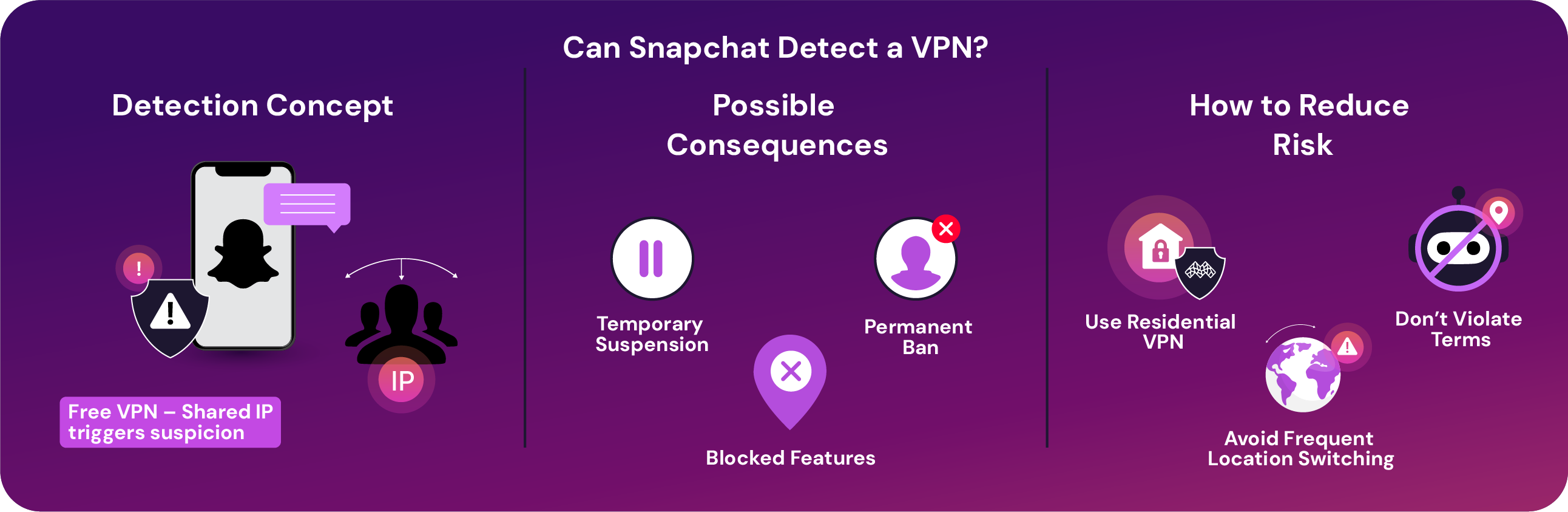
Snapchat can detect when a VPN is being used, especially if multiple users share the same IP (common with free VPNs). While using a VPN isn’t automatically a violation, it can trigger red flags, especially if combined with suspicious behavior like botting or GPS spoofing.
Possible consequences of detection include:
- Temporary suspension of your account.
- Blocked access to location-based features.
- Permanent ban if repeated violations occur.
To reduce risks:
- Use a paid residential VPN, such as Mysterium VPN (now 78% off!).
- Avoid rapid switching of locations.
- Don’t use VPNs to violate Snapchat's terms (e.g., automation or spam).
All in all, changing your Snapchat location can be useful, fun, and even protective when done right. Whether you want to unlock rare filters, keep your whereabouts private, or prank your friends, the options are there, but so are the risks.
Conclusion
Changing your Snapchat location opens up a new layer of creativity, freedom, and control over how you use the app. Whether you’re exploring international filters, avoiding unwanted attention on Snap Map, or staying ahead of trends, it’s all possible with the right tools and a bit of caution.
Just remember, while spoofing your location isn’t illegal, violating Snapchat’s terms can still get you in trouble. Use these tips responsibly, stay informed, and enjoy Snapchat on your own terms.


Reclaim the internet that took you at your word!
Get Mysterium VPN

Frequently Asked Questions
Gintarė is a cybersecurity writer at Mysterium VPN, where she explores online privacy, VPN technology, and the latest digital threats in editorial pieces. With hands-on experience researching and writing about data protection and digital freedom, Gintarė makes complex security topics accessible and actionable.
Related Articles
.png)