- Blog >
- How Does Mysterium VPN Work? Simple Guide for 2026
How Does Mysterium VPN Work? Simple Guide for 2026



A VPN does one thing: it gets between you and the internet. Your traffic goes through it, not around it. Before it leaves your device, that traffic gets encrypted; scrambled into something unreadable. It then travels through a remote server, which forwards your requests to whatever website or app you're trying to reach. The destination only sees the VPN's IP address, not yours.
That's the basic principle. Mysterium VPN builds on it, but with a twist: instead of routing your traffic through a traditional datacenter server, it uses a community-powered network built around residential IPs. More on that in a bit. First, let's go back to basics. In this article, you'll find out how VPNs work, how they affect your browsing, what makes Mysterium VPN different, and why you should try it!
What a VPN Does in Simple Terms?
When you browse without a VPN, your internet service provider (ISP) can see every site you visit and every request your device sends. Advertisers, public Wi-Fi operators, and anyone positioned between you and the website you’re trying to reach can see it, too. A VPN fixes that by doing three things:
- Encrypting your internet traffic so it looks like gibberish to anyone trying to get their hands on it.
- Routing your internet traffic through a remote VPN server with a totally different IP address, so that websites see the server’s IP, not yours.
- Acting as an intermediary between you and the internet, masking your location and activity in the process.
Think of it like mailing a letter through a trusted intermediary. The recipient (the website) sees the middleman’s (the VPNs) return address, not yours. And the letter itself is sealed in an envelope that no one can read without the right key (encrypted).
What Changes When You Turn a VPN On
Turning on a VPN doesn’t change how the internet works; it changes who can see what.
Without a VPN, your ISP sees your browsing history, websites see your real IP address, and your location information, and willing people can snoop on your unencrypted traffic if you’re on public Wi-Fi.
With a VPN, on the other hand, your ISP will only see that you’re using a VPN instead of what you’re doing; websites will only see the VPN’s IP address instead of yours, and, since your traffic will be encrypted, no snoopers will be able to get to your data on unsecured, public Wi-Fi networks.
Some practical examples of when this matters: using a coffee shop’s public Wi-Fi without worrying about who else is on the network; accessing content from a different region; or simply browsing without your ISP building a profile of your habits. A VPN won’t make you completely invisible; it’s one important layer of privacy, not an invisibility cloak. But it is a significant one.
How a Traditional VPN Works?
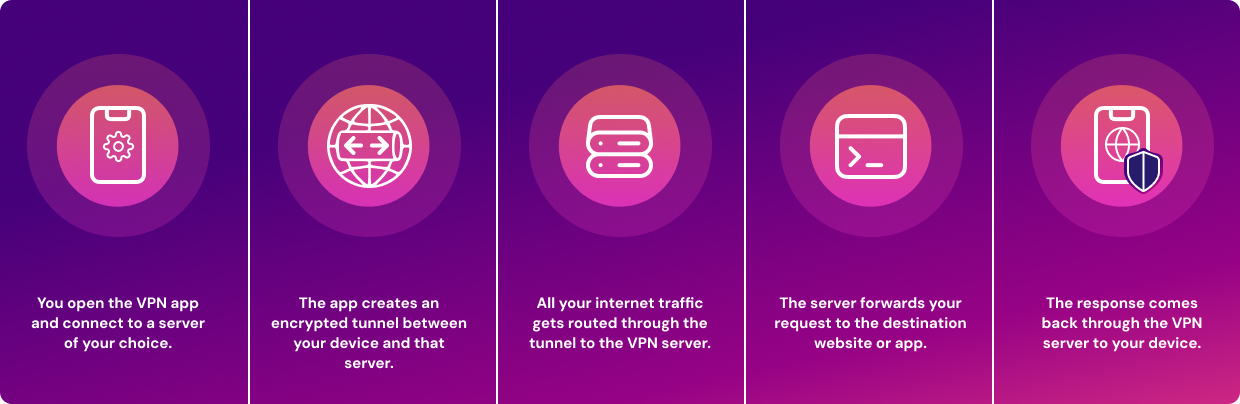
Most VPNs you’ve heard of follow a pretty standard playbook. Here’s how it goes:
- You open the VPN app and connect to a server of your choice.
- The app creates an encrypted tunnel between your device and that server.
- All your internet traffic gets routed through the tunnel to the VPN server.
- The server forwards your request to the destination website or app.
- The response comes back through the VPN server to your device.
The keyword there is server, singular. Traditional VPNs typically connect you to one of their own servers, which they own and operate. That works fine for most purposes. But it means you’re trusting that company’s infrastructure, and their servers are often located in, you guessed it, datacenters.
Why Do Traditional VPNs Use Datacenter Servers?
Datacenters make a lot of sense for VPN providers. They're reliable, scalable, and relatively cheap to operate. You can spin up thousands of IP addresses, spread them across dozens of countries, and deliver a consistent user experience. The tradeoffs, though, are real.
- Pro: Predictable performance. Datacenter servers are built for speed and uptime.
- Con: Websites can easily identify datacenter IP ranges. There are databases of known datacenter IP blocks, and websites actively check against them. If your VPN IP address shows up as a datacenter address, the site may block you, show a CAPTCHA, or flag your traffic as suspicious.
That second point is why many VPN users encounter frustrating blocks even with a VPN enabled. The VPN is working; the site just knows you're using one. However, there are a few things you could do to avoid this. Namely, opting for a non-traditional VPN. Let’s talk about it.
How Mysterium VPN Works
Mysterium VPN is what we call a residential VPN. It operates on the same basic principles as any VPN: encrypt your traffic, route it through another endpoint, and mask your original IP address. But it approaches the infrastructure differently.
Instead of routing your traffic through a data center, Mysterium VPN uses a distributed network of residential IPs: exit points tied to real households and real ISPs around the world. And rather than Mysterium VPN owning all those endpoints, our network is community-powered: real people around the world contribute their bandwidth and receive compensation for it.
Think of it as the best of two worlds: the privacy and security of a traditional VPN, combined with the natural-looking traffic profile of a residential connection.
Mysterium VPN Routes Traffic Through a Community-Powered Network
Traditional VPNs have a central infrastructure that they control. If that infrastructure goes down or gets flagged, it's a problem. Mysterium VPN’s network is distributed. There's no single central server layer your traffic passes through.
Our 7,500+ residential IPs are powered by mysterium.network, a community of like-minded individuals from 100+ countries. It’s a network of independent people (also called node runners) who sign up to share bandwidth and IP addresses with the network. We ensure that residential IPs are transparently sourced, coming from real people who have consented to become part of the network.
All internet traffic that goes through these residential IPs is encrypted, and owners of the IPs can’t see what you do with their residential IP when you’re connected to it. It's a fundamentally different approach to organizing the underlying VPN infrastructure.
Mysterium VPN Uses Residential IPs
This is exactly what makes us different from mainstream VPN providers. As you know by now, residential IPs are addresses assigned by ISPs to real households. When you browse the internet from home, you're using a residential IP. Websites expect to see them. They're the normal baseline of internet traffic.
Datacenter IPs, offered by traditional VPNs, are different. They come from commercial server facilities, and websites know it. Services like IPHub and ipinfo.io actively catalog and flag datacenter IP ranges. That's why many VPN users get blocked on services like Netflix, even with their VPN on.
Here at Mysterium VPN, we route your traffic through residential IPs, which can reduce VPN detectability compared with datacenter-only setups. That said, it's worth keeping expectations realistic; "can reduce" isn't the same as "will always bypass." Detection methods keep evolving, and no VPN can guarantee invisibility in every scenario.
How the Mysterium VPN App Works
Enough theory. Here's what it actually looks like to use Mysterium VPN. Our app is available on computers (Mac and Windows), smartphones and tablets (iOS and Android), and as a browser extension on most browsers, including Google Chrome, Opera, and Brave.
Let’s take a look at how to start using Mysterium VPN. The screenshots below were taken on May 11th, 2026, and the Mysterium VPN app (version 2.4.3) was downloaded from the official Mysterium VPN website onto a MacBook Pro laptop running macOS Tahoe 26.4.1.
1. Creating an Account and Logging In
The first step is getting a Mysterium VPN subscription. You do this on our official website: sign up, pick a plan, and your account is tied to that email going forward.
When you’re doing so, we follow strict privacy rules and only collect the minimum amount of your information required to keep your account running. You can pay for a subscription using one of three options: a mobile wallet (Google Play or Apple Pay), a debit or credit card, or cryptocurrency.
If you want to keep your payments as private as possible, you can read our guide on paying for Mysterium VPN anonymously. Read more on how to get the most anonymous VPN here.
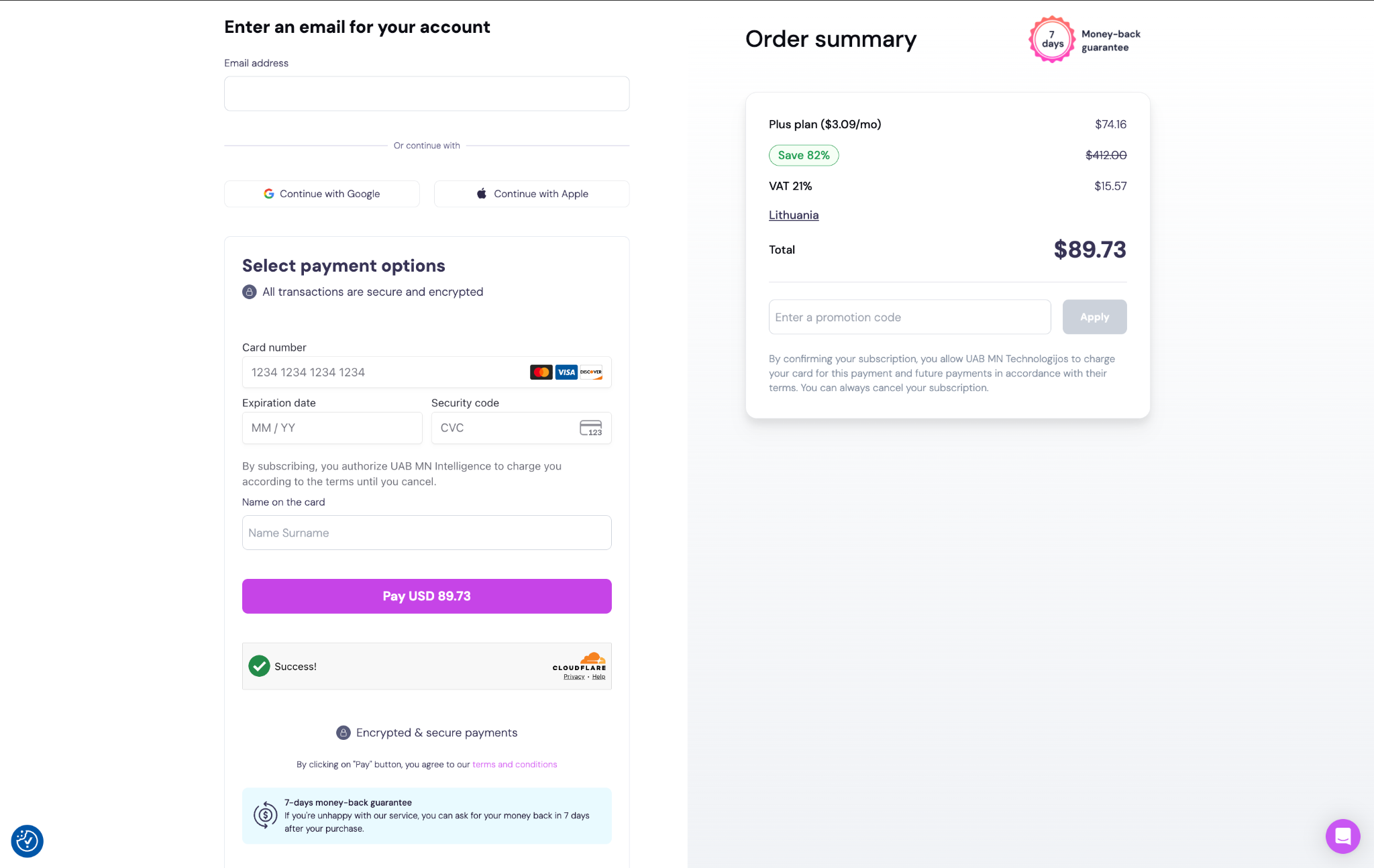
Mysterium VPN checkout page, where you enter your email and pick a payment method.
2. Downloading and Installing the App
Once you've got an account, download our app for your preferred device or browser from the Mysterium VPN website. Installation is straightforward; it's a standard app install on all supported platforms.
Once you download the app and install it, all that’s left to do is sign in using the same email address you used when checking out. Alternatively, if you bought a subscription with your Google or Apple account, you can sign in with those accounts.
Signing in works like this: you enter your email address, then we send you an email with a magic link to complete the sign-in. Click on that link, and that’s done, you’ve logged in!
If you’re experiencing any issues with downloading or installing the app, you can always contact our customer support through our website or email us at help@mysteriumvpn.com.
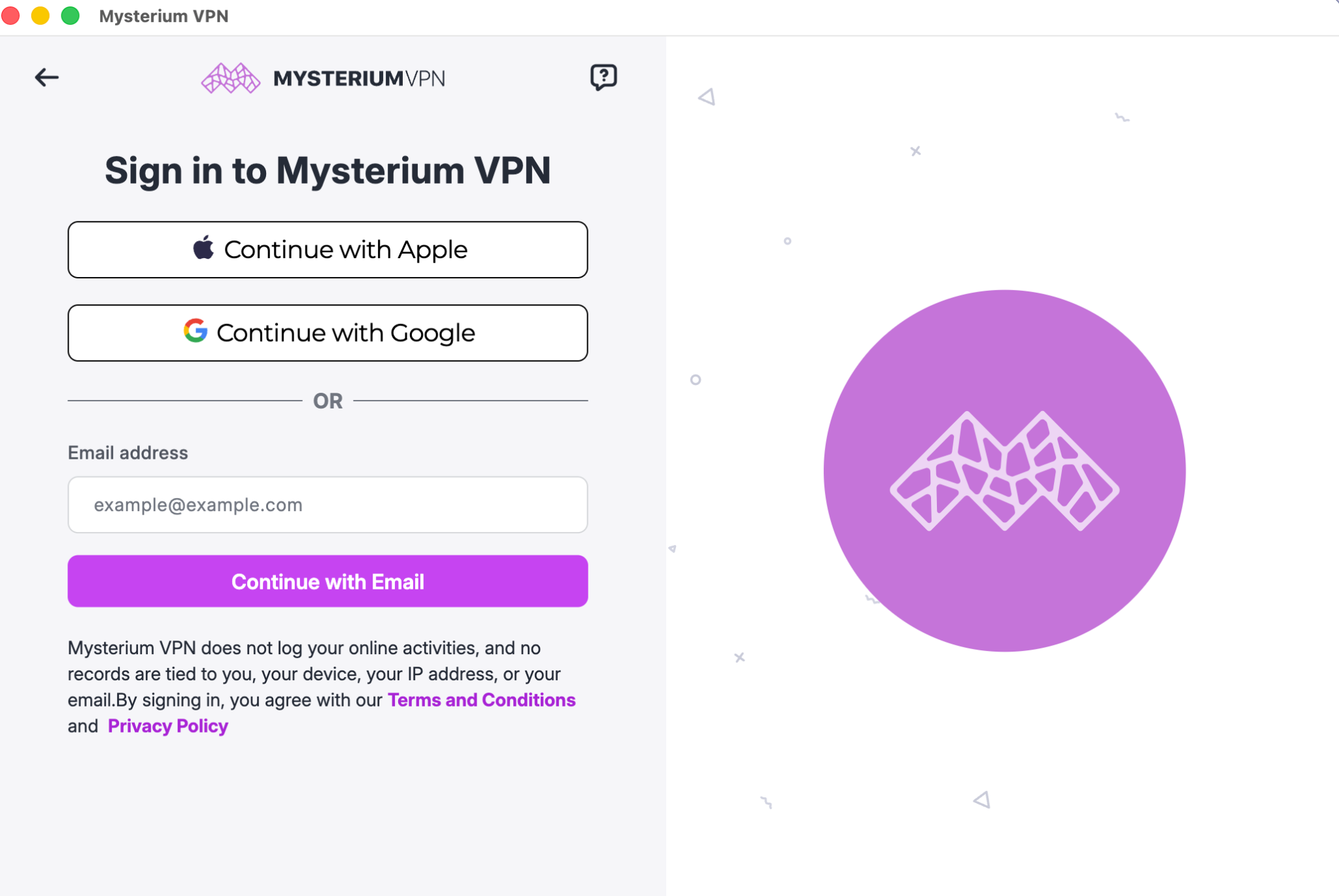
Mysterium VPN app launch screen, where you’re prompted to sign in to your account.
3. Choosing a Country/City and IP Type
After logging in, you'll see a location picker. You choose where you want your traffic to exit: the country, and, depending on your plan, the city. This is also where you select your IP type. Mysterium VPN offers both high-speed connections (datacenter IPs) and residential IPs, so you can pick based on what you need at that moment. City-level selection is available on the Plus and Pro plans, starting at $2.99/mo.
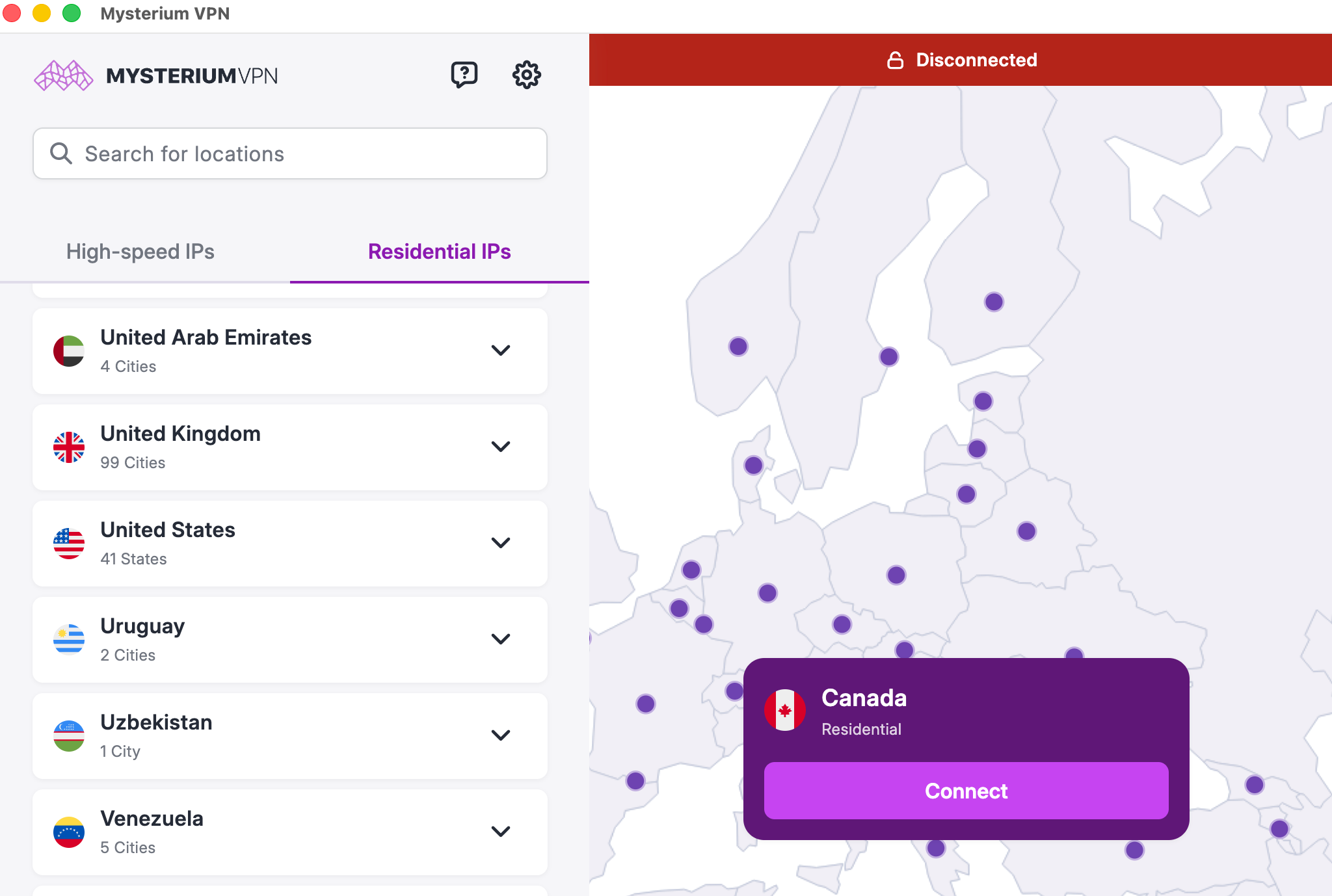
Mysterium VPN app shows a variety of available residential IP and high-speed IP locations.
4. Connecting to the VPN
Pick a location, hit connect, and Mysterium VPN establishes the encrypted tunnel. Your internet traffic is now routed through the selected node in your selected area. Your visible IP address changes from your original one to the VPN-assigned residential IP. Below is a screenshot of an established connection to a residential IP in New Jersey, out of an available IP pool of 250+ IPs.
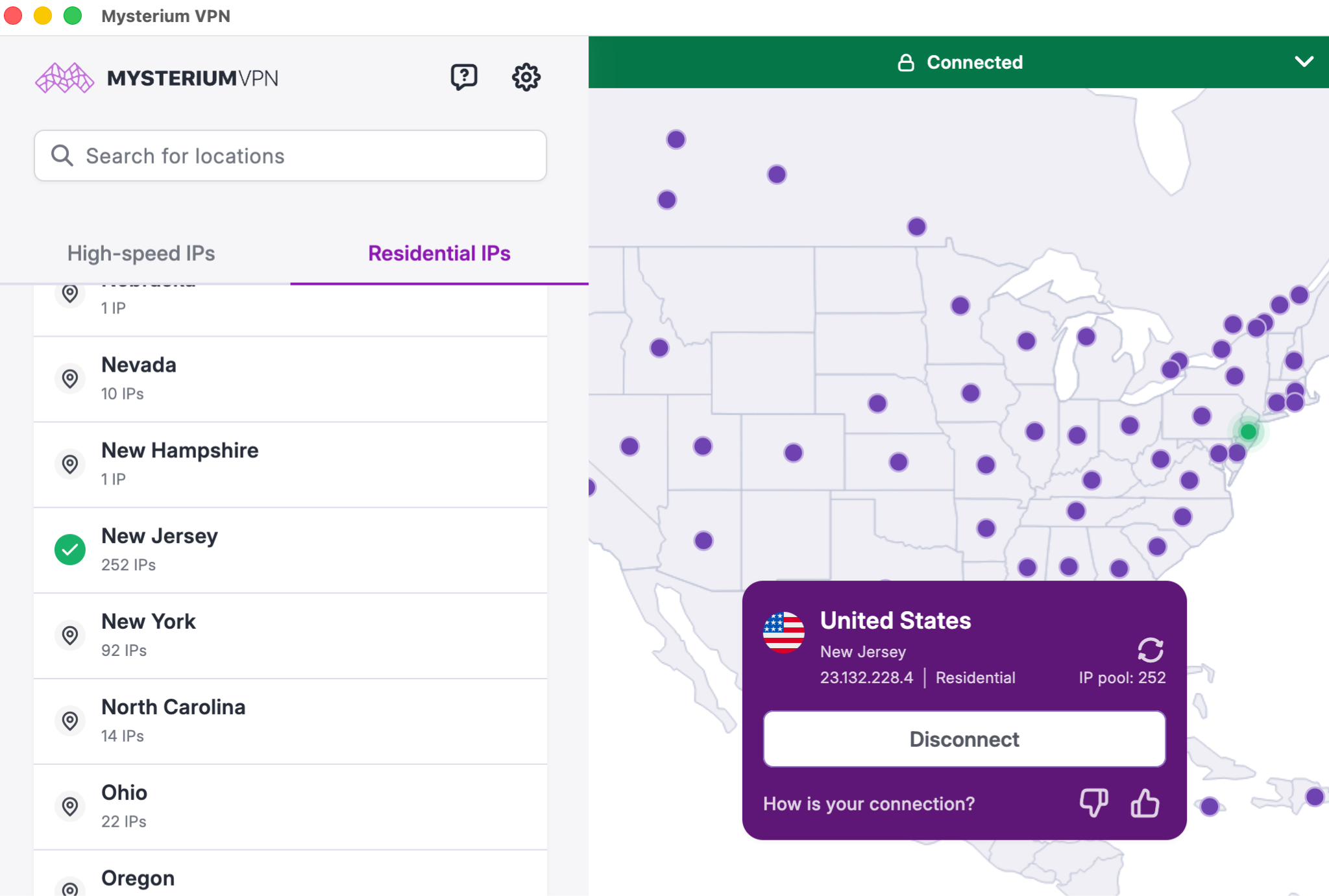
Mysterium VPN app showing a successful VPN connection to a residential IP in New Jersey, USA.
5. Confirming That the VPN Is Working
You can verify the status of your VPN connection by checking your visible IP address and location. A quick way to do this is through an IP checker; if it shows a different location and IP address than your real one, the VPN is working.
To test if the VPN connection is successful, we used a random IP checker. As you can see, the location (New Jersey) shown on the IP checker matches what we see on our Mysterium VPN app. The IP address itself also matches up perfectly. This, along with the bright green bar saying “🔒Connected” within the app, is an indicator that the VPN connection is successful, meaning our real location is hidden, and our traffic is being encrypted.
For a more detailed walkthrough of verifying your connection, check out our guide on checking whether your VPN is working.
How Mysterium VPN Gets Its Residential IPs?
Mysterium's residential IP network is community-powered. People around the world run nodes (essentially contributing a slice of their internet bandwidth to the network) through a separate piece of software and are compensated for doing so.
This is how the mysterium.network maintains a large, distributed pool of 7,500+ trustworthy residential IPs across 100+ countries worldwide, rather than relying on a single provider's datacenter infrastructure.
It's similar in concept to how some peer-to-peer systems work: instead of one central party providing everything, many participants collectively make up the whole.
Why Residential IPs Matter for Users?
Here's the practical upside:
- More natural-looking traffic: When websites see a residential IP address, they see what appears to be a regular home user. That's the default expectation. Datacenter IPs, in contrast, immediately raise red flags for anti-bot systems and streaming platforms.
- Lower block rates: Streaming services, e-commerce platforms, and websites with geo-restrictions are more likely to let residential traffic through than known VPN/datacenter IP ranges. Our residential IPs can reduce (though not entirely eliminate) the likelihood of encountering them.
If you care about your traffic looking like normal human traffic, rather than obviously VPN traffic, residential IPs get you closer to that.
Mysterium VPN No-Logs Policy
We don’t log your browsing activity, the content of your connections, or the websites you visit. Your traffic is encrypted end-to-end, and no records are kept that could link your online activity to your identity.
Like all VPN services, however, we do require minimal technical data to maintain service. This includes basic account information and limited operational data, such as payment status or error diagnostics. These aren’t activity logs and aren’t connected to your browsing, IP address, or traffic contents in any way.
Mysterium VPN was designed so that subscription management and network activity remain separate, preventing any correlation between who you are and what you do.
Summing Up: What’s so Different About Mysterium VPN?
A VPN encrypts your traffic and changes your visible IP address. Every VPN does that. What differs is how and through what.
Traditional VPNs route traffic through data center servers: reliable and fast, but easily recognizable. Mysterium VPN routes traffic through a distributed network of residential IPs, blending your connection in with regular home internet traffic rather than sending it through an obviously commercial server.
It's not a completely different category from a traditional VPN, as it works on the same principles. But it combines the convenience of a standard VPN with the natural-looking traffic profile of residential IPs, and does it across a distributed, community-powered network rather than a centralized server building.
If you want more than a standard datacenter VPN but still want a straightforward app-based experience, that's the gap Mysterium VPN is built to fill!


Reclaim the internet that took you at your word!
Get Mysterium VPN
Frequently Asked Questions
Gintarė is a cybersecurity writer at Mysterium VPN, where she explores online privacy, VPN technology, and the latest digital threats in editorial pieces. With hands-on experience researching and writing about data protection and digital freedom, Gintarė makes complex security topics accessible and actionable.
Related Articles
.png)