Residential VPN vs Datacenter VPN: What's the Difference?

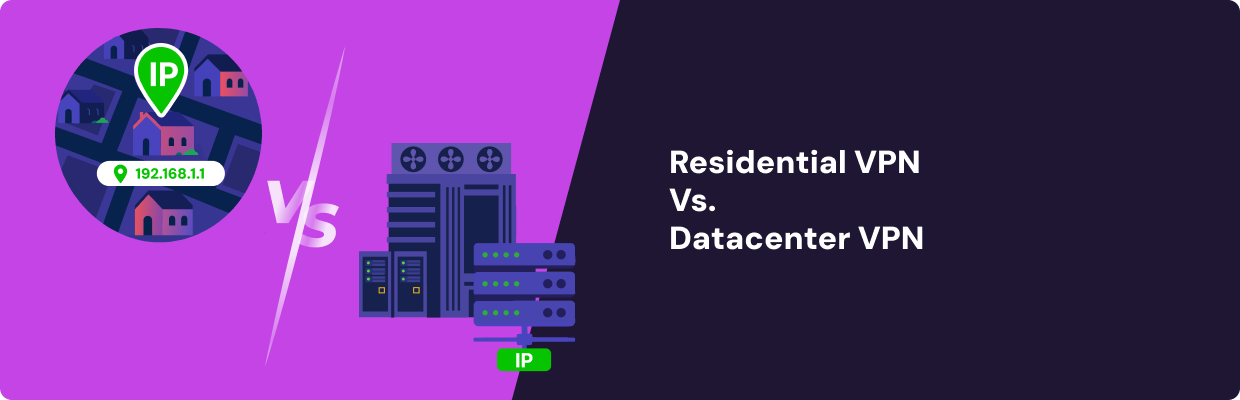
These VPN types route your traffic through different IP addresses before it reaches the internet. A residential VPN uses IP addresses assigned to real homes, so your traffic appears to come from someone's home. A datacenter VPN routes traffic through servers in commercial data centers, which is faster to run and cheaper to scale, but recognizable as VPN infrastructure.
Neither type is universally better, and how much the distinction matters depends entirely on what you're trying to do, and the honest answer usually involves both, depending on the task. This page covers where each one holds up: detection, speed, cost, and the specific situations where the difference is actually worth paying for.
Key Takeways
- Residential VPNs use real ISP-assigned IP addresses, while datacenter VPNs route traffic through servers owned or leased in commercial data centers.
- Residential IPs are generally harder for websites and streaming platforms to identify as VPN traffic, but they do not guarantee access or prevent detection.
- Datacenter VPNs are usually faster, more consistent, and cheaper, making them suitable for everyday privacy, public Wi-Fi protection, and remote network access.
- Residential VPNs are better suited to detection-sensitive use cases such as streaming, ad verification, market research, and platforms with strict anti-bot systems.
How Each Type Works
A datacenter VPN routes your traffic through a server sitting in a commercial data center. The VPN provider owns or leases that server, which makes the connection fast, reliable, and easy to maintain at scale, since the provider controls the entire chain from server to network.
This is how most consumer VPNs work, and for good reason; it's a straightforward model to build and operate, and it's why datacenter VPNs can offer dozens of server locations at a reasonable subscription price.
A residential VPN works differently. Traffic exits through an IP address that an ISP assigned to a real household, and the VPN provider doesn't own that IP directly. Instead, it's sourced from real users sharing their residential connections.
Mysterium VPN's model is an example of this: our network draws IPs from independently run residential nodes rather than company-owned servers.
That structural difference (who owns the IP and where it's registered) is what drives every trade-off covered below. It's not a difference in VPN encryption, protocol, or app features; both types of VPN can use the same tunneling technology underneath and still behave completely differently once traffic reaches its destination.
A website checking incoming traffic has no way to see which protocol you used, but it can see and act on whether the IP is registered to a household or a hosting provider. For more on what makes an IP "residential" in the first place, see what a residential IP address actually is.
Residential VPN vs Datacenter VPN: Key Differences
The trade-offs between the two come down to four practical dimensions: how likely your traffic is to get flagged, how fast the connection actually is, what it costs to run, and which tasks it's actually suited for. None of these favors one type across the board; they just point in different directions depending on what you need.
- Detection risk: ISP-registered IPs are harder for anti-bot systems to flag than cloud provider ranges because a residential IP is one of millions issued to ordinary households rather than part of a known commercial block. Anti-bot systems (used by platforms like Cloudflare and streaming services to spot non-human traffic) can easily flag datacenter ranges because those ranges are public and well-documented, registered to named hosting companies that anyone can look up. A residential IP can appear more similar to ordinary residential traffic, which reduces the chance of being flagged.
- Speed. This is where datacenter VPNs have an advantage. They run on infrastructure controlled by the provider, with consistent uptime and low latency. Residential VPN speeds depend on the bandwidth of whichever real household connection your traffic happens to route through. This isn't a flaw; it’s a natural consequence of the model.
- Cost: Datacenter servers are cheap to operate in bulk, which is why datacenter VPN subscriptions tend to be inexpensive. Residential IPs don't work that way. There's no wholesale market for buying a slice of a neighborhood's home internet, so providers either build and maintain their own node networks or pay to access someone else's, and both routes cost more than leasing server space. That cost tends to show up directly in what a residential VPN charges.
- Use cases: Datacenter VPNs cover most everyday needs well: hiding your IP, encrypting traffic, or reaching a remote network. Residential VPNs earn their higher price by offering more specific tasks, like bypassing streaming platforms that actively flag datacenter ranges, running ad verification or market research that needs to look organic, or managing accounts on platforms with aggressive anti-bot filters.
| Residential VPN | Datacenter VPN | |
| Detection risk | Lower. IPs blend in with ordinary household traffic | Higher. IP ranges are registered to known hosting providers |
| Typical speed | Varies with real users' bandwidth | Generally faster and more consistent |
| Cost | Higher. Residential IPs are expensive to source ethically | Lower. The server infrastructure is cheap to scale |
| Best for | Streaming geo-blocks, ad verification, bot-sensitive platforms | Everyday browsing, hiding your IP, remote network access |
When to Use a Residential VPN (and When Not To)
Encrypting your traffic on public Wi-Fi, hiding your IP from your ISP, or connecting to a corporate network remotely all work fine on a standard datacenter VPN, and there's no real benefit to paying more for residential IPs in those situations. The extra cost only pays off when you're running into the specific kind of detection a residential IP is built to reduce.
Use a residential VPN when:
- You're trying to access streaming platforms that actively flag and block known datacenter IP ranges
- You're running ad verification or market research that needs traffic to look like organic household browsing
- You're managing multiple accounts on a platform with aggressive bot detection
A datacenter VPN is fine for:
- Encrypting your connection on public or untrusted Wi-Fi
- Hiding your browsing from your ISP
- Accessing a remote or corporate network
None of this is a bypass guarantee in either direction. A residential VPN is an architectural advantage that may reduce detection risk on certain platforms, not a promise that any specific site will let you through, and it's worth being skeptical of anyone who tells you otherwise.
Detection systems evolve, platforms change their policies, and a technique that works well today can behave differently in six months, on either type of VPN.
If you want to understand more about how streaming platforms actually detect VPNs in the first place, we’ve already broken the mechanics down in more detail.
Mysterium VPN's network is built on 7,500+ residential IPs sourced from real node operators, which is how it fits into the first category above rather than the second.
If you want to see how that network is structured, Mysterium's residential VPN page breaks it down, and our overview of the decentralized VPN model covers the infrastructure side in more depth, including why a distributed node network scales differently than a company leasing more server capacity.


Save up to 85% off for Black Friday!
The ultimate digital shield, now at a fraction of the cost.

Frequently Asked Questions
Gintarė is a cybersecurity writer at Mysterium VPN, where she explores online privacy, VPN technology, and the latest digital threats in editorial pieces. With hands-on experience researching and writing about data protection and digital freedom, Gintarė makes complex security topics accessible and actionable.
Related Articles