The Best Discord VPN for Secure & Reliable Access
- 7,500+ residential IPs for smoother global access.
- Undetectable to VPN blockers.
- Safety on public Wi-Fi with encryption and a no-logs policy.


.webp)
Why Mysterium VPN Is the Best VPN for Discord?
Using Discord on restricted or unstable networks can lead to annoying connection drops, verification prompts, or limited access. Mysterium VPN helps you to maintain a smooth, private, and globally connected Discord experience.
- Access 11,000+ IPs IPs across 100+ countries worldwide.
- 7,500+ residential IPs for connections less likely to be blocked.
- Encrypted internet traffic for safer voice and chat sessions.
- Stable performance during peak hours.
- Protection against ISP throttling and tracking.
Mysterium VPN encrypts your connection, shielding your activity from unwanted eyes. It’s not about breaking rules; it’s about protecting your personal information, securing your data, and regaining control over how you connect online.
How To Use a VPN for Discord
-
 1
1Step 1
Choose a plan for your needs. Plus is our most popular, get it now for $2.99/mo. -
 2
2Step 2
Download the Mysterium VPN app for your device. Available for laptops, smartphones, tablets, and browsers. -
 3
3Step 3
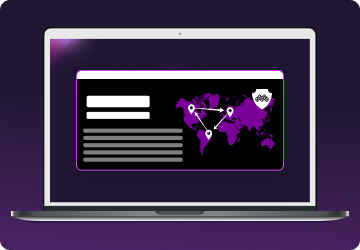
Sign in, select a country, and connect. You're now browsing securely from wherever you choose.
Why Is Discord Blocked?
There are several reasons why the Discord app or website might not be available on a given network, like at school or university, on work Wi-Fi, or when you’ve traveled to a different country:
- Schools, universities, and workplaces may block Discord to minimize students’ or workers’ distractions or bandwidth usage.
- Public Wi-Fi networks (like at a mall or airport) may restrict access to keep usage light and controlled.
- In some countries, Discord and other social media platforms are banned for teenagers and kids under 15 or 16. If Discord thinks you’re too young, it may block your access to the app.
- Governments in certain countries may block Discord altogether due to its uncensored nature.
These blocks usually happen at the network level, not initiated by Discord itself. So, if you’re in a situation where Discord is blocked, say, you’re trying to coordinate a group project at school, using a VPN can help you to securely access the platform.
How a VPN for Discord Works
A VPN is like a private tunnel through the internet. Instead of sending your data directly from your device to Discord's servers, a VPN reroutes that data through a secure server somewhere else in the world.
This process masks your real IP address, replacing it with the server’s IP, and encrypts your traffic so that no one snooping on your network (like your ISP, school admin, or someone on public Wi-Fi) can see what you’re doing.
This added layer of privacy is instrumental when you're trying to connect to Discord on a restricted network or when you simply want to keep your online conversations and activities private.
While most VPNs use a centralized pool of IP addresses (which are often overused and easily flagged), Mysterium VPN does things differently. We offer 7,500+ residential IPs, real IP addresses from real internet users around the world.
That makes your traffic appear much more natural and harder to block or detect, giving you a smoother, more secure Discord experience.
Is It Legal To Use a VPN for Discord?
In most countries, using a VPN is legal, and using one with Discord is allowed with a big asterisk. According to Discord, “Using a VPN to engage in prohibited activities, such as evading bans, violating community guidelines, or accessing geo-blocked or illegal content, can result in enforcement actions against your account.”
Mysterium VPN doesn’t support or promote breaking Discord’s rules or any other platform’s policies. We believe in privacy, not policy evasion.
Why Your VPN Isn’t Working With Discord
So you fire up your VPN, open Discord… and nothing. It stalls, disconnects, or asks for verification. Here's why:
- Flagged VPN IPs: Discord might block known VPN IP addresses to prevent abuse or ban evasion.
- Verification checks: Switching IPs often may cause Discord to prompt phone or email verification.
- Browser leaks: If you’re using Discord via browser and haven’t plugged WebRTC leaks, your real IP might be leaking.
- Incorrect server location: You may be connecting through a country where Discord has limited access.
Many of these issues happen with generic, overused VPNs. That’s why at Mysterium VPN, we use 7,500+ residential IPs, which are less likely to trigger Discord’s alarms.
Discord at School: Exploring Alternatives
Discord might be blocked on your school’s Wi-Fi to avoid distractions when you should be learning. That’s understandable, but it can also be frustrating when you're using it for schoolwork, like to collaborate with classmates, or check in with study groups.
A VPN like Mysterium allows you to safely connect to Discord on restricted school networks, protecting your activity and giving you access without drawing attention.
Still can’t connect? You’ve got options. First, try Discord Unblocked for school; these mirror sites can sometimes bypass network restrictions. Alternatively (pun intended), you can use Discord alternatives for school like Slack, Google Chat, or Microsoft Teams.
Just remember: use these tools responsibly. Getting caught laughing at memes in chemistry class is not a good look. Neither is yapping on your friend’s server in math class!
How to Get Unbanned from a Discord Server (Without a VPN)
It happens to the best of us; you get kicked or banned from a server. But jumping back in with a VPN and a new account? That’s risky and violates Discord’s policies. Instead, try this:
- Reach out to a server moderator and politely ask for reinstatement.
- Wait it out, especially if it was a temporary or emotional decision.
- Find a new community; there’s a server for just about every interest.
Using a VPN to rejoin a server after being banned may seem clever, but it violates Discord’s Terms, and your entire account could be permanently disabled.
Does Discord Require Age Verification?
Discord states that over 90% of users can continue using the platform without submitting an ID. The company relies on internal systems that estimate age using account-level signals such as account history, payment methods, and activity patterns, not message content.
However, Discord has been expanding its global “age assurance” framework in response to laws in the UK, Australia, and Brazil. There, adults who attempt to access age-restricted content may be required to verify their identity with third-party providers.
The rollout has been controversial. Earlier testing phases triggered strong backlash over privacy concerns, transparency, and data processing standards. Discord has since delayed broader global expansion to refine its approach, increase vendor disclosure, and add more options. Going forward, users can expect:
- Continued expansion in regions with legal mandates.
- More verification pathways (including non-biometric methods).
- Ongoing adjustments as additional countries introduce regulations.
If a user refuses verification, Discord states that the account will remain active, but access to age-restricted content and certain safety settings will be limited.
The broader trend is clear: age assurance is becoming more common across major platforms. As regulations spread, verification prompts may become more frequent depending on your location and the type of content you access.

Can I Use a Free VPN for Discord?
Free VPNs may seem convenient, but they often create more problems than they solve.
- Overcrowded servers would cause unstable connections.
- Flagged IP addresses would lead to verification checks.
- Limited bandwidth would affect voice and video calls.
- Weak encryption standards would leave you vulnerable.
For a stable and reliable VPN for Discord, high-quality infrastructure matters, and you wouldn’t get that from a free service. Mysterium VPN offers residential IP options, stronger encryption, and better overall performance than typical free VPNs, all while at an affordable price.