How To Get Unbanned From a Discord Server in 2026



Key Takeaways
- Discord bans can be server-wide, platform-wide, temporary, or IP-based, and each type requires a different approach to resolve.
- The safest first step is always to appeal the ban politely, either by contacting server moderators or submitting a request to Discord Trust & Safety.
- IP bans block new accounts from the same network, which is why simply creating a new account may not work.
- A VPN can assign a new IP address, helping users bypass IP-based restrictions while improving privacy and security.
- Prevent future bans by following server rules carefully, avoiding spam, and respecting Discord’s Terms of Service.
Discord has become one of the most popular communication platforms, connecting millions of users through servers built around gaming, hobbies, and communities. But what happens when you suddenly find yourself banned from your favorite Discord server?
Whether it was a misunderstanding, a mistake, or a case of mistaken identity, getting banned can be frustrating. Don’t worry yet, as there are legitimate ways to get back in, and in this guide, we’ll walk you through how to get unbanned from a Discord server in 2026.
How Does Discord Work?
Discord is a community-based platform where users join servers: spaces dedicated to topics, games, or interests. Each server has moderators and admins who enforce community guidelines. Users can chat via text, voice, or video channels, share files, and even integrate bots to automate moderation or fun features.
Every account on Discord is tied to your email, phone number, and often your IP address. That means when you’re banned, it’s not just your account that’s affected – your device or IP might be blocked too.
Why Does Discord Ban Users?
Discord bans users for violating community or platform-wide rules. Here are some of the most common reasons:
- Hate speech or harassment toward other members
- Spamming servers or direct messages
- Sharing explicit or harmful content
- Violating server rules (each server sets its own policies)
- Using bots or scripts that break Discord’s Terms of Service
Sometimes, bans happen accidentally, especially when moderators misinterpret a post or when multiple people share the same IP.
Types of Discord Bans
Discord has several types of bans, each affecting you differently:
- Server ban: You’re banned only from a specific Discord server. You can still access other servers or create your own.
- Platform ban: Discord itself bans your account for violating its global policies. You’ll lose access to the entire platform.
- IP ban: Your IP address is blocked, meaning any account logging in from that address gets banned too.
- Temporary Ban: A short-term restriction for minor rule violations. Once the time expires, access is restored.
No matter which type of ban you’re experiencing, you’re not alone. We’re here to help you out, so keep reading!
How to Get Unbanned from Discord
If you’ve been banned, don’t panic: there are several ways to fix it.
1. Appeal the Ban
If you were unfairly banned, contact the server moderator or admin through another platform (like Twitter or email). You should politely explain your situation and ask for a review. Always remain calm and take responsibility if you broke a rule.
2. Contact Discord Support
Go to the official Discord Trust & Safety page for platform-wide bans and submit an official appeal. You should include your username, reason for the appeal, and any proof that you were banned in error.
3. Create a New Account
If your official appeal doesn’t work, you can always start fresh with a new account. But if your IP address is banned, you’ll need a way to change it first. This is where services like Mysterium VPN come in handy. Let’s get into that.
Trying one or a few of these steps to get unbanned from Discord should have you chatting it up in your favorite server in no time!
Why Do I Need a VPN for Discord?
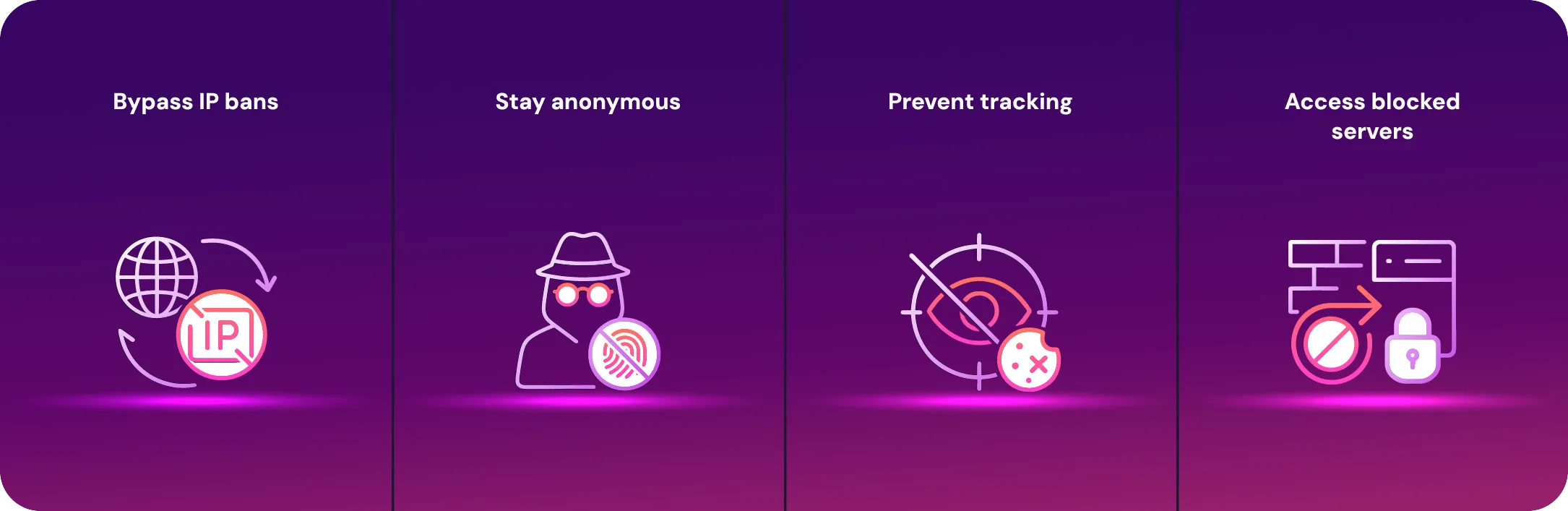
Your IP address is often flagged when you’re banned from a Discord server. That means even new accounts can’t join. A VPN for Discord gives you a new IP address, allowing you to reconnect safely. With us, you can:
- Bypass IP bans easily with a fresh connection.
- Stay anonymous and protect your personal data.
- Prevent tracking and maintain privacy in public networks.
- Access blocked Discord servers in schools, workplaces, or regions with restrictions.
Try Mysterium VPN today and get 78% off your plan for a limited time, perfect for staying unbanned and anonymous online without breaking the bank.
How to Get Unbanned From Discord With a VPN
Follow these steps to regain access safely:
- Uninstall Discord: Close the Discord app and uninstall it completely from your device. This clears any saved cache data tied to your old IP address.
- Download and install Mysterium VPN: Set up the Mysterium VPN app on your device (the app is compatible with Windows, macOS, iOS, or Android).
- Connect to a different server: After you set up your account, open Mysterium VPN and choose a server in another country. This assigns you a new IP address.
- Reinstall the Discord app: Go to the official Discord website or your device’s app store and reinstall the app from scratch.
- Create a new account: Sign up with a different email and username. Avoid similar identifiers from your old account.
- Join your favorite Discord server: You should now be able to join the Discord server that banned you, ban-free and private!
If you follow these steps, using a VPN to change your IP address should work to get you unbanned from a Discord server.
How To Get Unbanned From a Discord Server Without a VPN
If you’d rather not use a VPN (which we recommend!), here are a few manual options:
- Reach out to server moderators and ask for a second chance.
- Create a new account from a different network, like mobile data.
- Appeal directly to Discord if it’s a platform-wide issue.
- Follow the rules carefully to avoid repeat bans.
However, keep in mind that these methods may not always work, especially if you’ve been IP-banned. Using a VPN remains the most reliable and privacy-friendly option.
Final Thoughts
Getting banned from Discord isn’t the end of the world. Whether it’s appealing your ban or using a VPN to bypass IP blocks, there are legitimate ways to return and reconnect with your community.
A VPN like Mysterium VPN not only helps you get unbanned but also gives you an extra layer of online privacy and security every time you log in to Discord. It hides your real IP address, encrypts your internet connection, and helps prevent future bans due to shared IP issues, all of it at 78% off right now!


Reclaim the internet that took you at your word!
Get Mysterium VPN

Gintarė is a cybersecurity writer at Mysterium VPN, where she explores online privacy, VPN technology, and the latest digital threats in editorial pieces. With hands-on experience researching and writing about data protection and digital freedom, Gintarė makes complex security topics accessible and actionable.
Related Articles
.png)