background image blur
background image

VPN vs Proxy – Which is The Right Tool for You

Choosing between VPN and proxy comes down to understanding your needs as well as each technologies’ strengths and weaknesses.
  • VPNs offer security, privacy, and device-wide coverage.
  • Proxies are quick, lightweight, and great for automation.
  • Both can be used together but one is often enough.
How Mysterium VPN WorksArrow icon
shield icon
up to 30-day money-back guarantee
A laptop with an illustration comparing VPN and proxies on the screen

VPN vs Proxy: At a Glance

FeatureVPNProxy
Encryption✅ Full (encrypted tunnel)❌ HTTPS only
IP masking✅ Yes✅ Yes
Device-wide protection✅ All apps & services❌ App/browser only
Speed impact❌ Slightly noticeable (due to encryption)✅ Unnoticeable
Logging risks✅ Very low❌ Medium-high (limited protection)
VPN/Proxy types✅ Datacenter, residential (WireGuard/OpenVPN)✅ Datacenter, residential, mobile (HTTP/HTTPS, SOCKS)
Ideal use cases✅ Privacy, security, anonymity, streaming, public Wi-Fis✅ Automation, scraping, lightweight routing, bulk operations
Cost expectations✅ Monthly subscription✅ Pay-per-IP or pay-per-GB
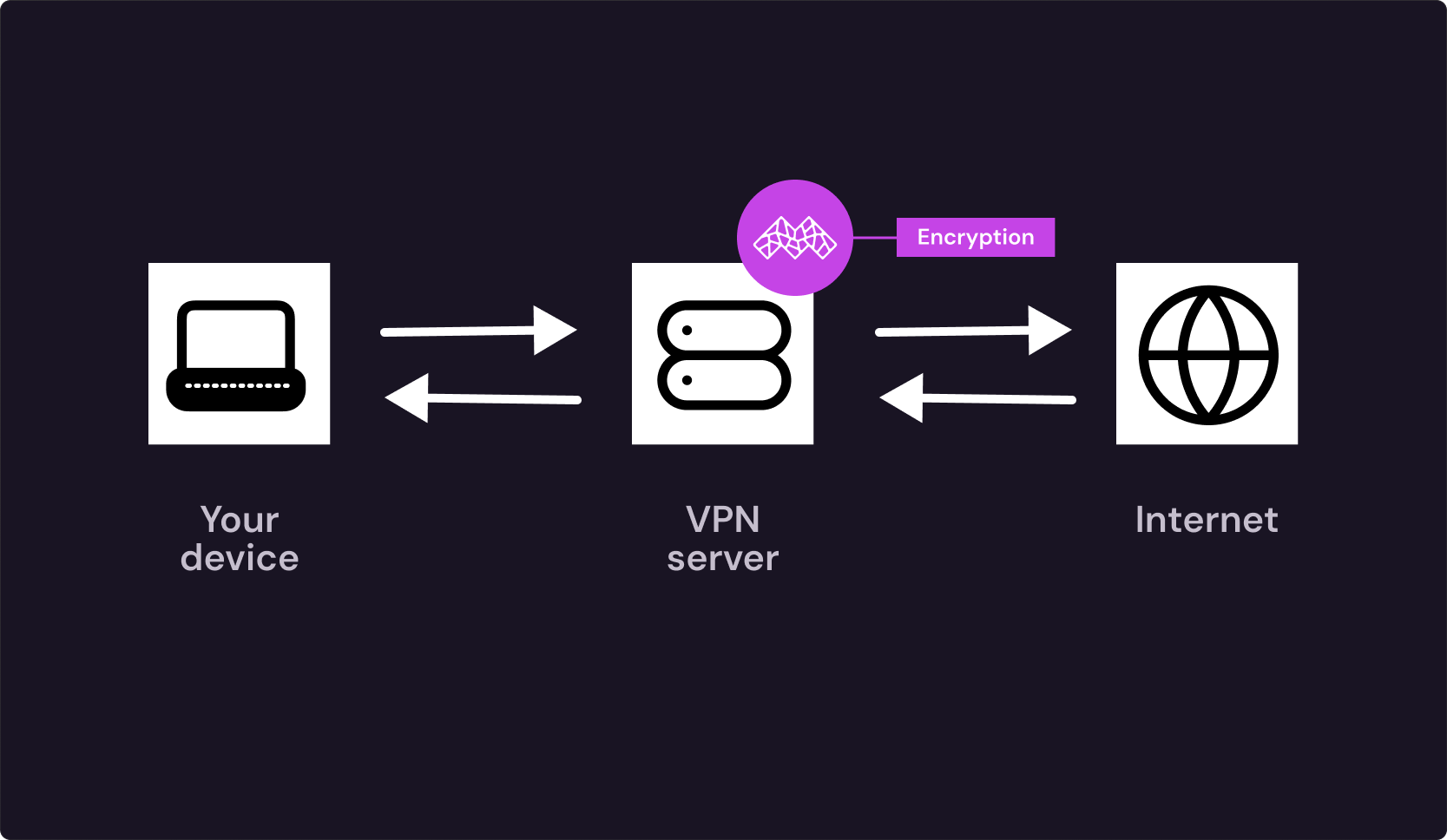
An infographic showing how Mysterium VPN works

What Is a VPN?

A virtual private network, or VPN for short, is a privacy tool that creates a secure tunnel for all your internet traffic and routes it through a private IP address, device-wide. This masks your IP address, reduces tracking, and helps protect sensitive information by encrypting your data.

Features of VPNs

  • Encryption: Secure, end-to-end tunnel prevents outsiders from reading your traffic.
  • ISP privacy: ISPs only see the data going in and out, but not what’s inside.
  • Public Wi-Fi safety: Logins, cookies, and apps remain protected on shared networks.
  • Stable streaming: More consistent IP/location with fewer checks and interruptions.
  • Device-wide coverage: All traffic coming out of your device is fully protected.
  • Kill switch: Traffic is instantly blocked whenever any VPN drop occurs.
  • Leak protection: DNS requests are forced inside the tunnel to avoid revealing domains.
  • Residential IPs: Real household connections with nearly undetectable traffic.

Learn about all Mysterium VPN features here.

Main Types of VPNs

  • Datacenter VPN: Fast, scalable, and cost-efficient IPs that come from large data centers, making them more likely to get flagged.
  • Residential VPN: Slightly slower and less stable, but nearly undetectable due to coming from real household connections and real people.
  • Decentralized VPN: uses a distributed network of nodes instead of centralized servers. This means that a VPN operates on a peer-to-peer basis, with everyday web users running nodes on their personal devices.
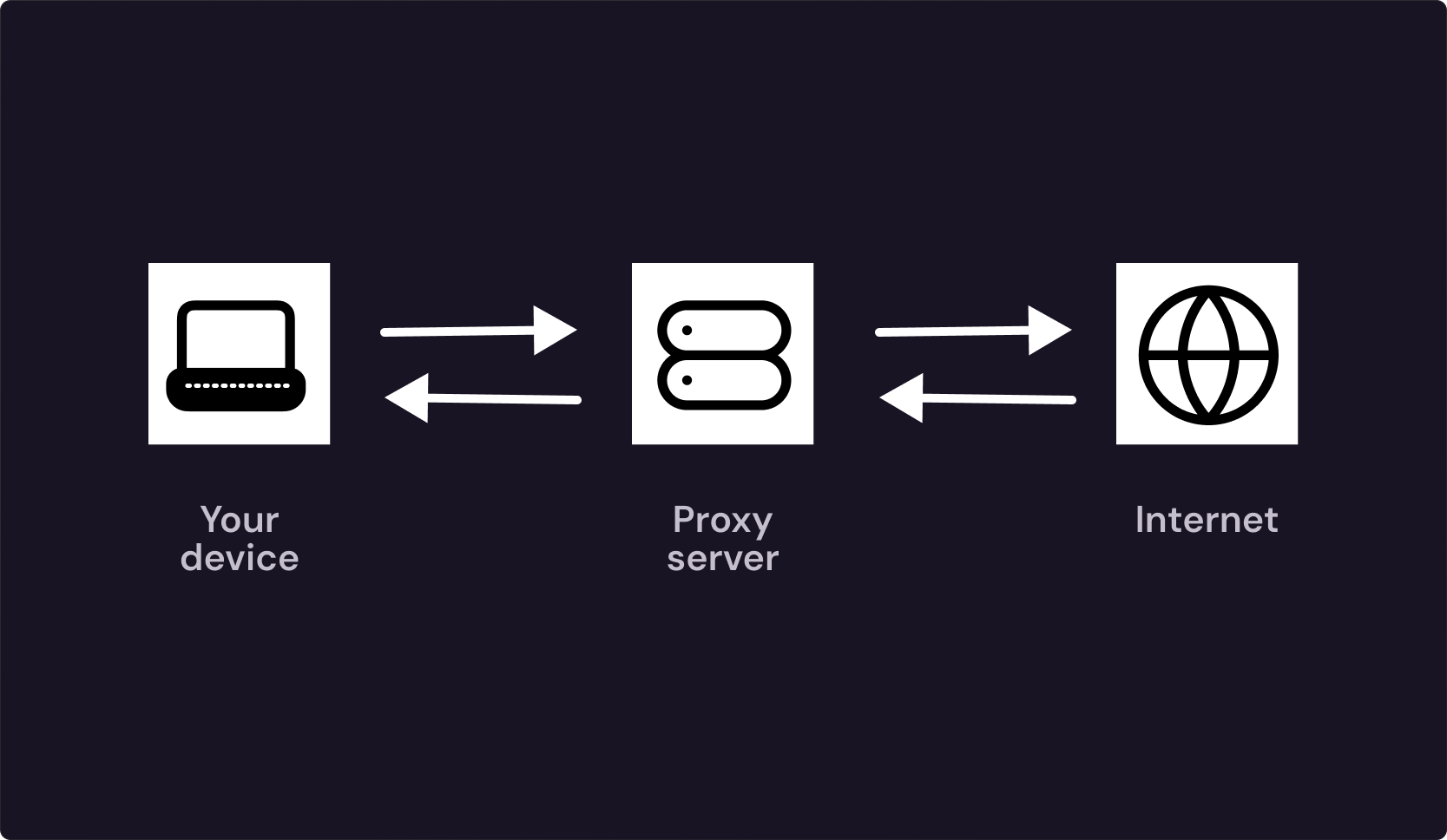
An infographic showing how a proxy works

What Is a Proxy?

A proxy is an intermediary server that sits between you and the website you visit, forwarding the data back and forth while keeping your real IP address hidden. Instead of creating a secure connection and encrypting all your traffic the way a VPN does, a proxy simply ups your anonymity without any additional apps or extra steps.

Features of a Proxy

  • IP masking: Sites see the proxy’s IP, not yours.
  • App-level routing: Configured per app/browser; not device-wide.
  • Protocol-specific: HTTP/HTTPS proxies and SOCKS5.
  • Speed advantages: Lighter than VPNs (no always-on encryption overhead).
  • Easy IP rotation: Switch endpoints or auto-rotate for new sessions.
  • Specific targeting: Choose the country/city/ASN.

Main Proxy Types

  • Residential proxies: IPs from internet service providers; appear as real home users.
  • Datacenter proxies: Fast, low-cost hosting IPs; easier to detect and block.
  • Mobile proxies: Cellular carrier IPs; high trust, higher cost/volatility.

Proxy vs VPN: The Key Differences

Security & Encryption

Security & Encryption

A VPN creates an encrypted tunnel for all device traffic, not only masking your IP but also protecting the rest of the data on any network you’re using. Proxies, on the other hand, don’t encrypt anything by default. They simply relay requests, meaning security depends on each site’s HTTPS.

Privacy, Logs & Data Exposure

Privacy, Logs & Data Exposure

A VPN’s privacy depends on the provider’s no-logs policy, jurisdiction, and independent audits. If done right, VPNs retain very little data while the traffic stays encrypted end-to-end. Proxies tend to be quite opaque about logging and ownership, often exposing metadata on a per-request basis.

Speed, Latency & Performance

Speed, Latency & Performance

Since VPNs add a small encryption and routing overhead, the raw latency can be a little bit higher. Modern protocols, like WireGuard or OpenVPN, do a great job at narrowing the gap, but proxies are still sometimes faster per request simply because they don’t encrypt device-wide, making the connection more direct.

Coverage & Compatibility

Coverage & Compatibility

VPNs provide device-wide coverage. This works by routing all apps and background services through a single encrypted tunnel, enabling broad compatibility across major OSes and devices. Proxies are app/browser-only. You configure them per client, and only that traffic is routed, so the compatibility depends on each app’s HTTP/SOCKS support.

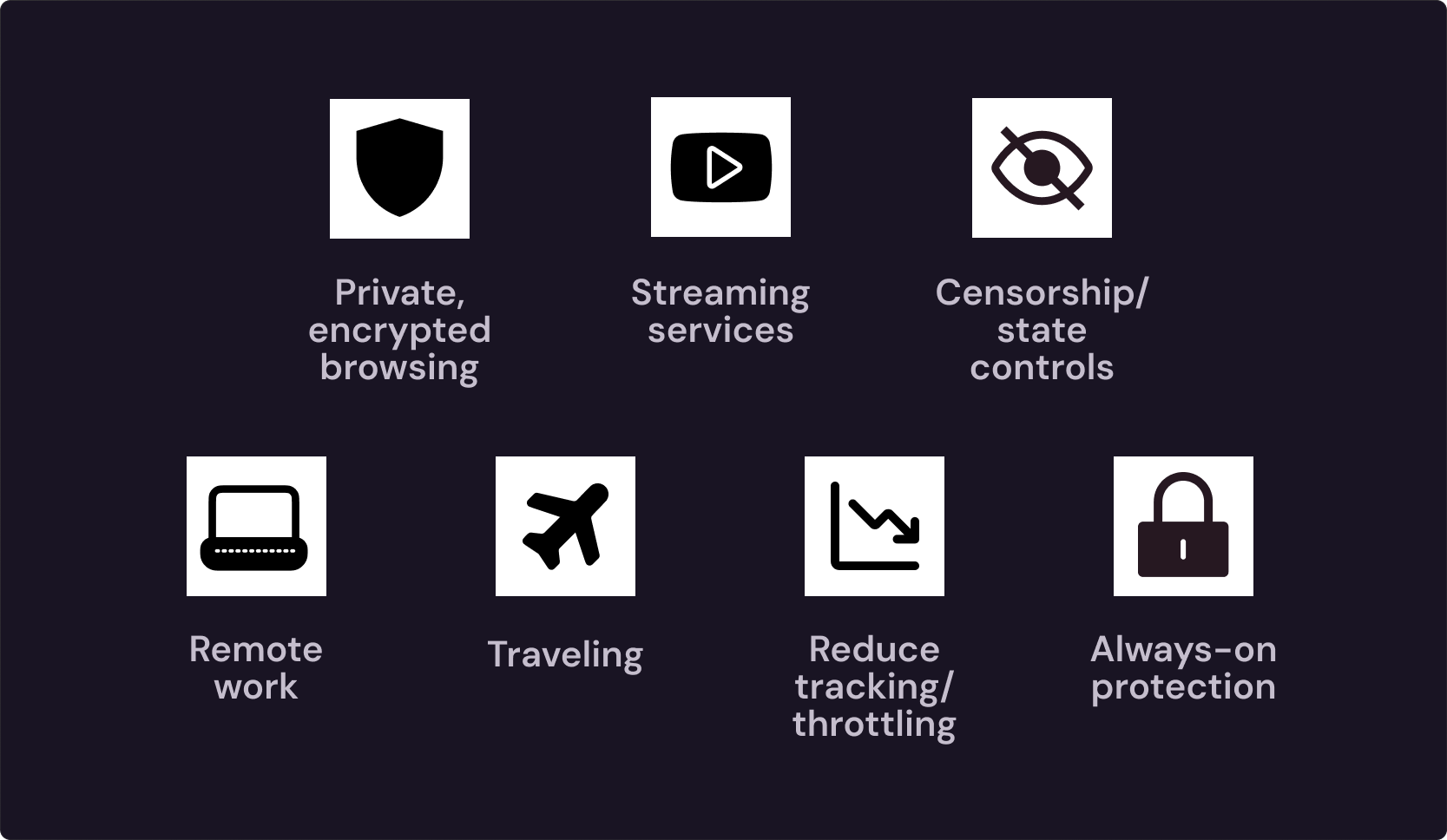
An infographic showing when best to use a VPN

When You Should Use a VPN

Best Use Cases

  • Streaming services: Stable location and sessions lead to fewer interruptions and rechecks while streaming.
  • Censorship/state controls: Encrypted traffic allows you to stay private and secure even in the most controlled regions.
  • Remote work: Provides safer access to company apps, files, and internal tools on untrusted Wi-Fi.
  • Traveling: Protects your sensitive personal data when using shared or public networks.
  • Reduce tracking/throttling: Masks IP and smooths service behavior across providers.
  • Always-on protection: One setup covers phones, laptops, and tablets automatically.

When You Shouldn't Use a VPN

  • High-volume scraping/automation: Device-wide encryption adds overhead and doesn’t support fast, per-request IP churn.
  • Many rotating identities: VPN exits don’t rotate at the cadence needed for rapid, parallel identity cycling.
  • Per-request routing rules: VPNs route system-wide, leaving less flexibility for fine-tuning your connection.

Can You Use a Proxy and VPN Together?

Yes, you can use both. While rare, there actually are some use cases when using both a VPN and a proxy server is the best approach. Two common stacks exist:

  • Proxy over VPN: you first connect to the VPN (encrypted tunnel, new IP), then set an app to use a proxy server. This way, the sites see the proxy’s IP while your hop to it stays encrypted. 
  • VPN over proxy: your VPN client connects through a proxy (HTTP/SOCKS) to reach the VPN server. This can be useful when direct VPN traffic is blocked or rate-limited.

Keep in mind that both of these methods come with risks, which is why it's important to weigh them beforehand. As you add latency, more moving parts, and a larger trust surface, misconfigurations can leak DNS or break logins, and troubleshooting gets more complicated.

These chains are niche but sometimes justified. Use cases include: multi-layer IP masking, navigating extreme network restrictions (strict firewalls, captive environments), or specialized, high-anonymity research where splitting metadata across layers helps.

background image blur mobile
background image mobile

Frequently Asked Questions

Which is better, a VPN or a proxy?
It depends on your needs. Thanks to its privacy, security, and anonymity, VPN is a much better choice for personal everyday use, while a proxy, which trades protection for speed, is more suitable for automation, web scraping, lightweight routing, and bulk operations.
Can I use a proxy without a VPN?
Yes, you can easily use a proxy without a VPN, as it functions very well as a standalone technology. However, if your task requires advanced privacy and security, it might be a good idea to combine a proxy with a VPN for the best of both worlds.
Are VPNs more expensive than proxies?
It depends on your use. VPNs usually come with a fixed subscription cost, which you have to pay monthly as long as you want to use it, while proxies may charge you per IP or data used, and depending on that, the cost can actually be very low if you don’t use the service often.
Do proxies hide my IP address completely?
No, because while proxies hide your IP from the websites you’re on, they don’t encrypt your traffic the way VPNs do. This means that your Internet Service Provider (ISP) and the proxy server itself can both still see your activity.
© Copyright 2026 UAB "MN Intelligence"